how to select shaded options in bios

qpod25

New member
Member
Local time
11:37 PM
Messages
82
hi,
how is it possible to select shaded options in bios.
when one tries to select an option in bios to enable it, the mouse cursor just jumps over it to the next option.
Box
 

My Computer My Computer

At a glance

windows 7 ultimate 32 bitsintel celeron cpu 540 1.86 GHzkingston 4Gbmobile intel(R) 965 Express Chipset Family
Computer type
Laptop
Computer Manufacturer/Model Number
toshiba
OS
windows 7 ultimate 32 bits
CPU
intel celeron cpu 540 1.86 GHz
Motherboard
asus
Memory
kingston 4Gb
Graphics Card(s)
mobile intel(R) 965 Express Chipset Family
Hard Drives
WDC WD800BEVS-22RST0 ATA Device
Antivirus
avast 2017
Browser
ie11,ff54
If an option is greyed out that's usually because there's an incompatibility. It's also possible that one setting disables another. For example if your computer has the option of automatically configuring something that would grey out manual settings. Without knowing more about your computer or what is greyed out we can't say anything else. Did you see your computer's manual?
 

My Computers My Computers

  • At a glance

    Windows 7 pro/Windows 10 ProIntel i7 860 Quad core 2.8 ghz8 gbATI Radeon HD 5770 1 gb ram
    Computer type
    PC/Desktop
    Computer Manufacturer/Model Number
    HP Pavillion Elite HPE-250f
    OS
    Windows 7 pro/Windows 10 Pro
    CPU
    Intel i7 860 Quad core 2.8 ghz
    Memory
    8 gb
    Graphics Card(s)
    ATI Radeon HD 5770 1 gb ram
    Monitor(s) Displays
    Alienware 25 AW2521HF & Viewsonic
    Screen Resolution
    1920 x1080 & 1680x1050
    Hard Drives
    WD blue 1 tb & 500 gb.
    Browser
    FF of course.
    Other Info
    https://www.bestbuy.com/site/hp-pavilion-elite-desktop-intel-core-i7-processor-8gb-memory-1tb-hard-drive/9921493.p?skuId=9921493
  • At a glance

    Windows 2012 R2 Data center/Linux Minti3 9100 3.6GHz, 8M cache, 4C/4T8GB 2666MT/s DDR4 ECC UDIMM
    Computer type
    PC/Desktop
    System Manufacturer/Model Number
    Dell Poweredge T140
    OS
    Windows 2012 R2 Data center/Linux Mint
    CPU
    i3 9100 3.6GHz, 8M cache, 4C/4T
    Memory
    8GB 2666MT/s DDR4 ECC UDIMM
    Monitor(s) Displays
    Viewsonic
    Screen Resolution
    1680x1050
    Hard Drives
    1 TB & 750 GB
    Other Info
    https://www.dell.com/en-us/work/shop/productdetailstxn/poweredge-t140?~ck=bt
is it possible to enable boot from USB, in this bios
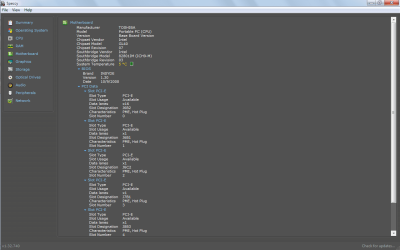
bios info.png
 

My Computer My Computer

At a glance

windows 7 ultimate 32 bitsintel celeron cpu 540 1.86 GHzkingston 4Gbmobile intel(R) 965 Express Chipset Family
Computer type
Laptop
Computer Manufacturer/Model Number
toshiba
OS
windows 7 ultimate 32 bits
CPU
intel celeron cpu 540 1.86 GHz
Motherboard
asus
Memory
kingston 4Gb
Graphics Card(s)
mobile intel(R) 965 Express Chipset Family
Hard Drives
WDC WD800BEVS-22RST0 ATA Device
Antivirus
avast 2017
Browser
ie11,ff54
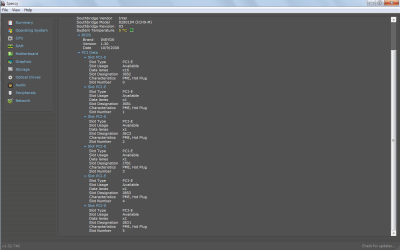
bios info 2.png
 

My Computer My Computer

At a glance

windows 7 ultimate 32 bitsintel celeron cpu 540 1.86 GHzkingston 4Gbmobile intel(R) 965 Express Chipset Family
Computer type
Laptop
Computer Manufacturer/Model Number
toshiba
OS
windows 7 ultimate 32 bits
CPU
intel celeron cpu 540 1.86 GHz
Motherboard
asus
Memory
kingston 4Gb
Graphics Card(s)
mobile intel(R) 965 Express Chipset Family
Hard Drives
WDC WD800BEVS-22RST0 ATA Device
Antivirus
avast 2017
Browser
ie11,ff54
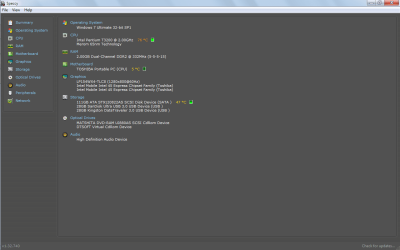
Untitled.png
 

My Computer My Computer

At a glance

windows 7 ultimate 32 bitsintel celeron cpu 540 1.86 GHzkingston 4Gbmobile intel(R) 965 Express Chipset Family
Computer type
Laptop
Computer Manufacturer/Model Number
toshiba
OS
windows 7 ultimate 32 bits
CPU
intel celeron cpu 540 1.86 GHz
Motherboard
asus
Memory
kingston 4Gb
Graphics Card(s)
mobile intel(R) 965 Express Chipset Family
Hard Drives
WDC WD800BEVS-22RST0 ATA Device
Antivirus
avast 2017
Browser
ie11,ff54
Most computers has a Boot Menu. To launch it you press a F(?) key during POST and the options to boot from is listed.
You must find out witch key to press on your Toshiba during POST.
Is your BIOS up to date?
 

My Computers My Computers

  • At a glance

    Windows 7 HP 64i5 6600K - 800MHz to 4200MHz4+4G GSkill DDR4 3000IG - Intel 530
    Computer type
    PC/Desktop
    Computer Manufacturer/Model Number
    custom build
    OS
    Windows 7 HP 64
    CPU
    i5 6600K - 800MHz to 4200MHz
    Motherboard
    GA-Z170-HD3P
    Memory
    4+4G GSkill DDR4 3000
    Graphics Card(s)
    IG - Intel 530
    Monitor(s) Displays
    Samsung 226BW
    Screen Resolution
    1680x1050
    Hard Drives
    (1) -1 SM951 – 128GB M.2 AHCI PCIe SSD drive for Windows 7 and Lubuntu
    (2) -1 WD SATA 3 - 1T for Data
    (3) -1 WD SATA 3 - 1T for backup
    PSU
    Thermaltake 450W TR2 gold
    Keyboard
    Old and good Chicony mechanical keyboard
    Mouse
    Logitech mX performance - 9 buttons (had to disable some)
    Internet Speed
    500Mb/s
    Browser
    Firefox 64
    Other Info
    TinyWall firewall
  • At a glance

    Windows 7 Proi7-4500U 800MHz to 3.0GHz(4+4)G DDR3 1600IG intel 4400 + NVIDIA GeForce GT 745M
    Computer type
    Laptop
    System Manufacturer/Model Number
    Asus Q550LF
    OS
    Windows 7 Pro
    CPU
    i7-4500U 800MHz to 3.0GHz
    Motherboard
    Asus Q550LF
    Memory
    (4+4)G DDR3 1600
    Graphics Card(s)
    IG intel 4400 + NVIDIA GeForce GT 745M
    Sound Card
    Realtek
    Monitor(s) Displays
    LG Display LP156WF4-SPH1
    Screen Resolution
    1920 x 1080
    Hard Drives
    BX500 120G SSD for Windows and programs +
    1T HDD for data
    Internet Speed
    500 Mb/s
    Browser
    Firefox
    Other Info
    TinyWall firewall
Back
Top