- Local time
- 1:14 PM
- Messages
- 306
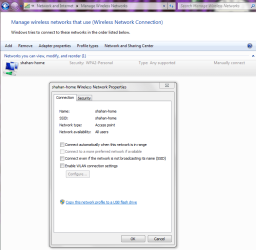
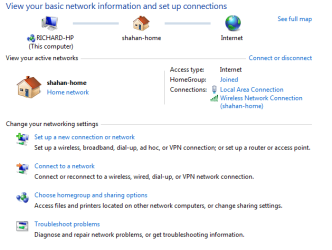
hi, i recently got my dad a new computer. it has a built in wireless adapter. like me, he prefers to keep his desktop plugged in to the router with a hard wire. however, the computer defaults to the wireless connection.
is there a way to set the hard wired connection as the default over the wireless.
for example...i click on the disconnect button on the wireless networks menu. its fine, disconnects from the wireless and the wired connection picks up. *** every time the computer is rebooted for whatever reason, the wireless is automatically connected again when i log in.
im sure its a simple fix, just can't find it.
thanks!
colin
is there a way to set the hard wired connection as the default over the wireless.
for example...i click on the disconnect button on the wireless networks menu. its fine, disconnects from the wireless and the wired connection picks up. *** every time the computer is rebooted for whatever reason, the wireless is automatically connected again when i log in.
im sure its a simple fix, just can't find it.
thanks!
colin
Attachments
My Computer
- Computer type
- PC/Desktop
- Computer Manufacturer/Model Number
- Custom Build and MSI GE60 0ND laptop
- OS
- windows 7 64bit on both
- CPU
- AMD FX-8350 @4.6GHz/Intel Core i7-3610QM @2.3GHz
- Motherboard
- ASUS M5A99X EVO R2.0/MS-16GA
- Memory
- 16GB G.Skill 1866MHz/8GB dual channel 1600MHz
- Graphics Card(s)
- two Sapphire HD7970 OC 3Gb in crossfire/GTX660M 2Gb
- Sound Card
- Realtek HD Audio/Realtek HD Audio with THX TruStudio Pro
- Monitor(s) Displays
- Hanns-G 27" 1080p /Generic PnP Monitor
- Screen Resolution
- both 1920x1080p 60Hz
- Hard Drives
- 250GB Samsung 840 EVO SSD,
1TB WD Blue
3x2TB WD Greens
/Samsung 840 EVO mSATA
- PSU
- Corsair HX750/laptop psu
- Case
- NZXT Source 530
- Cooling
- CoolerMaster Hyper 212 Evo
- Keyboard
- Logitech G710+/laptop keyboard by steelseries
- Mouse
- Logitec G500s/Logitec G500
- Internet Speed
- 50Mbps down/1-3 Mbps up
- Other Info
- Scythe Kaze Master Pro 5.25 fan controller; APC Back-UPS XS 1500