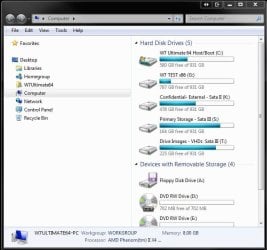
There is a icon for Windows Explorer next to Start. When I click on it, it brings me to "Libraries", which I do not use and never wish to use.
It is therefore an annoyance that it is set as default.
What I want is to pin Computer as a Quickstart icon. However it is subsume into the Windows Explorer icon and there is no way for me to disable Windows Explorer while maintaining Computer. So essentially, pinning Computer to the Quickstart does nothing.
Do I need to disable the Library feature to make Windows Explorer do what I want? Or what?
It is therefore an annoyance that it is set as default.
What I want is to pin Computer as a Quickstart icon. However it is subsume into the Windows Explorer icon and there is no way for me to disable Windows Explorer while maintaining Computer. So essentially, pinning Computer to the Quickstart does nothing.
Do I need to disable the Library feature to make Windows Explorer do what I want? Or what?
My Computer
- OS
- Windows 7 Ultimate x64
- CPU
- Intel i5-2500k
- Motherboard
- MSI p67gd-65
- Memory
- Corsair Vengeance 8GB CAS9
- Graphics Card(s)
- ATI HD6950
- Monitor(s) Displays
- Dell 2709W
- Screen Resolution
- 1920x1200
- Hard Drives
- 90gb Corsair Force SSD
1TB Samsung F1 HDD
- PSU
- NZXT Hale Pro 650W
- Case
- Coolermaster HAF X
- Cooling
- Zalman CNPS9900-MAX