How to set Windows Explorer to open always in fullscreen mode (W7)

Rogerfer

New member
Local time
7:05 AM
Messages
5
Location
São Paulo
I would like to know if is there a possibility to set Windows 7 to open any window (explorer.exe) in fullscreen mode. I can do it when I just press F11, like in Internet Explorer, to activate fullscreen mode. Although I can't set up as default mode.

Thanks!

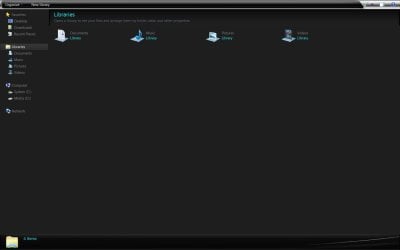
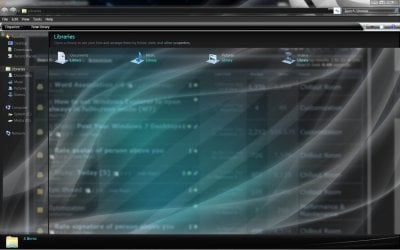
Printscreen of my desktop:
 
Last edited:

My Computer My Computer

At a glance

Windows 7Core2Quad Q66002GBHD2600xt
OS
Windows 7
CPU
Core2Quad Q6600
Motherboard
Gigabyte P35-DS3R
Memory
2GB
Graphics Card(s)
HD2600xt
Monitor(s) Displays
225MS Samsung
Screen Resolution
1680x1050
Hard Drives
2x500GB + 120GB

My Computer My Computer

At a glance

Windows 7 Home 64, Vista Ultimate 64
Computer Manufacturer/Model Number
Me :) I build all my PCs
OS
Windows 7 Home 64, Vista Ultimate 64
For the Windows Explorer, if you you maximize the window and close it, it should remember that and will open maximized next time when you'll open it. Or in the shortcut properties, you can change it to open maximized. And you can hide the taskbar, so it will look like full screen. That's closest I can think of what you want. About IE, you can make it always to be opened in full screen. link Its for IE9, but should work and for IE8.
cheers
 

My Computer My Computer

At a glance

Windows 7 Ultimate x32DualCore Intel Pentium E2200, 2218 MHz (11 x ...2 GB DDR2-800 DDR2 SDRAMnVIDIA GeForce 9500GT 1GB
Computer Manufacturer/Model Number
Micro-Star International/MS-7529
OS
Windows 7 Ultimate x32
CPU
DualCore Intel Pentium E2200, 2218 MHz (11 x 202)
Motherboard
MSI G31M3 V2 (MS-7529) (2 PCI, 1 PCI-E x16,2 DDR2 DIMM)
Memory
2 GB DDR2-800 DDR2 SDRAM
Graphics Card(s)
nVIDIA GeForce 9500GT 1GB
Sound Card
Realtek ALC888/1200 @ Intel 82801GB ICH7
Monitor(s) Displays
Samsung SyncMaster 2253BW (Digital) 22'' LCD
Screen Resolution
1680x1050
Hard Drives
SAMSUNG HD322IJ ATA Device (298 GB , IDE)
Just right click on the Windows explorer icon in the taskbar, then in the jumplist again right click on Windows Explorer. Now click 'Properties" and in the box labelled "Run", click on the dropdown arrow. Select maximized, click Apply, OK.
 

My Computer My Computer

At a glance

Windows 7 x64 pro/ Windows 7 x86 Pro/ XP SP3 x86
Computer Manufacturer/Model Number
Too many to describe...
OS
Windows 7 x64 pro/ Windows 7 x86 Pro/ XP SP3 x86
Ivo, Grimmjow and Bill2. Thank you for your support. But I'm not intent to run it maximized. It's diferent from running in full screen mode. Just try it. When you're running in fullscreen mode, the tittle bar stay autohide. I'm using a full glass theme and I think the system shows itself more clean. Like you can see in the printscreen above. I decided to ask about this possibility because I thought I could change the registry entries to configure this option.
 

My Computer My Computer

At a glance

Windows 7Core2Quad Q66002GBHD2600xt
OS
Windows 7
CPU
Core2Quad Q6600
Motherboard
Gigabyte P35-DS3R
Memory
2GB
Graphics Card(s)
HD2600xt
Monitor(s) Displays
225MS Samsung
Screen Resolution
1680x1050
Hard Drives
2x500GB + 120GB
Rogerfer, as I stated, "closest to what you want". I'm not familiar with any registry hacks for windows explorer that will do what you want. My windows explorer with hidden taskbar and in full screen:
maximized with taskbar hidden,
Untitled4.jpg
full screen,
Untitled5.jpg
not a big difference don't you think? The only one is the top bar that is transparent anyway.
EDIT: With glass
Untitled7.jpg Untitled8.jpg
 

My Computer My Computer

At a glance

Windows 7 Ultimate x32DualCore Intel Pentium E2200, 2218 MHz (11 x ...2 GB DDR2-800 DDR2 SDRAMnVIDIA GeForce 9500GT 1GB
Computer Manufacturer/Model Number
Micro-Star International/MS-7529
OS
Windows 7 Ultimate x32
CPU
DualCore Intel Pentium E2200, 2218 MHz (11 x 202)
Motherboard
MSI G31M3 V2 (MS-7529) (2 PCI, 1 PCI-E x16,2 DDR2 DIMM)
Memory
2 GB DDR2-800 DDR2 SDRAM
Graphics Card(s)
nVIDIA GeForce 9500GT 1GB
Sound Card
Realtek ALC888/1200 @ Intel 82801GB ICH7
Monitor(s) Displays
Samsung SyncMaster 2253BW (Digital) 22'' LCD
Screen Resolution
1680x1050
Hard Drives
SAMSUNG HD322IJ ATA Device (298 GB , IDE)
Yes, Grimmjow, you are right. Almost none. Thanks again!
 

My Computer My Computer

At a glance

Windows 7Core2Quad Q66002GBHD2600xt
OS
Windows 7
CPU
Core2Quad Q6600
Motherboard
Gigabyte P35-DS3R
Memory
2GB
Graphics Card(s)
HD2600xt
Monitor(s) Displays
225MS Samsung
Screen Resolution
1680x1050
Hard Drives
2x500GB + 120GB

My Computer My Computer

At a glance

Home Premium 64biti7 950 3.07GHz12GBGTX 660 Ti
Computer type
PC/Desktop
OS
Home Premium 64bit
CPU
i7 950 3.07GHz
Motherboard
Sabertooth x58
Memory
12GB
Graphics Card(s)
GTX 660 Ti
Monitor(s) Displays
Asus
Screen Resolution
1920x1080
Hard Drives
256GB SSD
1TB Samsung
Antivirus
MS Essentials
Greetings everybody--just a quick thank you to JohnnyBeGood--your solution worked where everything else I tried didn't! Thank you, thank you and cheers to SevenForums for a great site:D
 

My Computer My Computer

At a glance

Windows 7 64 bit
Computer type
PC/Desktop
OS
Windows 7 64 bit
Greetings everybody--just a quick thank you to JohnnyBeGood--your solution worked where everything else I tried didn't! Thank you, thank you and cheers to SevenForums for a great site:D
I'm glad it worked for you!
 

My Computer My Computer

At a glance

Home Premium 64biti7 950 3.07GHz12GBGTX 660 Ti
Computer type
PC/Desktop
OS
Home Premium 64bit
CPU
i7 950 3.07GHz
Motherboard
Sabertooth x58
Memory
12GB
Graphics Card(s)
GTX 660 Ti
Monitor(s) Displays
Asus
Screen Resolution
1920x1080
Hard Drives
256GB SSD
1TB Samsung
Antivirus
MS Essentials
Just right click on the Windows explorer icon in the taskbar, then in the jumplist again right click on Windows Explorer. Now click 'Properties" and in the box labelled "Run", click on the dropdown arrow. Select maximized, click Apply, OK.

This worked for me, thanks!
 

My Computer My Computer

At a glance

Windows 72GB
Computer Manufacturer/Model Number
HP 530
OS
Windows 7
Memory
2GB
Hard Drives
120GB
Back
Top