
Solved How to setup Task Scheduler to backup folders from NAS to PC over LAN?

petru

New member
Local time
2:21 PM
Messages
4
Hello everybody,

In my LAN I have a PC, NAS and a Laptop. I need to schedule a backup from NAS to PC once a week. My NAS automaticaly powers on but I need my PC to do the same and to copy certain folders from NAS to a backup folder in my PC. The NAS has a letter asigned in my PCs Windows Explorer. Fist, it needs to delete those folders from the previous backup, and then to start backing up from NAS.

Thanks a lot guys!
 

My Computer My Computer

At a glance

Windows 10 x64
Computer type
PC/Desktop
OS
Windows 10 x64
Does your computer's BIOS have a setting that will turn it on at the desired time?

c02683744.jpg


If not, look at this info:
Task Scheduler - Wake Up Computer

A different scheduled task could run a batch file to delete the old folder and copy that new folder/files.
 

My Computer My Computer

At a glance

W7 Pro SP1 64biti78GBIntel HD Graphics
Computer type
Laptop
Computer Manufacturer/Model Number
Employer provided Dell Latitude
OS
W7 Pro SP1 64bit
CPU
i7
Memory
8GB
Graphics Card(s)
Intel HD Graphics
Hard Drives
crappy SSD
Antivirus
Employer mandated Symantec Endpoint Protection
Browser
Pale Moon 64bit, IE11 64bit & Chrome 64bit
Does your computer's BIOS have a setting that will turn it on at the desired time?

c02683744.jpg


If not, look at this info:
Task Scheduler - Wake Up Computer

A different scheduled task could run a batch file to delete the old folder and copy that new folder/files.

You are talking to a noobie. :) How do I create a batch file for this kind of job?
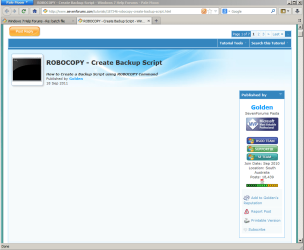
Thanks.
 

My Computer My Computer

At a glance

Windows 10 x64
Computer type
PC/Desktop
OS
Windows 10 x64
One thing at a time.

Let's get the computer to wake up first.
 

My Computer My Computer

At a glance

W7 Pro SP1 64biti78GBIntel HD Graphics
Computer type
Laptop
Computer Manufacturer/Model Number
Employer provided Dell Latitude
OS
W7 Pro SP1 64bit
CPU
i7
Memory
8GB
Graphics Card(s)
Intel HD Graphics
Hard Drives
crappy SSD
Antivirus
Employer mandated Symantec Endpoint Protection
Browser
Pale Moon 64bit, IE11 64bit & Chrome 64bit
One thing at a time.

Let's get the computer to wake up first.

I think I found something in Bios. It's not a scheduled wakeup. Something with RTC or RCP wake up or something.
 

My Computer My Computer

At a glance

Windows 10 x64
Computer type
PC/Desktop
OS
Windows 10 x64
Use your laptop to Google the terms that you don't understand in the BIOS for your desktop.

RTC (Real Time Clock) wake up sounds like it should wake the computer. Do you see a place to select the day of the week? Then the time of day?
 

My Computer My Computer

At a glance

W7 Pro SP1 64biti78GBIntel HD Graphics
Computer type
Laptop
Computer Manufacturer/Model Number
Employer provided Dell Latitude
OS
W7 Pro SP1 64bit
CPU
i7
Memory
8GB
Graphics Card(s)
Intel HD Graphics
Hard Drives
crappy SSD
Antivirus
Employer mandated Symantec Endpoint Protection
Browser
Pale Moon 64bit, IE11 64bit & Chrome 64bit

My Computer My Computer

At a glance

W7 Pro SP1 64biti78GBIntel HD Graphics
Computer type
Laptop
Computer Manufacturer/Model Number
Employer provided Dell Latitude
OS
W7 Pro SP1 64bit
CPU
i7
Memory
8GB
Graphics Card(s)
Intel HD Graphics
Hard Drives
crappy SSD
Antivirus
Employer mandated Symantec Endpoint Protection
Browser
Pale Moon 64bit, IE11 64bit & Chrome 64bit
Yes, I needed a solution fast and I didnt know how quickly I would be getting feedback on these forums. I will mark the threads as resolved.

Thanks a lot. :)
 

My Computer My Computer

At a glance

Windows 10 x64
Computer type
PC/Desktop
OS
Windows 10 x64
Back
Top