JimBob5524
New member
- Local time
- 11:02 PM
- Messages
- 2
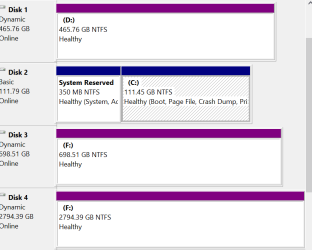
I recently installed a Samsung 256G SSD as C: drive in my laptop. I cloned windows7 home from the existing HD 700G. I copied the non-essentials to ajoining HDs. I installed the old drive C: to a Sata port and taged it D:
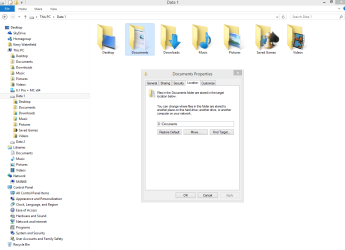
Now as my libraries grow larger I would like to split windows so that the programs and operating system are left on the SSD and have all the libraries are residing and growing on D: I think it can be done by adding and/or removing the folder pointers in the various libraries. But I can't begin to imagine what havock that will create. Any advice would be appreciated.
Now as my libraries grow larger I would like to split windows so that the programs and operating system are left on the SSD and have all the libraries are residing and growing on D: I think it can be done by adding and/or removing the folder pointers in the various libraries. But I can't begin to imagine what havock that will create. Any advice would be appreciated.
Last edited:
My Computer
At a glance
Windows 7 Home 64bit SP1intel Core i7 @16008 gigs4 gig NVIDIA Geforce GT330 (Toshiba)
- Computer type
- Laptop
- Computer Manufacturer/Model Number
- Toshiba Satellite P500
- OS
- Windows 7 Home 64bit SP1
- CPU
- intel Core i7 @1600
- Motherboard
- Toshiba P500 0T-0T
- Memory
- 8 gigs
- Graphics Card(s)
- 4 gig NVIDIA Geforce GT330 (Toshiba)
- Hard Drives
- Samsung SSD EVO 250G
Toshiba MK6465 GSX (Sata) 600G
- Antivirus
- Webroot
- Browser
- Firefox or Chrome