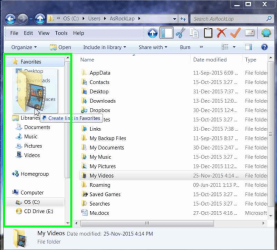
I'm editing home movies, which are in a folder under My Videos.
The problem is that after I drill down from c:\ to get to my movie folder, when I want to get the next movie, it's taken me back to c:\, and I have to drill down again through several layers to get to my movie folder.
That's very time consuming and very annoying.
Is there any way to lock it on the menu folder where I'm working until I change it to something else?
The problem is that after I drill down from c:\ to get to my movie folder, when I want to get the next movie, it's taken me back to c:\, and I have to drill down again through several layers to get to my movie folder.
That's very time consuming and very annoying.
Is there any way to lock it on the menu folder where I'm working until I change it to something else?
My Computer
At a glance
Windows 7 home premium 64 bit
- Computer type
- PC/Desktop
- OS
- Windows 7 home premium 64 bit