
Bentley1121
New member
- Local time
- 4:25 PM
- Messages
- 1
Hello,
I have been using my desktop for about 3 months now and suddenly within the last week a new connection appeared in my control panel described as "Microsoft Virtual WiFi Miniport Adapter". Normally I wouldn't care about a benign excess connection, but I suspect it is the reason the network connection icon in my taskbar shows that I am disconnected, despite having access to the internet:
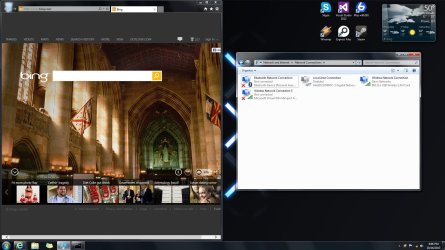
When I click "uninstall" in the properties menu the connection is still there when the computer reboots. I know that it can be used as a virtual hotspot but I currently have no use for this as I have a non-mobile desktop and a wireless router already. If anyone knows of a better use for this or how to disable it so that it no longer interferes with my taskbar icon (simply disabling the connection doesn't work ) it would be greatly appreciated
Thanks!
I have been using my desktop for about 3 months now and suddenly within the last week a new connection appeared in my control panel described as "Microsoft Virtual WiFi Miniport Adapter". Normally I wouldn't care about a benign excess connection, but I suspect it is the reason the network connection icon in my taskbar shows that I am disconnected, despite having access to the internet:
When I click "uninstall" in the properties menu the connection is still there when the computer reboots. I know that it can be used as a virtual hotspot but I currently have no use for this as I have a non-mobile desktop and a wireless router already. If anyone knows of a better use for this or how to disable it so that it no longer interferes with my taskbar icon (simply disabling the connection doesn't work
) it would be greatly appreciatedThanks!
My Computer
At a glance
Windows 7 Ultimate x64Core 2 Quad4GBNvidia GTX 560
- Computer type
- PC/Desktop
- Computer Manufacturer/Model Number
- Dell XPS420
- OS
- Windows 7 Ultimate x64
- CPU
- Core 2 Quad
- Memory
- 4GB
- Graphics Card(s)
- Nvidia GTX 560
- Browser
- IE7

 . netsh wlan set hostednetwork mode=disallow .. hit enter....

