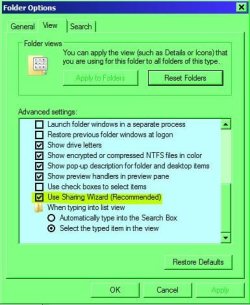
I have just shared a folder on my harddrive. Now how do I unshare it???
I realize I'm more of a novice than I thought. If I share a folder, does it look different in Windows Explorer?? From past experience I thought it did.
I thought I did everything right. When I look at the network, I see the folder there and see all the files in it. The permissions are everyone; read, full, change. If the folder was not shared, would it show up here?
Once I know I'm right on the sharing side of my old computer, I'll go to my new computer and find out why it doesn't have permissions. I see the folder on my new computer under the network but get "Windows cannot access \\Haf932\pete" (you do not have permission to access \\Haf932\Pete) which is the folder of interest on my old machine.
Any help would be appreciated. Is the the proper forum spot for these kinds of problems??
I realize I'm more of a novice than I thought. If I share a folder, does it look different in Windows Explorer?? From past experience I thought it did.
I thought I did everything right. When I look at the network, I see the folder there and see all the files in it. The permissions are everyone; read, full, change. If the folder was not shared, would it show up here?
Once I know I'm right on the sharing side of my old computer, I'll go to my new computer and find out why it doesn't have permissions. I see the folder on my new computer under the network but get "Windows cannot access \\Haf932\pete" (you do not have permission to access \\Haf932\Pete) which is the folder of interest on my old machine.
Any help would be appreciated. Is the the proper forum spot for these kinds of problems??
Last edited by a moderator:
My Computer
- OS
- Windows 7 Ultimate