
You are using an out of date browser. It may not display this or other websites correctly.
You should upgrade or use an alternative browser.
You should upgrade or use an alternative browser.
HP mousepad wont work
- Thread starter Rosco997
- Start date
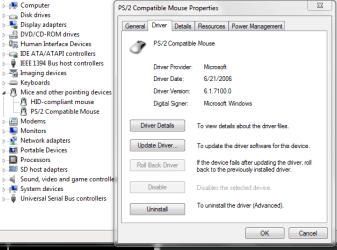

Hi there
just download the generic driver from here. (Use the 64 bit one's if your system is x-64)
http://www.laptopvideo2go.com/forum/index.php?showtopic=7448
http://h10025.www1.hp.com/ewfrf/wc/genericSoftwareDownloadIndex?lc=en&cc=us&softwareitem=ob-37054-1
works for HP machines (and a lot of others)
cheers
jimbo
just download the generic driver from here. (Use the 64 bit one's if your system is x-64)
http://www.laptopvideo2go.com/forum/index.php?showtopic=7448
http://h10025.www1.hp.com/ewfrf/wc/genericSoftwareDownloadIndex?lc=en&cc=us&softwareitem=ob-37054-1
works for HP machines (and a lot of others)
cheers
jimbo
My Computer
- Computer type
- PC/Desktop
- Computer Manufacturer/Model Number
- Custom built, several laptops HP/ASUS
- OS
- Linux CENTOS 7 / various Windows OS'es and servers
- CPU
- Intel i7 Intel i5
- Memory
- 8GB, 16GB
- Graphics Card(s)
- On Motherboard
- Sound Card
- Realtek HD audio
- Monitor(s) Displays
- Apple Cinema display, Samsung LCD
- Screen Resolution
- 1920 X 1080
- Hard Drives
- 4 X 1TB SATA
- Mouse
- Toshiba wireless laser
- Internet Speed
- > 20MB up
Hi there
just download the generic driver from here. (Use the 64 bit one's if your system is x-64)
SYNAPTICS - latest generic drivers - nVision
works for HP machines (and a lot of others)
cheers
jimbo
The driver sortta worked..... the mose pad dsnt skipp nemore... but still the scrolling wont work...
My Computer
- OS
- Windows 7