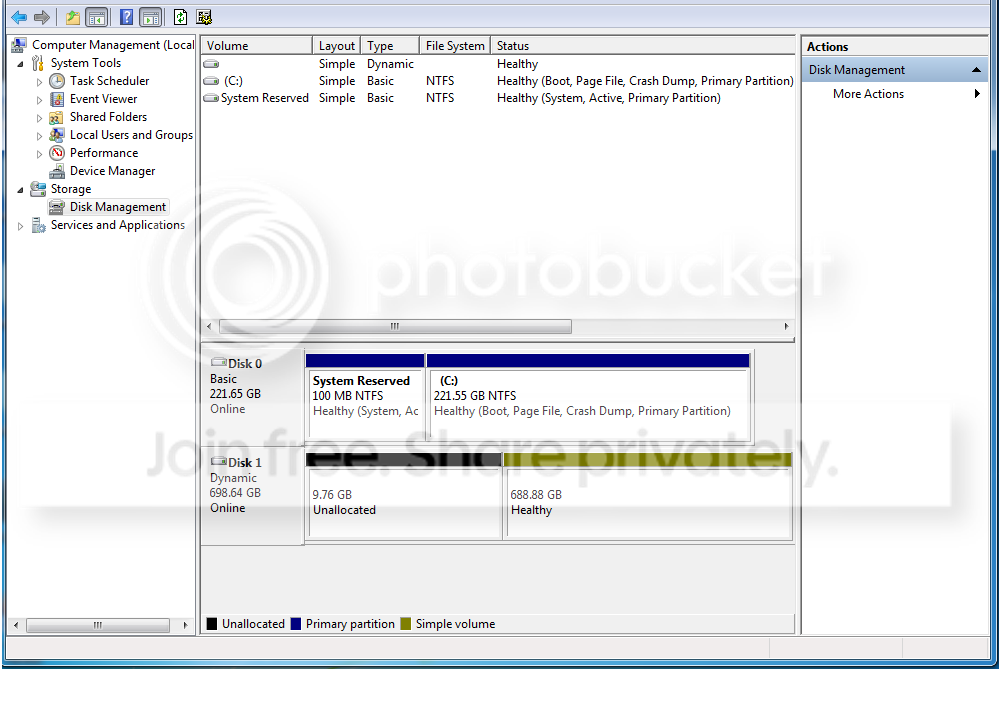
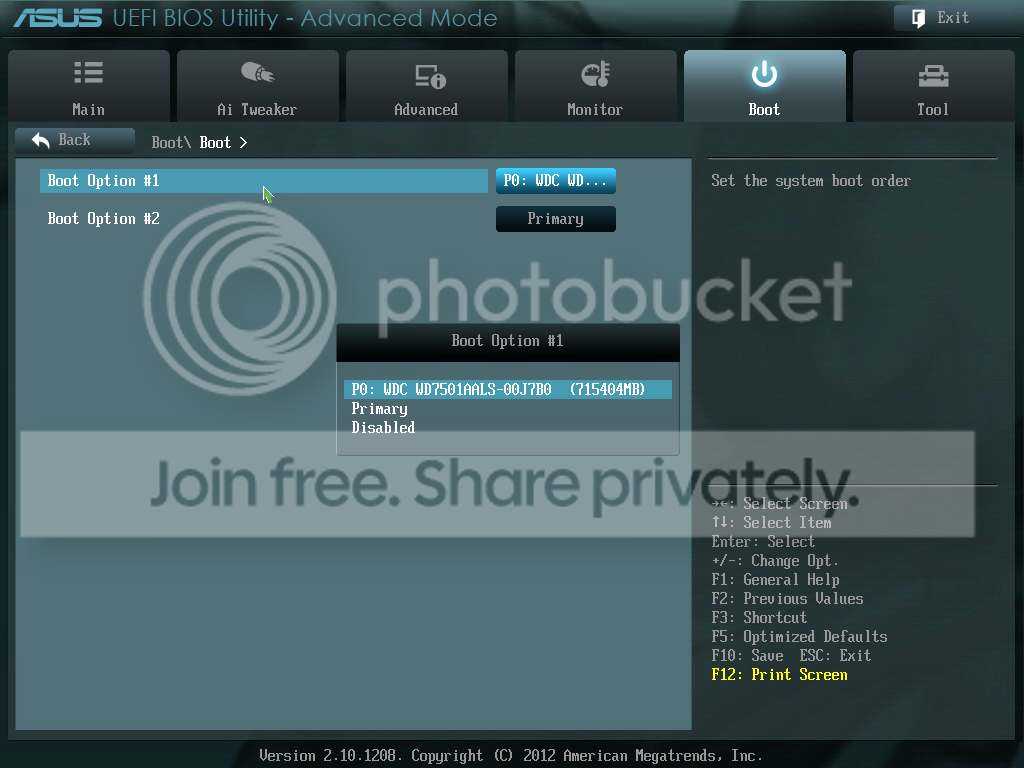
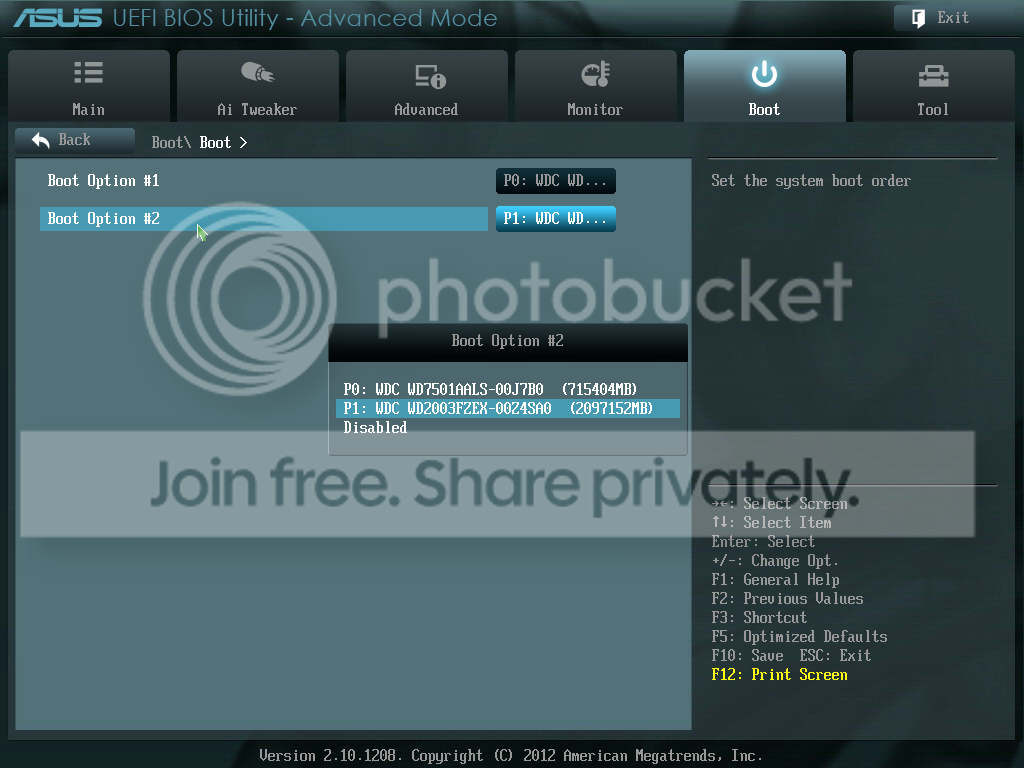
I recently put my two HyperX 120GB SSDs in Raid0 but for some reason my boot time is about 2 minutes. I have good reason to believe that my newer SSD is conflicting with my 2TB Western Digital Cavier Black HDD. Earlier today I removed my newer (Only by a month) SSD and the computer booted up in 15 seconds. I reinstalled the SSD and it booted in about 2 minutes (and continues to do so) and this was prior to me putting them in raid0. Furthermore, when the SSD was out my 2TB drive was recognized in the bios where as now it does not. I do not understand why my 750GB HDD shows up though but I am not able to access it. I've check both Device manager and Disk management, but neither show my 2TB HDD. I've seen several threads similar to my problem but none quite the same. I'd appreciate any insight given on this matter. Thanks!
Things I have done:
1. Redo Raid0 and reinstall windows without HDDs installed.
2. Flash BIOS
3. Put HDDs in another Computer
I can't access the 750GB HDD nor can I format or change letter.
Also in the link, there are errors when you scroll down to the storage part that may be related but I am not sure.
Should I undo raid0 format both SSDs then put them in Raid0? Would that even make a difference? I am completely out of ideas on what to do because my 2TB drive is recognized in the BIOS if I install it without one SSD.
Microsoft Security Essentials and Malwarebytes Premium
Browser
Pale Moon
Other Info
All fans PWM; speeds at idle: CPU circa 500 rpm; intake circa 600 rpm; exhaust circa 600 rpm; CPU temps 27 idle and 47 C load in a warm room (27 C/81 F) when running Intel Extreme Tuning Utility stress test.
Microsoft Security Essentials and Malwarebytes Premium
Browser
Pale Moon
Other Info
All fans PWM; speeds at idle: CPU circa 500 rpm; intake circa 600 rpm; exhaust circa 600 rpm; CPU temps 27 idle and 47 C load in a warm room (27 C/81 F) when running Intel Extreme Tuning Utility stress test.
There is another "Free" version of Partition Wizard, but it does not support conversion from dynamic to basic. Only the "Pro" version does. That's why I pointed you to the older 4.22 which, despite its age, supports dynamic to basic conversion.
I've never put it on a stick. All I know is what's in the above thread.
Converting to basic may or may not ultimately help you out, but there's no reason I can see why you should have or will benefit from dynamic disks.
You've also got RAID and UEFI in the mix, both complications.
My Computer
At a glance
Windows 7 Home Premium SP1, 64-bitIntel Skylake i5-6600K, not overclocked8 GB HyperX DDR4-2666 (2 x 4 GB)none; graphics are integrated on CPU
Computer type
PC/Desktop
Computer Manufacturer/Model Number
Ignatz Special; 4 speed manual gearbox; factory air conditioning; one of one
OS
Windows 7 Home Premium SP1, 64-bit
CPU
Intel Skylake i5-6600K, not overclocked
Motherboard
AsRock Z170M Extreme 4, micro ATX
Memory
8 GB HyperX DDR4-2666 (2 x 4 GB)
Graphics Card(s)
none; graphics are integrated on CPU
Sound Card
onboard: Realtek ALC1150; external: USB Behringer UF0-202
Monitor(s) Displays
Dell S2340M 23 inch IPS
Screen Resolution
1600 x 900
Hard Drives
System: Crucial MX100 series SSD, 128 GB;
Data: Samsung Spinpoint 103SJ, 1 TB;
Backup: WD Caviar Green WD30EZRX-00D8PB0, 3 TB
Microsoft Security Essentials and Malwarebytes Premium
Browser
Pale Moon
Other Info
All fans PWM; speeds at idle: CPU circa 500 rpm; intake circa 600 rpm; exhaust circa 600 rpm; CPU temps 27 idle and 47 C load in a warm room (27 C/81 F) when running Intel Extreme Tuning Utility stress test.