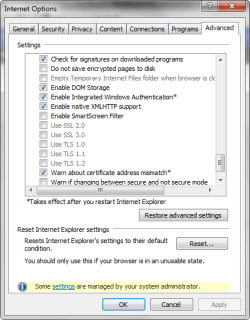
I am not a novice and I have tried everything I've learned since 1990 to repair this with a Repair Install (got to much to lose). I have a couple of text copies of my registry and even swapped Internet Settings, Internet Explorer hives etc. Ad nauseam from those registry texts and still get this Internet Properties
Any answers to my dilemma?
Thank you
Windows 7 Ultimate x64
using tweaked down Windows Classic Theme I do not care for the bells, Whistles and
Shinny Thingy's young folks seem to ooo
and ahhh over
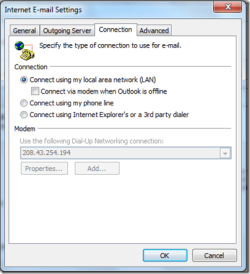
Well....I'm unfamiliar with the inage you show. I use Thunderbird for email...I do, however, have MS Office 2010 installed but never use Outlook.
Here's something I discovered last night after I posted my question. I have 3 log-in accts. Administrator, Gstore(my name) and Guest. I always logon in my 'administrator' acct. After a re-boot I logged in as Gstore (haven't done that in a while) Internet Explorer 9 (final so far) everything was straight.... ALL Internet Properties were as they should be. NO Grayed Outs anywhere Everything (browser wise) worked fine. IE9 worked fine in my administrator log-on til about 3 weeks ago and I can't use ANY programs that need "Secure" logon, e.g., Yahoo Messenger, Skype etc. It must be one of the SID Security Identifiers out of whack
If it were not for those programs mentioned and a couple others that use Secure Logins I wouldn't have IE on my computer
Is there any solution for this problem? If find myself in the same situation.
I use Win7 pro x64 + Comodo firewall+defense+av. Everything worked fine until last Sunday. Since then I couldn't connect anymore with YMessenger and then I found that in fact the problem is from IE9. I can't enable SSL or TSL because the radio buttons are grayed out. How can I enable them again?


 Everything (browser wise) worked fine. IE9 worked fine in my administrator log-on til about 3 weeks ago and I can't use ANY programs that need "Secure" logon, e.g., Yahoo Messenger, Skype etc. It must be one of the SID Security Identifiers out of whack