elbuscador
New member
- Local time
- 12:47 AM
- Messages
- 14
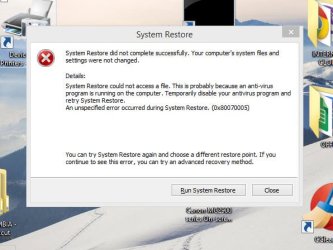
I screwed up the "Windows/CURSORS" FOLDER causing an error now [video]
Hello everyone,
I tried to describe the problem in words and PICS but it was getting so difficult/complex and essentially, confusing to explain it, that I decided to make a video uploaded to YouTube called:
https://youtu.be/rBFlDwo7hf4
The video explains everything in detail. It has to do with changing the regular mouse-pointers with a set called BIG RED POINTERS. These RED pointers are fantastic for making videos because they are so big and visible.
I have done this process with many systems (XP, Win 7, Win 8.1) for the past 10 years and this process has always worked. This time, I changed the process by DELETING some items from the Windows/Cursors FOLDER and that, apparently, is causing an error, probably with the Register, that I have no idea how to fix.
I appreciate your help in advance,
EB
--------
Dell Laptop 15R 5537
Widows 8.1
Hello everyone,
I tried to describe the problem in words and PICS but it was getting so difficult/complex and essentially, confusing to explain it, that I decided to make a video uploaded to YouTube called:
https://youtu.be/rBFlDwo7hf4
The video explains everything in detail. It has to do with changing the regular mouse-pointers with a set called BIG RED POINTERS. These RED pointers are fantastic for making videos because they are so big and visible.
I have done this process with many systems (XP, Win 7, Win 8.1) for the past 10 years and this process has always worked. This time, I changed the process by DELETING some items from the Windows/Cursors FOLDER and that, apparently, is causing an error, probably with the Register, that I have no idea how to fix.
I appreciate your help in advance,
EB
--------
Dell Laptop 15R 5537
Widows 8.1
My Computer
At a glance
win 7 Ultimate8 Gig
- Computer type
- PC/Desktop
- Computer Manufacturer/Model Number
- No name
- OS
- win 7 Ultimate
- Memory
- 8 Gig