Hi;
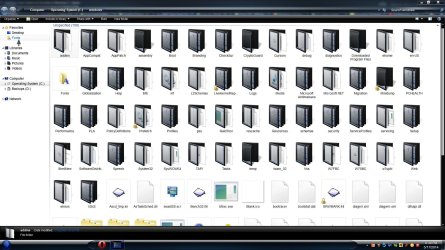
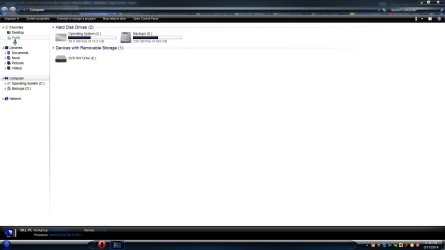
I have win 7 ultimate x64 installed in my box. I have a issue, Im triyng with no success via google and registry hacks to inserting the "Font" folder as a shortcut in "My Pc" window.
I can add a recycle bin, control panel and administrative tools with success but not for the Font folder case. I tried this in registry:
"[HKEY_LOCAL_MACHINE\SOFTWARE\Microsoft\Windows\CurrentVersion\Explorer\MyComputer\NameSpace]
[HKEY_LOCAL_MACHINE\Software\Microsoft\Windows\CurrentVersion\Explorer\MyComputer\NameSpace\{93412589-74d4-4e4e-ad0e-e0cb621440fd}]
"
Where "{93412589-74d4-4e4e-ad0e-e0cb621440fd}" is supposed to be the correct ( for win 7 ) the path to Font folder. When I execute the reg file does not appear anything...
If I try to do this by adding a new line to the above code listed:
'@="Fonts"' ( Ignore the simple commas, not double commas)
It not shows it no success. What I am missing in this issue? I got nut no idea what can I do...
I have win 7 ultimate x64 installed in my box. I have a issue, Im triyng with no success via google and registry hacks to inserting the "Font" folder as a shortcut in "My Pc" window.
I can add a recycle bin, control panel and administrative tools with success but not for the Font folder case. I tried this in registry:
"[HKEY_LOCAL_MACHINE\SOFTWARE\Microsoft\Windows\CurrentVersion\Explorer\MyComputer\NameSpace]
[HKEY_LOCAL_MACHINE\Software\Microsoft\Windows\CurrentVersion\Explorer\MyComputer\NameSpace\{93412589-74d4-4e4e-ad0e-e0cb621440fd}]
"
Where "{93412589-74d4-4e4e-ad0e-e0cb621440fd}" is supposed to be the correct ( for win 7 ) the path to Font folder. When I execute the reg file does not appear anything...
If I try to do this by adding a new line to the above code listed:
'@="Fonts"' ( Ignore the simple commas, not double commas)
It not shows it no success. What I am missing in this issue? I got nut no idea what can I do...
My Computer
- Computer type
- PC/Desktop
- Computer Manufacturer/Model Number
- unknow
- OS
- win 7 x64 ultimate
- CPU
- amd fx3850
- Motherboard
- asrock extreme4
- Memory
- 16 gskill cl9
- Graphics Card(s)
- gtx 780 evga 3 gb
- Hard Drives
- 2 ssd kingstons and 1 tb hdd
- Antivirus
- none
- Browser
- chrome, firefox and opera