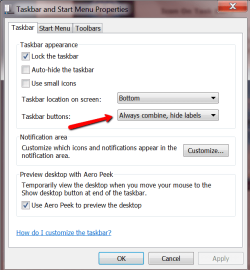
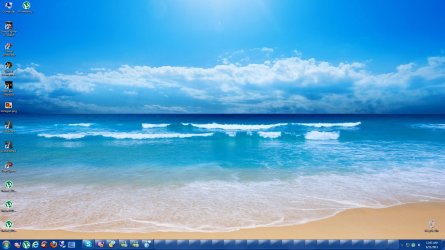
as you folk's can see the icon on taskbar just vanished some times when i open lot of firefox pages includin some other applications as well so how can i fix this disappearance of the icons on task bar i mean the icon r there but identifcation disappears thx to all wait for the reply
Attachments
My Computer
At a glance
Windows 7 Ultimate 64 Bit Sp1Intel Quad Core Q9650Kingston DDR 3 8GB 1333 MhzGigabyte 5450 1Gb DDR3
- Computer type
- PC/Desktop
- Computer Manufacturer/Model Number
- Custom build
- OS
- Windows 7 Ultimate 64 Bit Sp1
- CPU
- Intel Quad Core Q9650
- Motherboard
- Asus P5G41T-MLX
- Memory
- Kingston DDR 3 8GB 1333 Mhz
- Graphics Card(s)
- Gigabyte 5450 1Gb DDR3
- Sound Card
- Mobo Built
- Monitor(s) Displays
- Dell 24 wm
- Screen Resolution
- 1080 P
- Hard Drives
- 2 Tb Sata Drive
- PSU
- Coolermatser GX750
- Case
- Cooler Master Casing
- Cooling
- Normal