

- Local time
- 9:34 AM
- Messages
- 16,797
Not a single partition . The "system" partition.
If your Win 7 HD is first in bios boot order, mark the win7 partition Active.
Boot the 7 dvd , run startup repair 3 times.
When you reboot after that, your Win7 partition will be the "system" partition.
You can then image and restore only the win7 partition, as it is is bootable without needing the 100mb one .
If your Win 7 HD is first in bios boot order, mark the win7 partition Active.
Boot the 7 dvd , run startup repair 3 times.
When you reboot after that, your Win7 partition will be the "system" partition.
You can then image and restore only the win7 partition, as it is is bootable without needing the 100mb one .
My Computers
-
At a glance
7 X64i5 84002x8gb 3200mhz- Computer type
- PC/Desktop
- OS
- 7 X64
- CPU
- i5 8400
- Motherboard
- gigabyte b365m ds3h
- Memory
- 2x8gb 3200mhz
- Hard Drives
- various
- PSU
- pure power 11 400w cm
- Case
- Coolermaster
- Cooling
- cryorig m9i
-
At a glance
7x64g54008gb ddr4 2400- Computer type
- PC/Desktop
- OS
- 7x64
- CPU
- g5400
- Motherboard
- ga b365m ds3h
- Memory
- 8gb ddr4 2400
- PSU
- xfx pro 450w

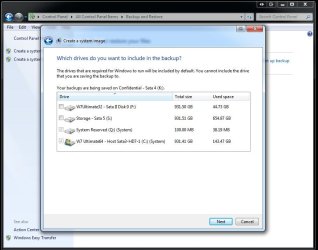

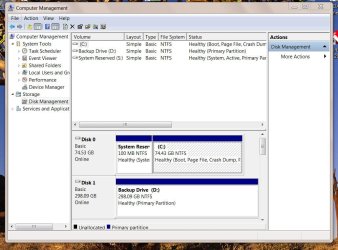
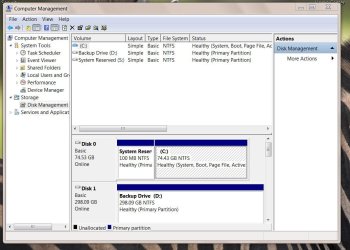
 :". That did NOT work. Got a syntax error. Went to a website concerning WBADMIN commands and tried all that seemed pertinent. Still didn't work.

