Solved Image your system with free Macrium

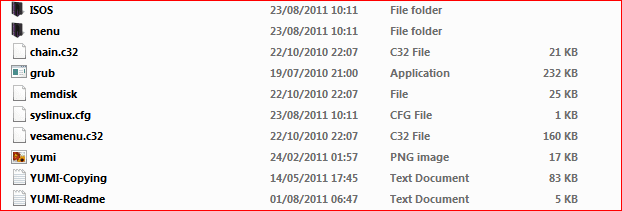
The second snip is the difference.See how you have the HBCD menu.exe file this is whats missing when I do it very strange
 

My Computer My Computer

Computer Manufacturer/Model Number
acer aspire 5935g
OS
Windows 7 Home Premium x64 SP1
CPU
intel(R)core(TM)2 duo CPU T6600 @ 2.20GHz
Motherboard
intel gm45/gm47 revision 07
Memory
3 gb ddr3
Graphics Card(s)
ati radeon hd4570/512mb
Monitor(s) Displays
lop156wh2-tle1 15.3 flat
Screen Resolution
1366x768
Hard Drives
OCZ-Agility3 60gig ssd
320gig external hdd
500gig external hdd
Mouse
Optical
Internet Speed
30Mbps Down/30Mbps Up
As I added to my post I might have initially created it with 0.0.2.4 maybe that's the difference.
 

My Computer My Computer

Computer type
Laptop
Computer Manufacturer/Model Number
Hewlett-Packard/G62-107SA Notebook
OS
Microsoft Windows 7 Home Premium 64-bit Service Pack 1
CPU
Intel(R) Core(TM) i3 CPU M 330 @ 2.13GHz
Motherboard
Hewlett-Packard 1425
Memory
8 GB DDR3
Graphics Card(s)
Intel(R) HD Graphics
Sound Card
Realtek High Definition Audio
Monitor(s) Displays
Builtin
Screen Resolution
1366 x 768 x 32 bits (4294967296 colors) @ 60 Hz
Hard Drives
250 GB SATA Hard Disk Drive 7200 rpm
2TB Seagate GoFlex USB 2 Drive
1TB Iomega Prestige USB 2 Drive
1.5TB Iomega Prestige USB 2 Drive (Samsung)
2TB WD MyBook Live NAS.
Mouse
Logitech Anywhere MX
Internet Speed
152 Mbs download 10 Mbs upload
Antivirus
Norton 360
Browser
Chrome
As I added to my post I might have initially created it with 0.0.2.4 maybe that's the difference.

I think it must be as your whole usb is set out slightly different.Ive got a copy of 0.0.2.5 here im going to have a try with that.

No joy with that version doesn't include the HDCD menu again

Capture.PNG

Did you just add the ISO through the Yumi program or did you make alterations to the menu
 

My Computer My Computer

Computer Manufacturer/Model Number
acer aspire 5935g
OS
Windows 7 Home Premium x64 SP1
CPU
intel(R)core(TM)2 duo CPU T6600 @ 2.20GHz
Motherboard
intel gm45/gm47 revision 07
Memory
3 gb ddr3
Graphics Card(s)
ati radeon hd4570/512mb
Monitor(s) Displays
lop156wh2-tle1 15.3 flat
Screen Resolution
1366x768
Hard Drives
OCZ-Agility3 60gig ssd
320gig external hdd
500gig external hdd
Mouse
Optical
Internet Speed
30Mbps Down/30Mbps Up
I'm not sure what stage you are struggling with. I decided to stick with the grub4dos loader which predated the YUMI release.
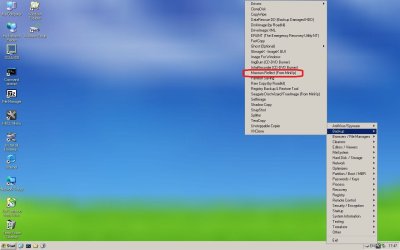
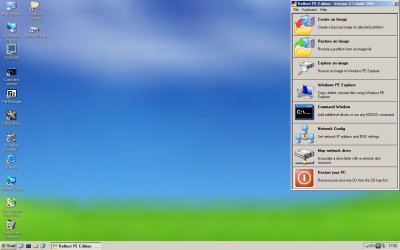
Once you select the mini XP option in Hirens you get
Clipboard01.jpg
Clipboard02.jpg
 

My Computer My Computer

Computer type
PC/Desktop
Computer Manufacturer/Model Number
Own build
OS
Windows 7x64 Home Premium SP1
CPU
Intel i7 2600k
Motherboard
ASUS P8Z68 Deluxe
Memory
G.Skill Ripjaws (DDR3-1600) 2x4GB
Graphics Card(s)
Nvidia GeForce GTS 450; Intel HD Graphics 3000(GT2+)
Monitor(s) Displays
Dell Ultrasharp IPS panel U2311H, Samsung SyncMaster P2350
Screen Resolution
1920x1080
Hard Drives
Samsung 850 Pro SSD 256GB, Samsung SSD 840 120GB, Seagates 1TB Barracuda ST31000528AS x2
PSU
Seasonic M12II 520W
Case
Lian Li Lancool PC-K60
Cooling
Case: 1x120mm, 3x140mm CPU: Hyper 212+
Keyboard
Logitech MK520 (wireless)
Mouse
Logitech MK520
Internet Speed
6-7 Mbps
Antivirus
Norton Security Premium, Malwarebytes on 2 (MSE on 3rd PC)
Browser
FireFox
Other Info
Audio: Logitech Z523 2.1
Hello Mjf

Yes I've got it working fine in Grub4Dos just would have preferred it on my Yumi multiboot usb but in my case its not adding the files correctly.Thanks though.
Anyway I feel as though I've Hijacked this thread.
My Macrium works great and have a few recovery options so thats brill.

Danny
 

My Computer My Computer

Computer Manufacturer/Model Number
acer aspire 5935g
OS
Windows 7 Home Premium x64 SP1
CPU
intel(R)core(TM)2 duo CPU T6600 @ 2.20GHz
Motherboard
intel gm45/gm47 revision 07
Memory
3 gb ddr3
Graphics Card(s)
ati radeon hd4570/512mb
Monitor(s) Displays
lop156wh2-tle1 15.3 flat
Screen Resolution
1366x768
Hard Drives
OCZ-Agility3 60gig ssd
320gig external hdd
500gig external hdd
Mouse
Optical
Internet Speed
30Mbps Down/30Mbps Up
Danny,
I don't think you've hijacked the thread at all. It's relevant to the topic.
I'd still like to know the advantages of the YUMI bootloader approach (now that's hijacking).
 

My Computer My Computer

Computer type
PC/Desktop
Computer Manufacturer/Model Number
Own build
OS
Windows 7x64 Home Premium SP1
CPU
Intel i7 2600k
Motherboard
ASUS P8Z68 Deluxe
Memory
G.Skill Ripjaws (DDR3-1600) 2x4GB
Graphics Card(s)
Nvidia GeForce GTS 450; Intel HD Graphics 3000(GT2+)
Monitor(s) Displays
Dell Ultrasharp IPS panel U2311H, Samsung SyncMaster P2350
Screen Resolution
1920x1080
Hard Drives
Samsung 850 Pro SSD 256GB, Samsung SSD 840 120GB, Seagates 1TB Barracuda ST31000528AS x2
PSU
Seasonic M12II 520W
Case
Lian Li Lancool PC-K60
Cooling
Case: 1x120mm, 3x140mm CPU: Hyper 212+
Keyboard
Logitech MK520 (wireless)
Mouse
Logitech MK520
Internet Speed
6-7 Mbps
Antivirus
Norton Security Premium, Malwarebytes on 2 (MSE on 3rd PC)
Browser
FireFox
Other Info
Audio: Logitech Z523 2.1
Danny,
I don't think you've hijacked the thread at all. It's relevant to the topic.
I'd still like to know the advantages of the YUMI bootloader approach (now that's hijacking).

Oh ok then lol I will carry on :)

I don't think there is an advantage with which method you use its just I'm tight and would prefer not to waste a 4gig usb on 500mb of Hirens files when I could use the whole usb with Yumi. That's the only reason really.Just nice to have everything in one place.

Danny
 

My Computer My Computer

Computer Manufacturer/Model Number
acer aspire 5935g
OS
Windows 7 Home Premium x64 SP1
CPU
intel(R)core(TM)2 duo CPU T6600 @ 2.20GHz
Motherboard
intel gm45/gm47 revision 07
Memory
3 gb ddr3
Graphics Card(s)
ati radeon hd4570/512mb
Monitor(s) Displays
lop156wh2-tle1 15.3 flat
Screen Resolution
1366x768
Hard Drives
OCZ-Agility3 60gig ssd
320gig external hdd
500gig external hdd
Mouse
Optical
Internet Speed
30Mbps Down/30Mbps Up
Danny,
I don't think you've hijacked the thread at all. It's relevant to the topic.
I'd still like to know the advantages of the YUMI bootloader approach (now that's hijacking).

Oh ok then lol I will carry on :)

I don't think there is an advantage with which method you use its just I'm tight and would prefer not to waste a 4gig usb on 500mb of Hirens files when I could use the whole usb with Yumi. That's the only reason really.Just nice to have everything in one place.

Danny

:ditto:
 

My Computer My Computer

Computer type
Laptop
Computer Manufacturer/Model Number
Hewlett-Packard/G62-107SA Notebook
OS
Microsoft Windows 7 Home Premium 64-bit Service Pack 1
CPU
Intel(R) Core(TM) i3 CPU M 330 @ 2.13GHz
Motherboard
Hewlett-Packard 1425
Memory
8 GB DDR3
Graphics Card(s)
Intel(R) HD Graphics
Sound Card
Realtek High Definition Audio
Monitor(s) Displays
Builtin
Screen Resolution
1366 x 768 x 32 bits (4294967296 colors) @ 60 Hz
Hard Drives
250 GB SATA Hard Disk Drive 7200 rpm
2TB Seagate GoFlex USB 2 Drive
1TB Iomega Prestige USB 2 Drive
1.5TB Iomega Prestige USB 2 Drive (Samsung)
2TB WD MyBook Live NAS.
Mouse
Logitech Anywhere MX
Internet Speed
152 Mbs download 10 Mbs upload
Antivirus
Norton 360
Browser
Chrome
I don't think there is an advantage with which method you use its just I'm tight and would prefer not to waste a 4gig usb on 500mb of Hirens files when I could use the whole usb with Yumi. That's the only reason really.Just nice to have everything in one place.

Danny
You don't necessarily need YUMI :confused:
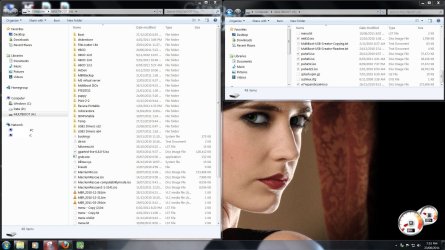
I have Hirens and all the rest of this on my 4GB. Apart from the folders the ISOs are apps of course.
multiboot2.jpg

I'll leave it at that because I am starting to move off the thread topic.
 

My Computer My Computer

Computer type
PC/Desktop
Computer Manufacturer/Model Number
Own build
OS
Windows 7x64 Home Premium SP1
CPU
Intel i7 2600k
Motherboard
ASUS P8Z68 Deluxe
Memory
G.Skill Ripjaws (DDR3-1600) 2x4GB
Graphics Card(s)
Nvidia GeForce GTS 450; Intel HD Graphics 3000(GT2+)
Monitor(s) Displays
Dell Ultrasharp IPS panel U2311H, Samsung SyncMaster P2350
Screen Resolution
1920x1080
Hard Drives
Samsung 850 Pro SSD 256GB, Samsung SSD 840 120GB, Seagates 1TB Barracuda ST31000528AS x2
PSU
Seasonic M12II 520W
Case
Lian Li Lancool PC-K60
Cooling
Case: 1x120mm, 3x140mm CPU: Hyper 212+
Keyboard
Logitech MK520 (wireless)
Mouse
Logitech MK520
Internet Speed
6-7 Mbps
Antivirus
Norton Security Premium, Malwarebytes on 2 (MSE on 3rd PC)
Browser
FireFox
Other Info
Audio: Logitech Z523 2.1
Sorry if this question has been asked before but, I have watched the video here Imaging with Macrium on Vimeo so I do have some idea of what I am doing with Macrium, it seems nice and easy, I just have one question....

I have taken an image of my system drive (I may do a secure erase on my SSD) and I want to be able to restore a completely working OS, just as it is now....I selected "system reserved" as well as "C", so I will be able to boot into it when it is restored.

I seem to remember something about including the MBR when you are doing the restore, I am guessing I say "yes"?
 

My Computer My Computer

Computer Manufacturer/Model Number
self-built
OS
Windows 7 Ultimate x64
CPU
Phenom II x4 965
Motherboard
GA-MA785GT-UD3H
Memory
4gb
Graphics Card(s)
Asus GTX 460 768mb
Sound Card
Asus Xonar DX
Monitor(s) Displays
BenQ G2222HDL
Hard Drives
OCZ Vertex 2E 60gb

WD 1TB Caviar Green
PSU
Antec True Power New 650w
Case
CM 690 II
Cooling
Hyper 212+
BTW, I have seen the warning...


"The recovery instructions work perfectly well with a "traditional" installation where the bootmgr resides on the C partition. If, however, you have a seperate 100 or 200MB partition where the bootmgr resides (usually a hidden partition), then you must not mark the C partition as active. Rather mark the partition as primary or logical. Else, your restored system will become unbootable.
The same applies to a double booted system where the bootmgr resides on a different partition."


So I know not to mark the "C" partition as active when I restore but I am unsure if I should have selected the "system reserved" or not when I backed up and I am not sure if I selct the "MBR" option or not when I restore.

The video explains what to do when backing up data drives but not system drives and although WHS did make some reference to system drives I am still unsure.

Maybe I should have posted this in the main forum?
 

My Computer My Computer

Computer Manufacturer/Model Number
self-built
OS
Windows 7 Ultimate x64
CPU
Phenom II x4 965
Motherboard
GA-MA785GT-UD3H
Memory
4gb
Graphics Card(s)
Asus GTX 460 768mb
Sound Card
Asus Xonar DX
Monitor(s) Displays
BenQ G2222HDL
Hard Drives
OCZ Vertex 2E 60gb

WD 1TB Caviar Green
PSU
Antec True Power New 650w
Case
CM 690 II
Cooling
Hyper 212+
I'm not sure what the position is on SSD but for a spinner. System Reserved and C: with the mbr restored should do it.
 

My Computer My Computer

Computer type
Laptop
Computer Manufacturer/Model Number
Hewlett-Packard/G62-107SA Notebook
OS
Microsoft Windows 7 Home Premium 64-bit Service Pack 1
CPU
Intel(R) Core(TM) i3 CPU M 330 @ 2.13GHz
Motherboard
Hewlett-Packard 1425
Memory
8 GB DDR3
Graphics Card(s)
Intel(R) HD Graphics
Sound Card
Realtek High Definition Audio
Monitor(s) Displays
Builtin
Screen Resolution
1366 x 768 x 32 bits (4294967296 colors) @ 60 Hz
Hard Drives
250 GB SATA Hard Disk Drive 7200 rpm
2TB Seagate GoFlex USB 2 Drive
1TB Iomega Prestige USB 2 Drive
1.5TB Iomega Prestige USB 2 Drive (Samsung)
2TB WD MyBook Live NAS.
Mouse
Logitech Anywhere MX
Internet Speed
152 Mbs download 10 Mbs upload
Antivirus
Norton 360
Browser
Chrome
In your case you must first restore the 100MB active partition and mark that as "active" and then the C partition and that must NOT be active. You have to predefine those partitions after you wiped the SSD. They also have to be aligned. You best do that when you attach the SSD ( e.g.with an enclosure) to another system. You find info how to define and align the partitions in this tutorial.

As far as the MBR goes, it does not hurt to replace it.
 

My Computer My Computer

Computer Manufacturer/Model Number
HP, Dell, Gateway, Toshiba - 4 laptops and 2 desktops
OS
Vista, Windows7, Mint Mate, Zorin, Windows 8
CPU
from 1.6GHz Duo to i7
Monitor(s) Displays
2x HP w2207
Hard Drives
5x HDD, 7x SSD, 12x Externals
Keyboard
with trackball - no mices
Mouse
Trackball mice
Internet Speed
DSL 6000
In your case you must first restore the 100MB active partition and mark that as "active" and then the C partition and that must NOT be active. You have to predefine those partitions after you wiped the SSD. They also have to be aligned. You best do that when you attach the SSD ( e.g.with an enclosure) to another system. You find info how to define and align the partitions in this tutorial.

As far as the MBR goes, it does not hurt to replace it.


Thanks WHS, I am glad I asked cos it is more complicated than I thought. :)

Would I have to do all that with Acronis? I still have some time on my 30 day trial so I could take the image now.
 

My Computer My Computer

Computer Manufacturer/Model Number
self-built
OS
Windows 7 Ultimate x64
CPU
Phenom II x4 965
Motherboard
GA-MA785GT-UD3H
Memory
4gb
Graphics Card(s)
Asus GTX 460 768mb
Sound Card
Asus Xonar DX
Monitor(s) Displays
BenQ G2222HDL
Hard Drives
OCZ Vertex 2E 60gb

WD 1TB Caviar Green
PSU
Antec True Power New 650w
Case
CM 690 II
Cooling
Hyper 212+
I'm not sure what the position is on SSD but for a spinner. System Reserved and C: with the mbr restored should do it.

That is what I was thinking too...:confused:

All that because of the stupid 100mb system reserved.

I can do as WHS suggested but I just hope Acronis is simpler.
 

My Computer My Computer

Computer Manufacturer/Model Number
self-built
OS
Windows 7 Ultimate x64
CPU
Phenom II x4 965
Motherboard
GA-MA785GT-UD3H
Memory
4gb
Graphics Card(s)
Asus GTX 460 768mb
Sound Card
Asus Xonar DX
Monitor(s) Displays
BenQ G2222HDL
Hard Drives
OCZ Vertex 2E 60gb

WD 1TB Caviar Green
PSU
Antec True Power New 650w
Case
CM 690 II
Cooling
Hyper 212+
It seems that with Acronis you can do a disk restore rather than having to do partition restore with Macrium, that would keep the partitions intact.
 

My Computer My Computer

Computer Manufacturer/Model Number
self-built
OS
Windows 7 Ultimate x64
CPU
Phenom II x4 965
Motherboard
GA-MA785GT-UD3H
Memory
4gb
Graphics Card(s)
Asus GTX 460 768mb
Sound Card
Asus Xonar DX
Monitor(s) Displays
BenQ G2222HDL
Hard Drives
OCZ Vertex 2E 60gb

WD 1TB Caviar Green
PSU
Antec True Power New 650w
Case
CM 690 II
Cooling
Hyper 212+
I am not really familiar with Acronis. But if you can clone the whole drive, that may be easier. But you still have the problem of size and alignment that you have to address.
 

My Computer My Computer

Computer Manufacturer/Model Number
HP, Dell, Gateway, Toshiba - 4 laptops and 2 desktops
OS
Vista, Windows7, Mint Mate, Zorin, Windows 8
CPU
from 1.6GHz Duo to i7
Monitor(s) Displays
2x HP w2207
Hard Drives
5x HDD, 7x SSD, 12x Externals
Keyboard
with trackball - no mices
Mouse
Trackball mice
Internet Speed
DSL 6000
I am not really familiar with Acronis. But if you can clone the whole drive, that may be easier. But you still have the problem of size and alignment that you have to address.


Apparently not....?

"On the "Select destination of disk 1" screen, where you correctly chose the unallocated drive, there was another option on that page which you should have checked and that was "Recover Disk Signature."

When you chose what to restore, your choice should have been either checkmarking the Disk Option; or checkmarking all the partitions listed plus checkmarking the MBR/Track 0 option.

Normally, a disk option restore is the most predictable and trustworthy of all the restores--providing the backup includes all partitions on the original disk. You can practice again and see what the summary screen shows and then click Cancel to stop the practice.

Another restore option (but less desirable than a disk option restore) would have been to restore the partitions individually but this would have required two steps. Restoring the two partitions in the first pass and then restoring the mb/track0 ( plus checkmarking "Recover Disk Signature") in a separate pass."


http://forum.acronis.com/forum/15230
 

My Computer My Computer

Computer Manufacturer/Model Number
self-built
OS
Windows 7 Ultimate x64
CPU
Phenom II x4 965
Motherboard
GA-MA785GT-UD3H
Memory
4gb
Graphics Card(s)
Asus GTX 460 768mb
Sound Card
Asus Xonar DX
Monitor(s) Displays
BenQ G2222HDL
Hard Drives
OCZ Vertex 2E 60gb

WD 1TB Caviar Green
PSU
Antec True Power New 650w
Case
CM 690 II
Cooling
Hyper 212+
Or maybe I will still need to align because it is an SSD...damn.

More tutorials to read, lol. :)

Thanks for the responses guys.
 

My Computer My Computer

Computer Manufacturer/Model Number
self-built
OS
Windows 7 Ultimate x64
CPU
Phenom II x4 965
Motherboard
GA-MA785GT-UD3H
Memory
4gb
Graphics Card(s)
Asus GTX 460 768mb
Sound Card
Asus Xonar DX
Monitor(s) Displays
BenQ G2222HDL
Hard Drives
OCZ Vertex 2E 60gb

WD 1TB Caviar Green
PSU
Antec True Power New 650w
Case
CM 690 II
Cooling
Hyper 212+

My Computer My Computer

Computer Manufacturer/Model Number
self-built
OS
Windows 7 Ultimate x64
CPU
Phenom II x4 965
Motherboard
GA-MA785GT-UD3H
Memory
4gb
Graphics Card(s)
Asus GTX 460 768mb
Sound Card
Asus Xonar DX
Monitor(s) Displays
BenQ G2222HDL
Hard Drives
OCZ Vertex 2E 60gb

WD 1TB Caviar Green
PSU
Antec True Power New 650w
Case
CM 690 II
Cooling
Hyper 212+
Back
Top