
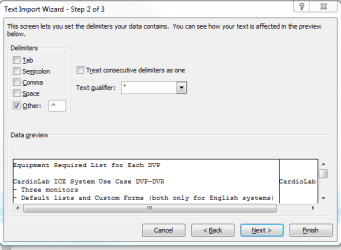
I have a .txt file that is imported into Excel using delimiters("^").
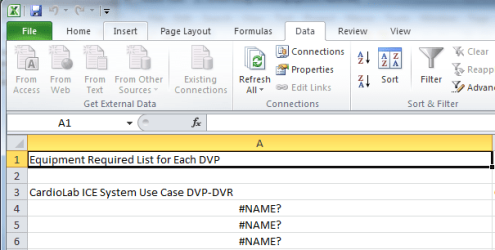
I look at the .txt file, and do not see anything different/out of place, but when I import it into Excel 2010, some of the lines end up with a "=" attached.
For example,
.txt Excel 2010
- Three monitors =- Three monitors (resulting in #NAME?)
Why is an "=" inserted into the import?
Thank you.
I have attached some screenshots to demonstrate.
I look at the .txt file, and do not see anything different/out of place, but when I import it into Excel 2010, some of the lines end up with a "=" attached.
For example,
.txt Excel 2010
- Three monitors =- Three monitors (resulting in #NAME?)
Why is an "=" inserted into the import?
Thank you.
I have attached some screenshots to demonstrate.
Attachments
Last edited:
My Computer
- OS
- Windows 7 Home Premium 32 bit


