

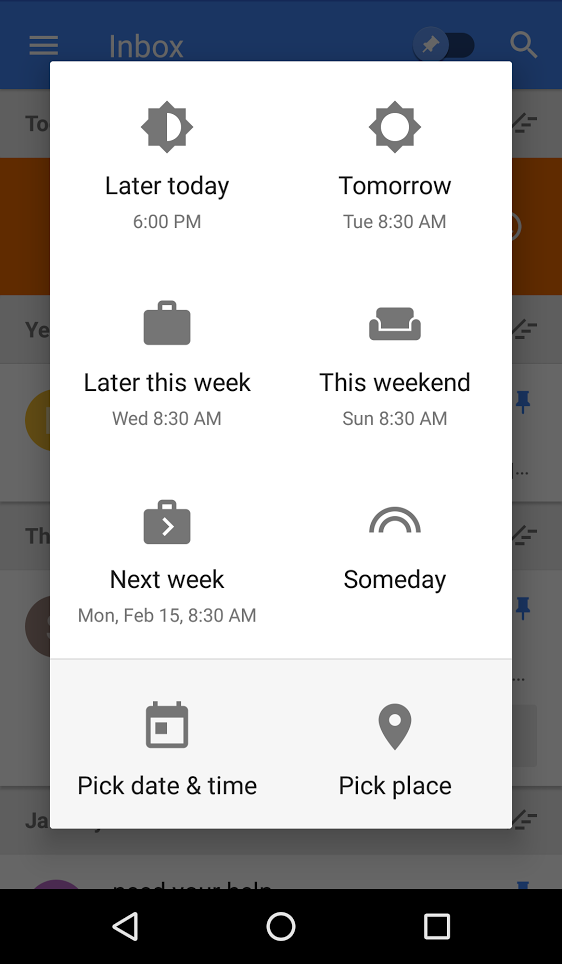
Snoozing emails is great because it helps you focus on what you need to do now instead of what you can put off until later. Starting today, Snooze is getting a new look and two time-saving improvements — all based on your feedback.
First, Snooze is getting two highly-requested snooze times: Later this week and This weekend. These new options should hopefully save you some time, and decrease the need to use custom snooze.
Snooze’s new look
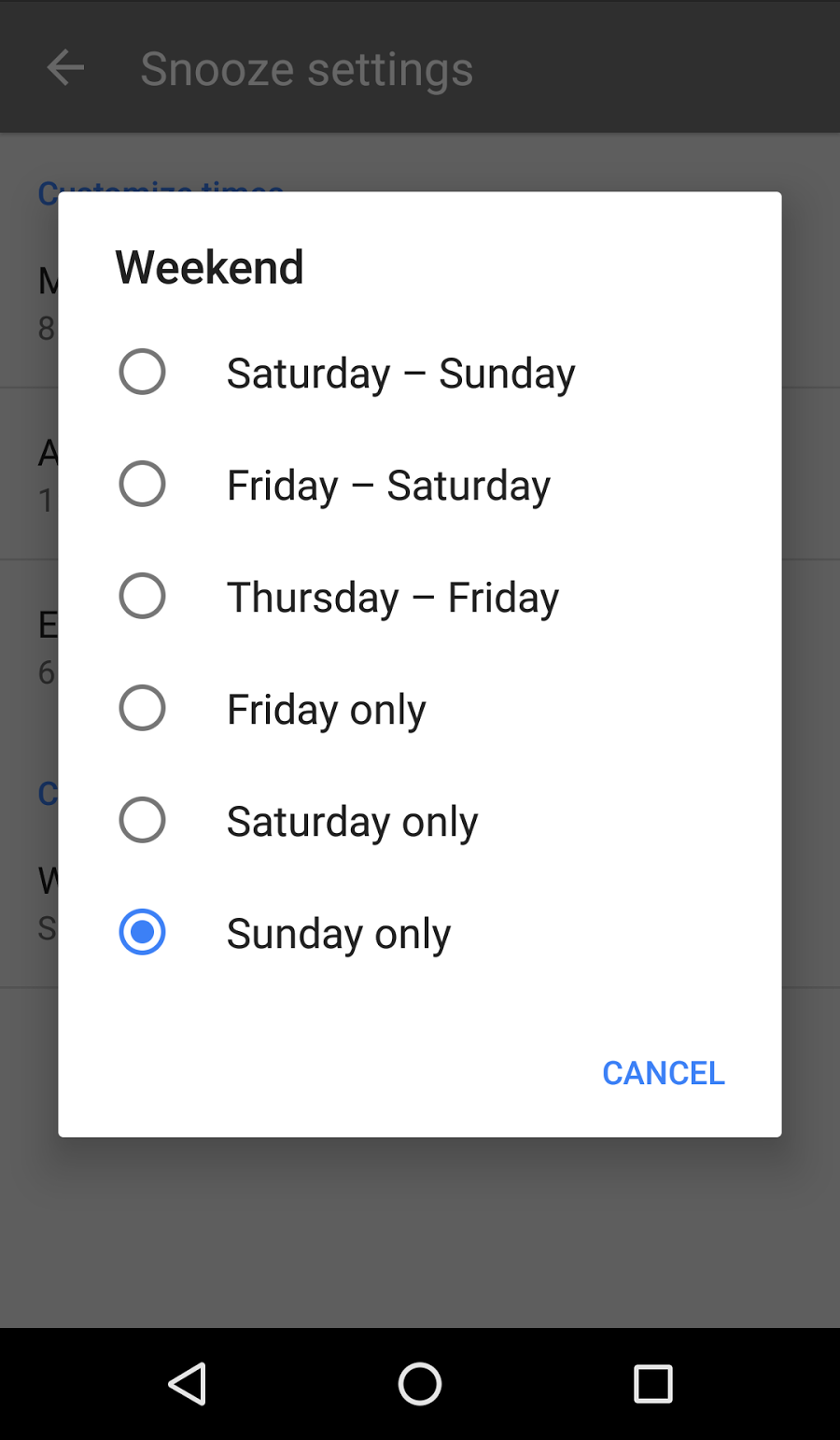
Second, just like you can set your preferred morning time to receive emails, you can now choose the weekend days that work best for you.
New weekend setting
This feature is especially useful for people living in places where the weekend spans different days of the week.
Look for these new options in Inbox over the next week. And don’t forget to continue sharing your feedback, so we can keep working on your top requests. Enjoy your snoozing.
Source: Official Gmail Blog: Inbox by Gmail: Saving time with Snooze
My Computer
- Computer type
- PC/Desktop
- Computer Manufacturer/Model Number
- Self built custom
- OS
- 64-bit Windows 11 Pro for Workstations
- CPU
- Intel i7-8700K OC'd to 5 GHz
- Motherboard
- ASUS ROG Maximus XI Formula Z390
- Memory
- 64 GB (4x16GB) G.SKILL TridentZ RGB DDR4 3600 MHz
- Graphics Card(s)
- ASUS ROG-STRIX-GTX1080TI-O11G-GAMING
- Sound Card
- Integrated
- Monitor(s) Displays
- 2 x Samsung Odyssey G7 27"
- Screen Resolution
- 2560x1440
- Hard Drives
- 1TB Samsung 990 PRO M.2,
4TB Samsung 990 PRO PRO M.2,
TerraMaster F8 SSD Plus NAS
- PSU
- Seasonic Prime Titanium 850W
- Case
- Thermaltake Core P3
- Cooling
- Corsair Hydro H115i
- Keyboard
- Logitech wireless K800
- Mouse
- Logitech MX Master 4
- Internet Speed
- 2 Gb/s Download and 100 Mb/s Upload
- Antivirus
- Malwarebyte Anti-Malware Premium
- Browser
- Google Chrome
- Other Info
- Logitech Z625 speaker system,
Logitech BRIO 4K Pro webcam,
HP Color LaserJet Pro MFP M477fdn,
APC SMART-UPS RT 1000 XL - SURT1000XLI,
Galaxy S23 Plus phone
