Install Windows 7 SATA controller driver

sfrederiksen

New member
Local time
10:30 AM
Messages
4
Hi

I've just bought parts and collected a new PC system. My Motherboard is AsRock M3A785GXH/128 ASRock > Products > M3A785GXH/128M

and regarding to the manufacturer it should be Windows 7 hardware ready.

But I can't install Windows 7 pro 64 bit on my new system. The Windows 7 installation application can't see my harddrives and want a driver to them. I assume that should be a driver for the SATA controller on the motherboard. I've tryed to use the drivers on the motherboard cd-rom and tryed to use the drivers froms asrock homepage, but Windows 7 wont accept them.

I have contacted AsRock about this issue, but I'm wating for an answer and hoped that you guys might has seen this problem before, and will answer quicker than AsRock Support :)

I should say that I cant install Windows Vista Business 64bit without any problems at all.

Any suggetions would be appreciated!

Regards,
Steffen
Denmark.
 

My Computer

OS
Windows 7 pro 64bit
Are you trying a clean or upgrade install? Are you booting from a DVD or USB?
 

My Computer

Computer Manufacturer/Model Number
Dell Optiplex 980
OS
Win7 x64 Ultimate SP1
CPU
Intel i7-2600
Memory
8 Gig
Graphics Card(s)
Geforce gt 520
Monitor(s) Displays
LG & Acer
Screen Resolution
1920x1080
Internet Speed
Fios 45/35
Other Info
Windows Home Server
boot from DVD - clean install.. Installer loads fine. But It cant see the harddrives.,..
 

My Computer

OS
Windows 7 pro 64bit
Is AHCI activated in the BIOS settings?
 

My Computer

Computer Manufacturer/Model Number
HP Compaq nx6325
OS
Windows 7 Ultimate x64
CPU
AMD Turion X2 TL-68
Memory
2 GB DDR2 Dual Channel 667 MHz
Graphics Card(s)
ATI Radeon Xpress Series
Hard Drives
250 GB S-ATA
I've tyed both in AHCI mode and in IDE mode..-.
 

My Computer

OS
Windows 7 pro 64bit
In AHCI mode you don't need a specific driver, it's the default standard mode for SATA. If it doesn't work, then I have no idea. Maybe a BIOS update.
 

My Computer

Computer Manufacturer/Model Number
HP Compaq nx6325
OS
Windows 7 Ultimate x64
CPU
AMD Turion X2 TL-68
Memory
2 GB DDR2 Dual Channel 667 MHz
Graphics Card(s)
ATI Radeon Xpress Series
Hard Drives
250 GB S-ATA

My Computer

Computer Manufacturer/Model Number
Dell XPS 15 L502x
OS
Windows 7 Ultimate x64 SP1
CPU
Core i7-2670QM
Memory
8GB DDR3 PC3-10600
Graphics Card(s)
Intel HD Graphics 3000 + GeForce GT 540M
Screen Resolution
1920x1080
Hard Drives
1TB 5400RPM Seagate
yes i've tryed the Windows 7 64 bit SATA RAID Driver (For system to read from floppy diskette during Windows installation and i have updated my bios to 1.30 :(
 

My Computer

OS
Windows 7 pro 64bit
Some ASRock boards are still physically jumpered, I know because I recently had as ASR X48 Turbo-Twins WiFi board and it was an enormous PITA due to the jumpering issues!

You may need to re-arrange the jumper caps to get the board to do what you're attempting; but you'll need to refer to the ASRock book of words.
 

My Computer

Computer Manufacturer/Model Number
Custom built machine
OS
W7 x64
CPU
Intel Q9300 2.5Ghz Quad LGA775 (Would like Q9650)
Motherboard
Gigabyte GA-EP45T-UD3R (F6 Bios)
Memory
4Gb OCZ Gold 1,333Mhz
Graphics Card(s)
Palit HD4850 O/C Sonic 512Mb DDR3, Dual DViD's
Sound Card
Azalia to twin Samson 50w Studio Monitors
Monitor(s) Displays
Twin Dell (E-IPS) U2311H 23.6" Screens
Screen Resolution
1920 x 1080 @ 60Hz
Hard Drives
Crucial M4 SSD, archives on twin Western Digital Caviar Black WD2002FAEX, 2TB, 7200rpm HDD's, Samsung Ritemaster CD/DVD Burner...
PSU
OCZ 600w
Case
Lian-Li PC8 acoustifoamed' aluminium tower
Cooling
Scythe 140mm Zipang
Keyboard
Cherry PS/2 custom model
Mouse
Lenovo USB laser "Thinkpad" Mouse
Internet Speed
ADSL2+ @14Mbps downstream & Cat6 Gigabit Ethernet
Antivirus
NOD32
Browser
Opera
Other Info
Silicon Dust HD Homerun Dual FTA (Ethernet) TV Tuners, Dray Tek Vigor 2850Vn router and 8x HP Gigabit Switch. Lian-Li CR26 Card Reader, Canon MF4430 iSensys laser printer/scanner.
Does it have a 'compatible' mode?

Perhaps you can get it going in 'compatible' or IDE emulation mode...then do the forced sata driver install with the installed OS?

1) Set it for compatibility mode /IDE mode
2) Load with no floppy drivers
3) Get OS working
4) In the registry set the MSAHCI key (hklm\system\ccset\services\msahci) START to 0(zero)
5) Reboot. It will then use the generic sata driver
6) then upgrade to your latest Mobo driver (intel storage matrix perhaps?)

Good luck!
Hope this helps...
 

My Computer

Computer Manufacturer/Model Number
HomeBrew
OS
Win7/XP
CPU
INTEL E8600 @ 4.2GHz
Motherboard
Asus P5E w/Formula Rampage BIOS
Memory
8GB PC8500 Corsiar Dominator
Graphics Card(s)
nVidia GTX 280
Sound Card
Asus FXII (SoundMax controlled)
Monitor(s) Displays
2 x I-INC 28'
Screen Resolution
1920x1200
Hard Drives
2 x Seagate 1.5TB
PSU
Ultra 700W
Case
Something..with alot of air
Cooling
Tuniq 120 CPU - Several 80mm and one 120MM fan
Keyboard
IBM MODEL M - YA BABY!!! NEVER SAY DIE!
Mouse
MS Intellimouse
Internet Speed
50/5
I am having a similar issue as the original poster of this thread.

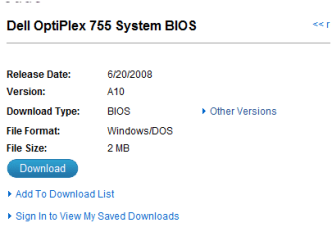
- I purchased a used PC (Dell Optiplex 755) minus the hard drive.
- I had a 2nd drive in my existing PC that I had planned to use. This was wiped and installed in the newer machine so it is a clean install.
- I am receiving the error "This computers Hardware may not support booting to this disk. ensure that the disk controller is enabled in the BIOS"
- Interestingly enough, the 1st install attempt appeared as though it was going to work. It saw the drive and started the install, but crapped out when it got to the 'updates' section of the install.

Motherboard is: DR845Printed Wiring Assy,Planar Motherboard,Desktop,Dell Computer Corporation,OPTI-755 (this is a copy/paste directly from the Dell site after entering the service tag).
Software is Win 7 Pro 64 bit.

I will say that I just stumbled upon this thread and have not tried ACHI mode as of yet (actually, I may have as I do not recall what the original setting was). Regardless, I will check this first when I get home.

But since this failed for the 1st user I assume it won't work for me either. So I just thought I would get a thread going to see if anyone had any suggestions.

This has been a frustrating process! : ) I've spent hours researching the error online and have yet to locate a fix yet. I appreciate the help that anyone can provide!
 

My Computer

OS
7
Thanks - I will give that a shot as soon as I get home from work.

I'll report back to let you know if this corrected the issue.

I appreciate the help.
 

My Computer

OS
7

I thought I would go ahead and check for updates before heading home and have a concern.

Windows 7 is not in the drop-down of operating systems. When you mouse over the '?' next to the OS selection it reads: "only operating systems that have been validated on your product will be available".

Should I try a Windows Vista driver or move on to plan B?
 

My Computer

OS
7
Ok - dumb question.

I downloaded the drivers and put them on a flash drive. I followed the steps in the 1st link provided. The issue is that the drivers were in an executable format which was not recognized. Is there any way that I can extract the drivers from the .exe? I attempted to run it from the computer where it was downloaded from and I get an error stating "running on an unsupported system", which makes sense since it is a different type of computer.
 

My Computer

OS
7
Ok - dumb question.

I downloaded the drivers and put them on a flash drive. I followed the steps in the 1st link provided. The issue is that the drivers were in an executable format which was not recognized. Is there any way that I can extract the drivers from the .exe? I attempted to run it from the computer where it was downloaded from and I get an error stating "running on an unsupported system", which makes sense since it is a different type of computer.

Take a look here:
 

Attachments

  • Capture3.PNG
    Capture3.PNG
    11 KB · Views: 45

My Computer

OS
ME/XP/Vista/Win7
I'm sorry that I continue to have issues! I'm sure you are as frustrated working with me as I am in getting this PC working!

Anyway...
I am having difficulty making the the .exe bootable. I'm sure there is an easy solution for this, but I can't seem to locate it if there is.

Any suggestions?

Thanks and sorry!
 

My Computer

OS
7
By the way - is there anything else that I can try in the meantime?
 

My Computer

OS
7
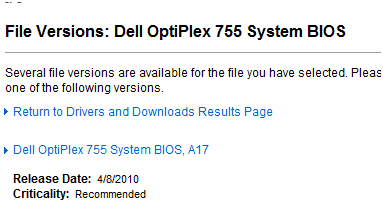
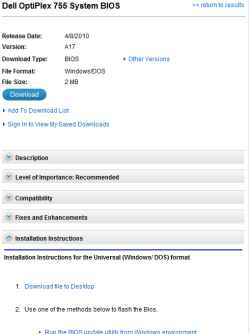
Sata drivers or BIOS?

If BIOS follow Dell's instructions.
 

My Computer

OS
ME/XP/Vista/Win7
Back
Top