- Local time
- 12:57 PM
- Messages
- 17
Windows7 sp1 OEM
It's a madhouse.
I got a virus, & so I used that as an excuse to clean out the PC, get it organized & start fresh. So I went to this AAAAWWWFUL 34-part guide on about.com to learn how to clean out my harddrive & reinstall windows. It basically said "Stick the disk in & follow the directions, but keep reading this tutorial for important details that will mysteriously never be revealed". (Which I did.)
I deleted the partitions (one main drive & then the special one that's put aside for the system). The installation process began, the computer restarted a couple of times, & that was about it. Now I just get this black screen with a mouse pointer. I let that go on for about half an hour before I suspected it wasn't normal & restarted the process.
The thing is, I still get the Windows7 startup screen at the beginning. It's like it halfway installed. But there's nothing to work with aside from a black screen & a mouse pointer. I could really use some help, here.....
UPDATE
now I'm getting the Windows Error Recovery screen...the one that says it didn't shut down properly & asks if I'd like to start normally, or in safe mode, etc. Whatever I choose, I get the black screen & pointer.
UPDATE
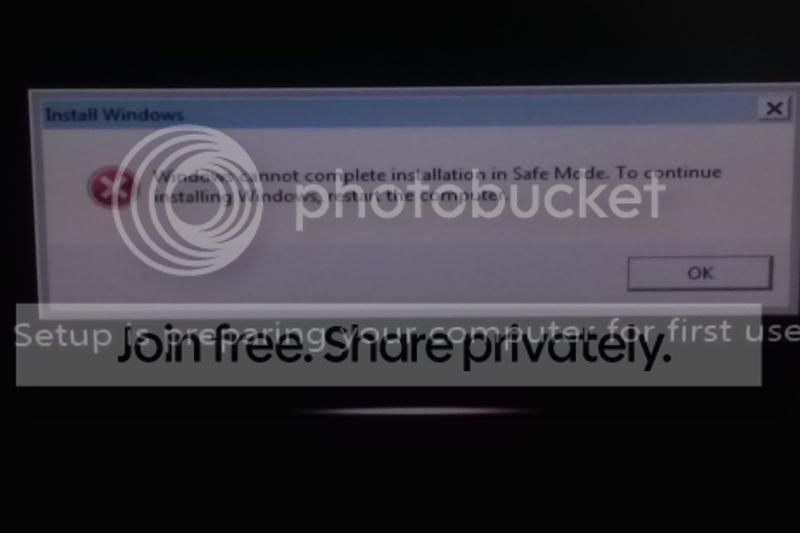
I tried starting in SafeMode today, & it got as far as loading Sys32/Drivers before an animated screen came up saying it was preparing my computer for first-time use. Then a notice popped up saying it can't finish installing windows in Safe Mode, & it will finish installing after I restart. So I restart, & there it is again - black screen & pointer.
It's a madhouse.
I got a virus, & so I used that as an excuse to clean out the PC, get it organized & start fresh. So I went to this AAAAWWWFUL 34-part guide on about.com to learn how to clean out my harddrive & reinstall windows. It basically said "Stick the disk in & follow the directions, but keep reading this tutorial for important details that will mysteriously never be revealed". (Which I did.)
I deleted the partitions (one main drive & then the special one that's put aside for the system). The installation process began, the computer restarted a couple of times, & that was about it. Now I just get this black screen with a mouse pointer. I let that go on for about half an hour before I suspected it wasn't normal & restarted the process.
The thing is, I still get the Windows7 startup screen at the beginning. It's like it halfway installed. But there's nothing to work with aside from a black screen & a mouse pointer. I could really use some help, here.....
UPDATE
now I'm getting the Windows Error Recovery screen...the one that says it didn't shut down properly & asks if I'd like to start normally, or in safe mode, etc. Whatever I choose, I get the black screen & pointer.
UPDATE
I tried starting in SafeMode today, & it got as far as loading Sys32/Drivers before an animated screen came up saying it was preparing my computer for first-time use. Then a notice popped up saying it can't finish installing windows in Safe Mode, & it will finish installing after I restart. So I restart, & there it is again - black screen & pointer.
Last edited:
My Computer
- Computer type
- PC/Desktop
- Computer Manufacturer/Model Number
- Lenovo H405
- OS
- Windows7 Professional 64-bit SP1
- CPU
- AMD Athlon X2 255
- Memory
- 2G, DDR3 1066MHz