
Installation stops "expanding files" - Help please !!

supermanho

New member
Local time
6:02 AM
Messages
9
I'm stuck in Windows 7 RC1 x64 installation. It always hangs at "expanding files", usually at 19% but not always, sometimes at 11%, 5%, ....
No error, no BSOD, computer only stops copying files.

After reboot (Vista x64) file "setuperr.log" is empty.
Last line in file "setupact.log" is always:

2009-05-14 18:40:52, Info [0x0606cc] IBS Calling WIMApplyImage (flags = 0x184)...

No errors in log.
All hardware recognized succesfully and drivers installed fine. Or so "setupact.log" says.

Configuration:
Intel Core2 Duo E6600 2,4 GHZ
Motherboard DFI Infinity 975 X/G
4GB RAM DDR2 800 in 4 slots of 1 GB each (dual-channel)
Hard drives: 2 Seagate SATA in RAID 0 ICHR-7 (volumes: C: (Vista x64) primary active, D: and E: extended partition both drives logical)
2 Western Digital SATA in RAID0 ICHR-7 (volumes: F: and G: extended partition both drives logical)
2 IDE HD over a SCSI IDE PCI Card (volumes H: and I:, both logical
DVD: 2 units IDE
Graphic: nVidia 8800 GTS
Monitor: Samsung T220
Creative Audigy 2 PCI
Keyboard and mouse: Logitech MX5000 Bluetooth

I want to install Windows 7 x64 RC1 in a new primary partition, formated NTSC, no problem at all.
Looking for dual boot systems.
Ithink I have tried all posible options:
- From ISO DVD (2x speed record). Image downloaded is OK (MDS checksum OK).
- Directly extracting files from ISO in C: and in the new partition.
- Manually unplugged all other hard drives
- Deleting all partitions except C: and the new one.
- Removing 2 RAM sticks (to test in no dual-channel configuration)
- Loading last Intel RAID drivers (for Vista x64)
- Change new partition from disk 1 to disk 2
- And for the last, I formated C: and try to install Windows 7 alone (no dual boot)

And it's always the same, hangs when expanding files. I waited one hour and nothing changes. No error.
Windows 7 Upgrade Advisor runs fine, no problem (only adviced about Creative drivers).

The only thing I have not test is to upgrade from Vista x64 but I don't really want to do this at this moment. I prefer a clean install.

What's going on?
Sorry for my english, it's not my native language.

Thanks in advance....
 

My Computer

OS
Vista x64 Home Premium
CPU
Intel Core2 Duo 2,4 GHz
Motherboard
DFI Infinity 975 X/G
Memory
4 GB DDR2 800 Mhz
Graphics Card(s)
XFX nVidia Gefore 8800 GTS
Sound Card
Creative Audigy 2
Monitor(s) Displays
Samsung T220
Screen Resolution
1608x1050
Hard Drives
2 x Seagate SATA 2 240 GB on RAID 0
2 x Maxtor SATA 120 GB on RAID 0
IDE Seagate 40 GB (on SCSI Card)
IDE Seagate 20 GB (on SCSI Card)
PSU
XION 600 w
Case
NZXT Whisper
Keyboard
Logitech MX 5000 Bluetooth
Mouse
Logitech MX Laser Bluetooth
Internet Speed
10 MB / 512 KB
Other Info
2 LG DVD IDE combo drives
Hi supermanho, welcome to the forums.

What speed did you originaly burn the DVD? Because of the size of the install.wmi (or .wim i can't remember) file (over 2GB) a higher burn speed can cause write errors that will only be detected when reading disks. Try the slowest speed and see if that helps.


Jeff
 

My Computer

Computer Manufacturer/Model Number
Compaq Desktop
OS
Windows 7 Ultimate x64
CPU
AMD Sempron Dual Core
Memory
3GB
Graphics Card(s)
NVIDIA GeForce 6150SE nForce 430
Screen Resolution
1024x768
Hard Drives
150GB Sata
I burn twice, at 4x and 2x (with Nero and with Alcohol 120%) on Verbatim DVD-R.
I tried a new thing, tried to install on IDE HD (mounted on VIA PCI Card) loading VIA drivers and same failure again, it stops at 15% expanding files. No error on logs.

Now I'm dowloading ISO again from Microsoft and will test MD5 again comparing ISOs.

I'll tell.
 

My Computer

OS
Vista x64 Home Premium
CPU
Intel Core2 Duo 2,4 GHz
Motherboard
DFI Infinity 975 X/G
Memory
4 GB DDR2 800 Mhz
Graphics Card(s)
XFX nVidia Gefore 8800 GTS
Sound Card
Creative Audigy 2
Monitor(s) Displays
Samsung T220
Screen Resolution
1608x1050
Hard Drives
2 x Seagate SATA 2 240 GB on RAID 0
2 x Maxtor SATA 120 GB on RAID 0
IDE Seagate 40 GB (on SCSI Card)
IDE Seagate 20 GB (on SCSI Card)
PSU
XION 600 w
Case
NZXT Whisper
Keyboard
Logitech MX 5000 Bluetooth
Mouse
Logitech MX Laser Bluetooth
Internet Speed
10 MB / 512 KB
Other Info
2 LG DVD IDE combo drives
Burn .iso @4x Using imgburn, Only have 2gb memory installed, remove unnecessary devices e.g. usb, bluetooth, camera's, secondary monitors etc.
Add devices one at a time after install, Good Luck!! ;)
 

My Computer

Computer type
PC/Desktop
Computer Manufacturer/Model Number
Self Build
OS
MS Windows 7 Professional 64-bit SP1
CPU
AMD FX(tm)-6100 Six-Core Processor Socket AM3+ (942)
Motherboard
ASUSTeK COMPUTER INC. SABERTOOTH 990FX (AM3r2)
Memory
8.00 GB Dual-Channel DDR3 @ 802MHz (11-11-11-36) 1.5Volts
Graphics Card(s)
NVIDIA GeForce GTX 560 Ti
Sound Card
Onboard Realtek HD
Monitor(s) Displays
shimian (1920x1080@60Hz)
Screen Resolution
1920*1080
Hard Drives
OCZ-AGIL ITY3 SATA Disk Device 120GB
PSU
Corsair TX 750
Case
Corsair
Cooling
WaterCooled
Keyboard
Microsoft Wired
Mouse
Logitech USB Optical TiltWheel Mouse
Internet Speed
Realtek PCIe GBE Family Controller 20MB*1MB
Antivirus
Avast
Browser
Firefox
Other Info
150GB Internal Hard Drive for Backing Up Important Files -
Hauppauge Nova-DT Dual DVB-T Tuner Device (+IR) -
USB PC Camera with Mic (SN9C105)

My Computer

Computer Manufacturer/Model Number
Intel E8500
OS
Win7 build 7100, Win Bus 64bit, Mac OS X
Motherboard
Asus P5Q3 Deluxe WiFi
Memory
4gb DDR3 Gskill
Graphics Card(s)
EVGA Nvidia Geforce 9800GT
Sound Card
Onboard Soundmax
Monitor(s) Displays
8 yr old Princeton 17" LCD
Screen Resolution
1024 768
Hard Drives
3 Sata 2 Seagate 500gb
Case
Coolermaster
Keyboard
Microsoft USB
Mouse
Logitech USB
I have not a 4GB USB Key.
I tried with 2GB (single channel) and no luck.

Tomorrow I will try burning ISO with ImgBurn but I think the problem is with RAID HD drives. So I will unplug the 4 SATA HD and use one of the IDE HD connected on IDE port (not on SCSI Card). If this not work....!!!!
I can not unplug USB Bluetooth (controls keyboard and mouse). No cameras, no secondary monitor...

See you tomorrow.:D
 

My Computer

OS
Vista x64 Home Premium
CPU
Intel Core2 Duo 2,4 GHz
Motherboard
DFI Infinity 975 X/G
Memory
4 GB DDR2 800 Mhz
Graphics Card(s)
XFX nVidia Gefore 8800 GTS
Sound Card
Creative Audigy 2
Monitor(s) Displays
Samsung T220
Screen Resolution
1608x1050
Hard Drives
2 x Seagate SATA 2 240 GB on RAID 0
2 x Maxtor SATA 120 GB on RAID 0
IDE Seagate 40 GB (on SCSI Card)
IDE Seagate 20 GB (on SCSI Card)
PSU
XION 600 w
Case
NZXT Whisper
Keyboard
Logitech MX 5000 Bluetooth
Mouse
Logitech MX Laser Bluetooth
Internet Speed
10 MB / 512 KB
Other Info
2 LG DVD IDE combo drives

supermanho, I have to agree with Snifferpro.

I was having the same issue you described...hanging at the "expanding Files" screen. I tried burning the iso at all different speeds using several different programs, even 2 seperate cd burners. (well, the second burner DID work but, that's beside the point :p) I also re-downloaded the ISO...same issue every time. (Burned a total of about 12 cd's and all failed.). I won't be burning any more cd's. For me, 7127 is going on a USB key. As are all future releases.
Spend the $20 and get a 4gb usb key. It's not worth the headaches to continue struggling with the cd version.
 

My Computer

Computer Manufacturer/Model Number
Bumpus Did it!
OS
WIN7
CPU
Intel i7 920
Motherboard
Gigabyte EX58-UDR
Memory
6GB DDR3 Triple Channel
Graphics Card(s)
Nvidia 250 GTS
Sound Card
Realtek onboard
Monitor(s) Displays
Samsung 192n & 204b
Hard Drives
37gb WD Velociraptors (2) Raid 1 -
Seagate SATAII 1 tb -
WD SATAII 1tb -
WD SATAII Green 1.5tb
PSU
OCZ ModXStream Pro 600W
Case
Lian-Li V1000
Cooling
3 x 120mm
Keyboard
crap
Mouse
MS Intelimouse
Internet Speed
Uverse 12mbps
Other Info
TV (via Slingbox), Data backup & game box.

Hope it never blows up ;)
Ok, I have news.
I tested lot of things.

- Unplugged 2 GB RAM leaving 2 x 1 GB in single channel mode.
- Changed monitor DVI to CRT conexion
- Dowloaded ISO again from Microsoft (same CRC as older) and burn a new DVD with ImgBurn at 4x speed (no way to burn at 2x), imaged verified after burn ok.

On install, loaded Intel ICH7R/DH SATA RAID drivers and VIA RAID 3249 drivers, both for Vista x64.
Formated partition (HD 1 partition 1) on install screen and....
Windows 7 reached 100% expanding files, then looking for upates and later ask me to reboot.

Once rebooted, doesn't appear Boot screen to select Windows 7 installation and Vista boots. I can see partition from Vista with Windows 7 with no problem.

Setupact.log show this at the end:
2009-05-16 13:17:05, Info [0x06021f] IBS Callback_UpdateBootCode: Current Setup phase 2
2009-05-16 13:17:05, Info [0x060222] IBS Callback_UpdateBootCode: Preparing drive 'E:\' to boot Windows (updating disk's MBR, volume's boot sector)
2009-05-16 13:17:05, Info [0x0606cc] IBS GetSystemDiskNTPath: Found system disk at [\Device\Harddisk2\DR2].
2009-05-16 13:17:05, Info [0x0606cc] IBS GetSystemDiskNumber: Disk [2] is the system disk.
2009-05-16 13:17:05, Info [0x060249] IBS PrepareSystemToBootWindows: Current system volume path: [E:\]; boot disk number: [2]
2009-05-16 13:17:05, Info IBSLIB UpdateMasterBootRecord: Existing MBR on disk does not need to be updated
2009-05-16 13:17:05, Info IBS PrepareSystemToBootWindows: Successfully updated MBR
2009-05-16 13:17:06, Info IBSLIB UpdateBootCode:Laying down NT Boot code. Drive = E:
2009-05-16 13:17:06, Info IBSLIB UpdateBootCode:Successfully laid down NT boot code.
2009-05-16 13:17:06, Info IBSLIB WriteSectors: Requested to write [512] bytes. Succesfully wrote [512] bytes
2009-05-16 13:17:06, Info IBSLIB UpdateBackupBootCode:Successfully updated back up boot sector.
2009-05-16 13:17:06, Info IBS PrepareSystemToBootWindows: Successfully updated boot code
2009-05-16 13:17:06, Info [0x06412c] IBSLIB SetCheckpoint: Checkpoint("WinPEBootSectorRestoreCheckpoint") in progress...
2009-05-16 13:17:06, Info [0x06412e] IBSLIB SetCheckpoint: Checkpoint "WinPEBootSectorRestoreCheckpoint" successfully set.
2009-05-16 13:17:06, Info IBS Callback_UpdateBootCode:Successfully updated boot code.
2009-05-16 13:17:06, Info [0x064226] IBSLIB RecordCurrentDrivePath: Recording drive path [D:] for well-known volume (ID = 418cc90e-9de8-41b8-8e24-6fe09740d0bb)
2009-05-16 13:17:06, Info [0x064226] IBSLIB RecordCurrentDrivePath: Recording drive path [E:] for well-known volume (ID = 214e78d9-d209-4bd8-a876-e323ac791a94)
2009-05-16 13:17:06, Info [0x060001] IBS Callback_RecordDrivePaths:Successfully stamped the requested logical drives.
2009-05-16 13:17:06, Info [0x090093] PANTHR WdsEnableExit called! When group #82 is empty, execution will stop, and the queue will be saved.
2009-05-16 13:17:06, Info [0x0a0134] UI Accepting Next. Exiting Page Progreso.
2009-05-16 13:17:06, Info [0x0a0035] UI Allowing Page '' to be shown
2009-05-16 13:17:06, Info UI Entering Page Finalizar.
2009-05-16 13:17:06, Info [0x0a0035] UI Allowing Page 'Selecci�n de unidad' to be shown
2009-05-16 13:17:06, Info [0x0a011c] UI WizardDialogPost::SetActive
2009-05-16 13:17:10, Info [0x0a0138] UI Accepting Finish. Exiting Page Finalizar.
2009-05-16 13:17:10, Info [0x090092] PANTHR WdsEnableExit already called
2009-05-16 13:17:10, Info [0x070035] DIAG CallBack_DiagnosticDataGeneration: Called with notification for SetupPhaseDone
2009-05-16 13:17:10, Info [0x070037] DIAG CallBack_DiagnosticDataGeneration: Generating perf information for phase=851975
2009-05-16 13:17:10, Info DIAG CallBack_DiagnosticDataGeneration: Phase=851975 Start time was 0X3001F3CFD, End time was 0X3001F3FC6, total time was 0X2C9
2009-05-16 13:17:10, Info [0x070042] DIAG CallBack_DiagnosticDataSend: Called with notification for SetupPhaseDone published by Engine
2009-05-16 13:17:10, Info DIAG CallBack_DiagnosticDataSend: This is End of WinPE phase and setup is NOT in WDS Mode. Skip uploading Diagnostics Data in this scenario
2009-05-16 13:17:10, Info [0x090092] PANTHR WdsEnableExit already called
2009-05-16 13:17:10, Info [0x09008e] PANTHR SeqExecute -- stopping, since termination group reached
2009-05-16 13:17:10, Info [0x090086] PANTHR pWorkerThreadFunc -- Stopping
2009-05-16 13:17:10, Info [0x0900c7] PANTHR SEQ EVENT_SERIALIZE_BEFORE_EXIT Received. Will only save modules with persistent subscriptions!
2009-05-16 13:17:10, Info [0x0900b7] PANTHR SerializeToFile: D:\$WINDOWS.~BT\Sources\Panther\MainQueueOnline0.que
2009-05-16 13:17:10, Info [0x0900b8] PANTHR Saving Main Event Queue
2009-05-16 13:17:10, Info [0x0900b9] PANTHR Saving Permanent Event Queue
2009-05-16 13:17:11, Info [0x0900c5] PANTHR Queue Serialization Succeeded
2009-05-16 13:17:11, Info PANTHR DeleteCriticalSection for pExecQueue->csLock;
2009-05-16 13:17:11, Info CryptoSetup module terminated
2009-05-16 13:17:11, Info [0x0605a6] IBS Requested UI to hide the language and locale selection pages.
2009-05-16 13:17:11, Info [0x06010d] IBS Module_Term_Productkey: Valid product key in blackboard, show property set to hide.
2009-05-16 13:17:11, Info UI CallbackWin32UITerminate: Deleted WizardUI
2009-05-16 13:17:11, Info [0x090081] PANTHR Destroying any unreferenced modules! (SEQ6)
2009-05-16 13:17:11, Info StoreHostOSInformationOnBB: Host OS = 6.1.7100 (SP 0.0); productname = [Windows (TM) Code Name "Longhorn" Preinstallation Environment]
2009-05-16 13:17:11, Info IBS Successfully logged host OS information onto blackboard
2009-05-16 13:17:11, Info [0x0640d2] IBSLIB [Setup Disk Usage] ------ Drive D: ------
2009-05-16 13:17:11, Info [0x0640d3] IBSLIB [Setup Disk Usage] Total bytes on drive: 20503.0 MB (21498949632 bytes)
2009-05-16 13:17:11, Info [0x0640d4] IBSLIB [Setup Disk Usage] Free bytes available to user: 13010.4 MB (13642424320 bytes)
2009-05-16 13:17:11, Info [0x0640d6] IBSLIB [Setup Disk Usage] Found Setup folder/file [BT Folder ].
2009-05-16 13:17:11, Info [0x0640d6] IBSLIB [Setup Disk Usage] Found Setup folder/file [LS Folder ].
2009-05-16 13:17:11, Info [0x0601dc] IBS Setup has completed phase 2 at 2009-05-16 13:17:11
2009-05-16 13:17:11, Info [0x090009] PANTHR CBlackboard::Close: d:\$windows.~bt\sources\panther\setupinfo.


I think now it's a problem with MBR.

Any help to fix MBR with EasyBCD or BCDEdit?
;)
 

My Computer

OS
Vista x64 Home Premium
CPU
Intel Core2 Duo 2,4 GHz
Motherboard
DFI Infinity 975 X/G
Memory
4 GB DDR2 800 Mhz
Graphics Card(s)
XFX nVidia Gefore 8800 GTS
Sound Card
Creative Audigy 2
Monitor(s) Displays
Samsung T220
Screen Resolution
1608x1050
Hard Drives
2 x Seagate SATA 2 240 GB on RAID 0
2 x Maxtor SATA 120 GB on RAID 0
IDE Seagate 40 GB (on SCSI Card)
IDE Seagate 20 GB (on SCSI Card)
PSU
XION 600 w
Case
NZXT Whisper
Keyboard
Logitech MX 5000 Bluetooth
Mouse
Logitech MX Laser Bluetooth
Internet Speed
10 MB / 512 KB
Other Info
2 LG DVD IDE combo drives
Hi Supermanho,

mbr should be fine if you can boot into Vista.

It appears 7 has not added itself to Vista bcd.

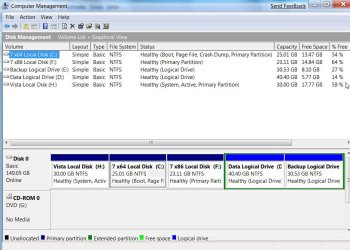
Post a screenshot of Disk Management, like this:

DISKMANAGEMENT2009-02-04_031947.jpg
 

My Computers

System One System Two

  • Computer type
    PC/Desktop
    OS
    7 X64
    CPU
    i5 8400
    Motherboard
    gigabyte b365m ds3h
    Memory
    2x8gb 3200mhz
    Hard Drives
    various
    PSU
    pure power 11 400w cm
    Case
    Coolermaster
    Cooling
    cryorig m9i
  • Computer type
    PC/Desktop
    OS
    7x64
    CPU
    g5400
    Motherboard
    ga b365m ds3h
    Memory
    8gb ddr4 2400
    PSU
    xfx pro 450w
Here it is:

Imagen3.jpg

I noticed one thing.
On HD M:eMule-2, IDE, empty HD, there is now a BOOT directory, bootmgr and bootsect.bak files. That HD was empty before installation. An now is active and I'm sure it wasn't before installation.

On HD C:Vista x64 (belongs to SATA RAID 1) there are also the same files and directory (I think there are Vista BCD).

I installed Windows 7 on I: who belongs to SATA RAID 2.
Maybe installation placed files on wrong disk because HD M: is IDE.
 

My Computer

OS
Vista x64 Home Premium
CPU
Intel Core2 Duo 2,4 GHz
Motherboard
DFI Infinity 975 X/G
Memory
4 GB DDR2 800 Mhz
Graphics Card(s)
XFX nVidia Gefore 8800 GTS
Sound Card
Creative Audigy 2
Monitor(s) Displays
Samsung T220
Screen Resolution
1608x1050
Hard Drives
2 x Seagate SATA 2 240 GB on RAID 0
2 x Maxtor SATA 120 GB on RAID 0
IDE Seagate 40 GB (on SCSI Card)
IDE Seagate 20 GB (on SCSI Card)
PSU
XION 600 w
Case
NZXT Whisper
Keyboard
Logitech MX 5000 Bluetooth
Mouse
Logitech MX Laser Bluetooth
Internet Speed
10 MB / 512 KB
Other Info
2 LG DVD IDE combo drives
More news.

I open with EasyBCD file BCD on partition M: and this is what it looks:
Windows Boot Manager
--------------------
identifier {9dea862c-5cdd-4e70-acc1-f32b344d4795}
device partition=M:
description Windows Boot Manager
locale es-ES
inherit {7ea2e1ac-2e61-4728-aaa3-896d9d0a9f0e}
default {77b45595-4213-11de-8f38-c8aa6bb696b6}
resumeobject {77b45594-4213-11de-8f38-c8aa6bb696b6}
displayorder {77b45595-4213-11de-8f38-c8aa6bb696b6}
toolsdisplayorder {b2721d73-1db4-4c62-bf78-c548a880142d}
timeout 3
Windows Boot Loader
-------------------
identifier {77b45595-4213-11de-8f38-c8aa6bb696b6}
device partition=I:
path \Windows\system32\winload.exe
description Windows 7
locale es-ES
inherit {6efb52bf-1766-41db-a6b3-0ee5eff72bd7}
osdevice partition=I:
systemroot \Windows
resumeobject {77b45594-4213-11de-8f38-c8aa6bb696b6}
nx OptIn
detecthal Yes

Windows 7 installation doesn't added itself to Vista BCD instead of create a new BCD on partition M:

I did a new test. Changed Vista BCD with BCDEDIT to point Boot Manager to partition M: and added manually Windows 7 entry for dual boot (copying Vista and modify device and os device to point to J:)

Reboot, choose Windows 7 and installation continues Registring Services and the change screen resolution and then hangs again !!! :cry:

But now it's different because I have setuperr.log who tells:
2009-05-16 13:06:31, Error [0x06053c] IBS CallBack_InstallDriversOnline:Failed to get the driver package path in the driver store for driver [J:\Windows_V-RAID_V580C\VRAIDDrv\drvdisk\VISTA\x64\viamrx64.inf]. API return code is [0x80070003].
2009-05-16 13:06:31, Error [0x0602a3] IBS CallBack_InstallDriversOnline:An error occurred while installing the driver package [VIA RAID Controller - 3249 (J:\Windows_V-RAID_V580C\VRAIDDrv\drvdisk\VISTA\x64\viamrx64.inf‪)] GLE is [0x3]
2009-05-16 13:06:31, Error [0x0a01ac] UI Install driver failed.

This kind of error seems to be more easy to solve.
It didn't find VIA RAID Driver on J: (don't know what partition is). I'm gonna try again from start not using this driver and I'll tell you.
 

My Computer

OS
Vista x64 Home Premium
CPU
Intel Core2 Duo 2,4 GHz
Motherboard
DFI Infinity 975 X/G
Memory
4 GB DDR2 800 Mhz
Graphics Card(s)
XFX nVidia Gefore 8800 GTS
Sound Card
Creative Audigy 2
Monitor(s) Displays
Samsung T220
Screen Resolution
1608x1050
Hard Drives
2 x Seagate SATA 2 240 GB on RAID 0
2 x Maxtor SATA 120 GB on RAID 0
IDE Seagate 40 GB (on SCSI Card)
IDE Seagate 20 GB (on SCSI Card)
PSU
XION 600 w
Case
NZXT Whisper
Keyboard
Logitech MX 5000 Bluetooth
Mouse
Logitech MX Laser Bluetooth
Internet Speed
10 MB / 512 KB
Other Info
2 LG DVD IDE combo drives
You don't want it to point at M - try removing that entry.

You could try adding 7 partition to Vista bcd manually.

In Vista, open an elevated command prompt navigate to partition I at the prompt I:> type the following (press enter after each command)

I:\>bcdedit -create /d "WIN 7" /application OSLOADER

IT will return a {GUID} - like the one below - use the one you get (not this one ) in the following commands:

The entry {fccd47c8-2285-11de-a747-e02d8e6d652f} was successfully created.

bcdedit /set {fccd47c8-2285-11de-a747-e02d8e6d652f} device partition=I:

bcdedit /set {fccd47c8-2285-11de-a747-e02d8e6d652f} osdevice partition=I:

bcdedit /set {fccd47c8-2285-11de-a747-e02d8e6d652f} path Windowssystem32winload.exe

bcdedit /set {fccd47c8-2285-11de-a747-e02d8e6d652f} systemroot Windows

bcdedit /displayorder {fccd47c8-2285-11de-a747-e02d8e6d652f} /addlast

bcdedit /set {fccd47c8-2285-11de-a747-e02d8e6d652f} nx OptIn

bcdedit /set {fccd47c8-2285-11de-a747-e02d8e6d652f} locale en-US


I see you are going to reinstall - good luck
 

My Computers

System One System Two

  • Computer type
    PC/Desktop
    OS
    7 X64
    CPU
    i5 8400
    Motherboard
    gigabyte b365m ds3h
    Memory
    2x8gb 3200mhz
    Hard Drives
    various
    PSU
    pure power 11 400w cm
    Case
    Coolermaster
    Cooling
    cryorig m9i
  • Computer type
    PC/Desktop
    OS
    7x64
    CPU
    g5400
    Motherboard
    ga b365m ds3h
    Memory
    8gb ddr4 2400
    PSU
    xfx pro 450w
Try to reinstall and no luck.

Finally i did this attempt:

- Monitor connected with CRT plug.
- 2x1GB RAM in single channel
- Unplugged Creative sound card
- Unplugged SCSI PCI Card
- Unplugged 1 DVD combo

Install from DVD on primary partition on second RAID 0 array.
Loaded Intel SATA RAID 8.2.0.1001 drivers Vista x64

Everything was fine, first reboot, Windows 7 BCD added succesfully in Vista boot loader. Press F8 and continue installation in VGA Mode 640x480.
Then began Registry actualization, installing Services, Completing Installation and then hangs again.

I see this in file "setupapi.dev.log":
dvi: {Select Best Driver}
dvi: Selected driver installs from section [Generic.Install] in 'c:\windows\system32\driverstore\filerepository\1394.inf_amd64_neutral_037298662c4991fb\1394.inf'.
dvi: Class GUID of device remains: {6bdd1fc1-810f-11d0-bec7-08002be2092f}.
dvi: Set selected driver complete.
dvi: Selected:
dvi: Description - [Controladora de host VIA compatible con OHCI 1394]
dvi: InfFile - [c:\windows\system32\driverstore\filerepository\1394.inf_amd64_neutral_037298662c4991fb\1394.inf]
dvi: Section - [Generic.Install]
dvi: Signer - [Microsoft Windows]
dvi: Rank - [0x00ff2001]
dvi: {Select Best Driver - exit(0x00000000)}
dvi: Default installer: Exit
dvi: {DIF_SELECTBESTCOMPATDRV - exit(0x00000000)} 10:53:25.296
inf: {SetupCopyOEMInf: C:\Windows\INF\1394.inf} 10:53:25.296
inf: Driver Store location: C:\Windows\System32\DriverStore\FileRepository\1394.inf_amd64_neutral_037298662c4991fb\1394.inf
inf: Published Inf Path: C:\Windows\INF\1394.inf
inf: {SetupCopyOEMInf exit (0x00000050)} 10:53:25.296
dvi: Searching for hardware ID(s):
dvi: pci\ven_1106&dev_3044&subsys_100615bd&rev_80
dvi: pci\ven_1106&dev_3044&subsys_100615bd
dvi: pci\ven_1106&dev_3044&cc_0c0010
dvi: pci\ven_1106&dev_3044&cc_0c00
dvi: Searching for compatible ID(s):
dvi: pci\ven_1106&dev_3044&rev_80
dvi: pci\ven_1106&dev_3044
dvi: pci\ven_1106&cc_0c0010
dvi: pci\ven_1106&cc_0c00
dvi: pci\ven_1106
dvi: pci\cc_0c0010
dvi: pci\cc_0c00
inf: Opened PNF: 'C:\Windows\System32\DriverStore\FileRepository\1394.inf_amd64_neutral_037298662c4991fb\1394.inf' ([strings.0c0a])
dvi: Selected driver installs from section [Generic.Install] in 'c:\windows\system32\driverstore\filerepository\1394.inf_amd64_neutral_037298662c4991fb\1394.inf'.
dvi: Class GUID of device remains: {6bdd1fc1-810f-11d0-bec7-08002be2092f}.
dvi: Set selected driver complete.
ndv: Driver selected, now performing install...
ndv: Waiting for previous device install to complete. 10:53:25.359
<ins>
ààRéJg€

ààW|À
l
^€
ààû«iðGT
l
ààw
—|Áh I¿  àà7Š+ÔÌ \E

It seems installation fails when trying to install IEEE 1394 (motherboard integrated). In Vista x64, driver is OK (VIA generic HOST controller IEEE 1394, publisher Microsoft).

I was looking in BIOS and no way to disconnect IEEE 1394.
Motherboard es DFI Infinity 975 x/G. Any way to turn off Firewie IEEE 1394?
 

My Computer

OS
Vista x64 Home Premium
CPU
Intel Core2 Duo 2,4 GHz
Motherboard
DFI Infinity 975 X/G
Memory
4 GB DDR2 800 Mhz
Graphics Card(s)
XFX nVidia Gefore 8800 GTS
Sound Card
Creative Audigy 2
Monitor(s) Displays
Samsung T220
Screen Resolution
1608x1050
Hard Drives
2 x Seagate SATA 2 240 GB on RAID 0
2 x Maxtor SATA 120 GB on RAID 0
IDE Seagate 40 GB (on SCSI Card)
IDE Seagate 20 GB (on SCSI Card)
PSU
XION 600 w
Case
NZXT Whisper
Keyboard
Logitech MX 5000 Bluetooth
Mouse
Logitech MX Laser Bluetooth
Internet Speed
10 MB / 512 KB
Other Info
2 LG DVD IDE combo drives
Ok, finally I did it but not a clean install instead and upgrade from Vista.

- Installed Vista x64 on primary partition on second RAID 0 array (loaded Intel Sata Raid and VIA SCSI Raid drivers on install).
- No activation. Now I have a dual boot with 2 Vista x64 systems.
- Installed Intel Matrix Storage, nVidia drivers and Realtek Ethernet drivers (all of them latest versions)
- Installed Vista SP1
- Through Windows Update installed all (critical and recomended) updates and fixes (except IE8)

At the end I have a clean Vista x64 installation except sound (didn't install Creative Audigy 2 drivers because Windows 7 Upgrade Advisor said is better to install card within Windows 7 Windows Update).

- Downloaded again Windows 7 ISO to compare hash with the older one. Mounted with Daemon Tools and extracted all files (xcopy on command prompt) from the ISO to other partition.
- Boot on new Vista x64 system and run "setup.exe" from ISO's extracted files with administrator privileges.
- Choose UPGRADE instead of clean install and 40 minutes later it's done. (Press F8 on first and second reboot and choose low-res graphic mode).
- No problem with SATA drivers, Intel Matrix Storage or VIA SCSI Raid drivers. Nvidia drivers also installed fine.
- Through Windows Update downloaded updates and Creative Audigy 2 drivers (sound is somewhat low but at least it's sound)

I think I must wait until some better drivers for SATA Raid appears until I'll try a new attempt for a CLEAN install.

Thanks everybody.
 

My Computer

OS
Vista x64 Home Premium
CPU
Intel Core2 Duo 2,4 GHz
Motherboard
DFI Infinity 975 X/G
Memory
4 GB DDR2 800 Mhz
Graphics Card(s)
XFX nVidia Gefore 8800 GTS
Sound Card
Creative Audigy 2
Monitor(s) Displays
Samsung T220
Screen Resolution
1608x1050
Hard Drives
2 x Seagate SATA 2 240 GB on RAID 0
2 x Maxtor SATA 120 GB on RAID 0
IDE Seagate 40 GB (on SCSI Card)
IDE Seagate 20 GB (on SCSI Card)
PSU
XION 600 w
Case
NZXT Whisper
Keyboard
Logitech MX 5000 Bluetooth
Mouse
Logitech MX Laser Bluetooth
Internet Speed
10 MB / 512 KB
Other Info
2 LG DVD IDE combo drives
I got good news and bad news. The good news is, I know why it won't install for you. The bad news is, it's your motherboard.

I'm using the DFI 975x/g as well, and have been trying to install Windows 7 for months to no avail until about an hour ago. My solution was to take out one of the sticks of ram (I had two) turn the disable the pmw thing in the bios, and turn the cpu, system and nb fan on full, disable the memory mapping and the other two options above and below it.

It installed perfectly, but when I tried switching everything back to normal after it installed. It freezes every two minutes. So now it's like I have a friggin vaccum cleaner turned on right next to my legs.
 

My Computer

OS
Windows 7
Quick update- Turned the fan down and it's not freezing.

So try this. Go to your bios, and go to the genie mode where you configure the ram and CPU speed.

PMM function: Disable

go to the bottom of the page

auto dectect something: Disable
Spread Spectrum: Disable
Memory hole mapping: Disable


I have a feeling it's just the PPM thing that's screwing it up, but gotta go to work, will test it out later on. Good luck.
 

My Computer

OS
Windows 7
Back
Top