
Installation USB missing repair option.

Tharium

New member
Local time
1:09 AM
Messages
2
I have an old Vista laptop that every so often stops booting up because the hard drive often corrupts itself due to it's age. It's quite simple to fix however, I make the computer boot up from an installation USB, select the repair my computer option, and running chkdsk /r from the command prompt get it back up and running.

But for some reason I'm not getting the repair option from my installation usb at the moment. I boot up, select the language and keyboard settings but then it's bypassing this screen
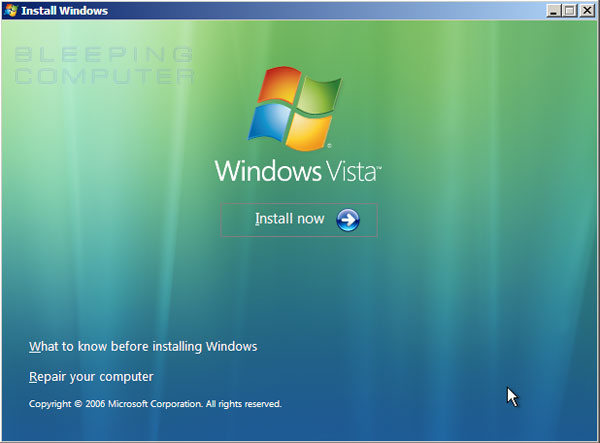
setup-option.jpg
and sending me straight to the installation setup.

Any ideas?
 

My Computer

Computer type
PC/Desktop
OS
Florida
Can you make a Vista Repair CD from within the OS?

The hard drive is not really reliable and I hope you realize it can die at any moment so have the data and if desired a System Image backed up externally.
 
Oh I know, I have the data backed up. I'm just trying to make this computer last for as long as possible. But no I cannot make a repair CD at currently since the computer is crashing after the first windows loading screen. Like I said I've fixed this problem multiple times before but my installation USB is currently skipping the option to let me get to the recovery options.
 

My Computer

Computer type
PC/Desktop
OS
Florida
Then determine with certainty the hard drive's condition by running the maker's Hard Drive Diagnostic Procedure extended CD scan, followed by a full Disk Check on each partition from the Vista installation media's Repair Command Line.

You can use Vista ISO - Download and Create Installation DVD or USB

If necessary replace the hard drive with another and follow the same steps as for a Clean Reinstall Windows 7. In fact if you own Win7 now would be a good time to use it, or you can even install the Windows 10 preview which is quite stable - I've been using it for about 5 months now.

A PC is not its hard drive, so with a good install on a new or repaired HD it might be as good as new.
 
Back
Top