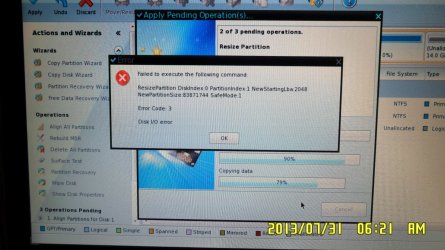
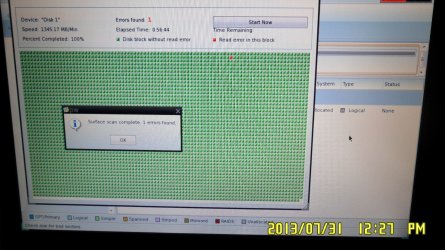
Hi,
There's something I want to try. There's this old laptop running WinXP.
I've searched the web and some people have had problems with Win7 in this particular model, and some people haven't, so I wanna try it myself.
* There's a single hard drive.
* There are 2 partitions. One for WinXP (C:\) and one for personal data (D:\). This last partition is, of course, backed up in an external drive.
I know about the dual boot installation, but I want to do something else I have already tried, using different versions of Win7, not WinXP.
I want to:
1- Shrink D:
2- Create new partition in unformatted space
3- Hide C:
4- Install Win7 in new partition
5- Set Win7 partition as active
6- That's all.
Then, try Win7 and if it doesn't work smooth just delete it or hide the Win7 partition and set the XP one as active. All of this done with partitioning software (Partition Magic 8).
I'm not interested in the "dual boot" screen where I have to select the OS. I don't mind booting the PC with Partition Magic and hiding one OS partition and setting the other one as active.
I did check this guide: http://www.sevenforums.com/tutorials/8057-dual-boot-installation-windows-7-xp.html
But I don't believe that's exactly what I want to do.
My question is: will something be messed up or should it work OK?
Thanks in advance.
There's something I want to try. There's this old laptop running WinXP.
I've searched the web and some people have had problems with Win7 in this particular model, and some people haven't, so I wanna try it myself.
* There's a single hard drive.
* There are 2 partitions. One for WinXP (C:\) and one for personal data (D:\). This last partition is, of course, backed up in an external drive.
I know about the dual boot installation, but I want to do something else I have already tried, using different versions of Win7, not WinXP.
I want to:
1- Shrink D:
2- Create new partition in unformatted space
3- Hide C:
4- Install Win7 in new partition
5- Set Win7 partition as active
6- That's all.
Then, try Win7 and if it doesn't work smooth just delete it or hide the Win7 partition and set the XP one as active. All of this done with partitioning software (Partition Magic 8).
I'm not interested in the "dual boot" screen where I have to select the OS. I don't mind booting the PC with Partition Magic and hiding one OS partition and setting the other one as active.
I did check this guide: http://www.sevenforums.com/tutorials/8057-dual-boot-installation-windows-7-xp.html
But I don't believe that's exactly what I want to do.
My question is: will something be messed up or should it work OK?
Thanks in advance.
My Computer
At a glance
Windows 7 Ultimate x64AMD Sempron 145, 2800 MHz (14 x 200)6 GB KingstonNVIDIA GeForce 7025 / NVIDIA nForce 630a (256...
- Computer type
- PC/Desktop
- OS
- Windows 7 Ultimate x64
- CPU
- AMD Sempron 145, 2800 MHz (14 x 200)
- Motherboard
- ASRock N68-VS3 FX (nVIDIA nForce 7025-630a, AMD K10)
- Memory
- 6 GB Kingston
- Graphics Card(s)
- NVIDIA GeForce 7025 / NVIDIA nForce 630a (256 MB)
- Sound Card
- VIA VT1705 @ nVIDIA nForce 7025-630a (MCP68SE)
- Monitor(s) Displays
- LG E1941 (Analog) [18.5" LCD] (21112731)
- Screen Resolution
- 1366x768
- Hard Drives
- * SAMSUNG HD161HJ SCSI Disk Device
* Toshiba Canvio 3.0 USB
- Keyboard
- Microsoft Wireless Desktop 800 keyboard
- Mouse
- Microsoft Wireless Desktop 800 mouse
- Internet Speed
- 12mbps
- Antivirus
- avast!
- Browser
- Google Chrome