abbasmohd56
New member
I have a HP g6-2151se notebook
Before Installing windows 8 I had Widows 7 Home Basic x64 with 4 Primary Partitions
1. C: labelled 'Local Disk' which had Windows 7 installed.
2. F: labelled 'Windows 8 Pro' to install windows 8 in it.
3. D: labelled 'RECOVERY'.
4. Hidden Partition labelled 'HP_TOOLS'.
After Installing Windows 8 in an empty partition F: My laptop directly boots into windows 8 without any option.
When I checked the Disk management The letters got changed and I cannot open the Local Disk partition.
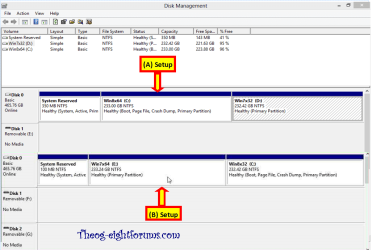
Here is a screenshot of my Disk management.

Here is the screenshot of the popup I get when I open Local Disk

When I press cancel This pops up

Also that every time I reboot my laptop at the start screen I get " Scanning and Repairing Disk D:" (100%)
Please Help. I'm in Trouble
Before Installing windows 8 I had Widows 7 Home Basic x64 with 4 Primary Partitions
1. C: labelled 'Local Disk' which had Windows 7 installed.
2. F: labelled 'Windows 8 Pro' to install windows 8 in it.
3. D: labelled 'RECOVERY'.
4. Hidden Partition labelled 'HP_TOOLS'.
After Installing Windows 8 in an empty partition F: My laptop directly boots into windows 8 without any option.
When I checked the Disk management The letters got changed and I cannot open the Local Disk partition.
Here is a screenshot of my Disk management.
Here is the screenshot of the popup I get when I open Local Disk
When I press cancel This pops up
Also that every time I reboot my laptop at the start screen I get " Scanning and Repairing Disk D:" (100%)
Please Help. I'm in Trouble
Last edited:
My Computer
- Computer type
- PC/Desktop
- Computer Manufacturer/Model Number
- HP G6-2151se
- OS
- Windows 7 Home Basic x64, Windows 8 Pro x64
- CPU
- Intel Core i7-3612QM @ 2.10 GHz
- Memory
- 6 GB
- Graphics Card(s)
- Intel HD Graphics 4000, AMD Radeon 7670M
- Screen Resolution
- 1366x768
- Hard Drives
- 750 GB
- Internet Speed
- 512 kbps

 100% complete"