Intel 4 Series Express Chipset family driver help.

ericw616

New member
Local time
5:59 AM
Messages
1
Hello guys, first time poster here

So i'm using a Gateway nv78, its a pretty cheap computer. It uses the above mentioned 4 series chipset integrated video card. Now the problem im having comes to the drivers and how it effects my game playing performance. i recently wiped my hard drive because i was planning on selling the pc, however i dont plan to sell it anymore. Now, my previous display driver had allowed me to turn my graphics settings down really low, thus allowing me to play (starcraft 2) at a playable FPS. now with my computer being essentially reformatted and using the drivers suggested by gateway, i can't adjust these settings to a low enough point to allow me to play these games. I've tried installing what i remember to be the driver i had before, but it is now telling me that said driver is not compatable with my machine, and that i should use the manufacturer's drivers.

now if anyone understood all of that, and can perhaps tell me how to get better drivers, or bypass the error of not letting me download these alternative drivers.

I'm clearly a tech noob, so any information you guys can shed would be MUCH appreciated

thanks alot
eric
 

My Computer My Computer

At a glance

windows 7 64 bit
OS
windows 7 64 bit
Hi! ericw616, welcome to 7F :)

Do you still have the 7 OS on the system? we'd need to know the model, Starter, basic, Home Home Premium, pro, ultimate?

How serviceable is the notebook? Does it run pretty well?

Did you save back-ups?

If you haven't done too much with it you might be able to recover some files by using a file recovery app like PhotoRec - CGSecurity To get some information back. I wouldn't use those files, but it might give you enough info to jog your memory to where you could remember the right driver, and then you could go back and re-download it to re-install.

The driver page for your NV78:
Downloads & Support Documents - Notebook / NV Series / NV78

Intel's site, but there again you would need to know the make of OS to match up the proper drivers:
http://downloadcenter.intel.com/SearchResult.aspx?lang=eng

You could use this to identify your chipset :
Intel Chipset Identification Utility - 3.05 Download - EXTREME Overclocking
 

My Computer My Computer

At a glance

Originally Win 7 Hm Prem x64 Ver 6.1.7600 Bui...Intel i3 530 2.93GHz, 2933MHz 2 Cores 4 Logic...6GB of 1,333MHz DDR3 SDRAM32MB Intel Graphics Media Accelerator HD IGChip
Computer type
PC/Desktop
Computer Manufacturer/Model Number
Gateway DX4831-01e (Mid-Tower Desktop)
OS
Originally Win 7 Hm Prem x64 Ver 6.1.7600 Build 7601-SP1 | Upgraded to Windows 10 December 14, 2019
CPU
Intel i3 530 2.93GHz, 2933MHz 2 Cores 4 Logical Processors
Motherboard
Gateway H57M01 133 megahertz
Memory
6GB of 1,333MHz DDR3 SDRAM
Graphics Card(s)
32MB Intel Graphics Media Accelerator HD IGChip
Sound Card
Realtek High Definition Audio
Monitor(s) Displays
Gateway HX2000 20inch TFT active matrix TN
Screen Resolution
1600 x 900 x 59 hertz
Hard Drives
WDC WD10EADS-00M2B0 [HDD] (1000.20 GB) -- drive 0,
HL-DT-ST DVDRAM GH41N [CD-ROM dr]
Four card readers, and Four USB 2.0
PSU
300watts.
Case
Mid-Tower Desktop
Cooling
Stock from Gateway
Keyboard
Natural Ergonomic Keyboard 4000, see Other Info
Mouse
Orig. Gateway wore out now using Insignia USB wired optical
Internet Speed
Vz FIOS 10ms png 57.64Mbps down 65.53Mbps up Speedtest.org
Antivirus
Zamana Anti-logger with Anti-malware, MSE, Windows Firewall,
Browser
IE11.0.9600.19399-Upd ver11.0.135, Firefox 68.0.1 x64
Other Info
System Specs by Belarc.

BIOS: American Megatrends Inc. P01-A0 11/17/2009

Replaced the MS 'Natural' Standard PS/2 Enhanced 101-102 Keyboard with a new Natural Ergonomic Keyboard 4000 on August 1st 2014.

Canon Pixma MG3222 Printer.

Updated to IE11 on 12102015 | Fios Quantum Router g1100

Additional AV: SpywareBlaster, manual Mbam, SAS
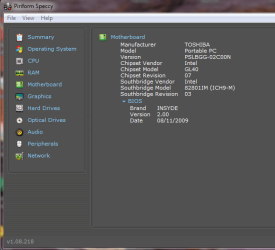
Dear ericw 616, what i want to know is ,what version of Windows OS was on your pc,before you upgraded to Win.7. The problem may not be so much with your motherboard as it would be, suppose say you were on Win.XP before and the prob. started after the upgrade to Win.7! I hope you got my drift! I will suggest an easier method of identifying your MotherBoard(M-B)'s make! Kindly download Speccy from : piriform.com/speccy Please see the Toshiba laptop's (which i am using now)M-B's specs. in the snap below: So, what should be typed in the Google search bar should be something like "download compatible VGA driver(s) for ............M-B with windows 7(version)" . I have a desktop whose MB is INTEL"DG35EC" (3 series) and knowing that will help you tremendously!That's where Speccy enters stage left! Regards, Sreedhav
 

Attachments

  • Piriform Speccy_2011-01-22_19-14-48.png
    Piriform Speccy_2011-01-22_19-14-48.png
    19.1 KB · Views: 78

My Computer My Computer

At a glance

MS Windows 7 Home Premium 64-bit SP1IntelCore [email protected]; Sandy Bridge 32nm Tech.4096Mb RAM; Single ChannelDDR3@665MHz; DRAM F...AMD Radeon HD 6630M; GPU:Whistler;BIOS Core&m...
Computer Manufacturer/Model Number
Sony Vaio C series VPCCB35FN laptop
OS
MS Windows 7 Home Premium 64-bit SP1
CPU
IntelCore [email protected]; Sandy Bridge 32nm Tech.
Motherboard
Sony Vaio Version:C609NJYJ
Memory
4096Mb RAM; Single ChannelDDR3@665MHz; DRAM Freq:662MHz
Graphics Card(s)
AMD Radeon HD 6630M; GPU:Whistler;BIOS Core&mem Clock:123.36
Sound Card
REALTEK High Definition Audio Device; INTEL Display Card
Monitor(s) Displays
Generic PnP Intel HD;Resolution:1920*1040 Pixels; BPP:32bits
Screen Resolution
Current Resolution:1920*1080 Pixels; Monitor Frequency:60Hz
Hard Drives
Internal HD:TOSHIBA MK5061GSY; Real Size:488 GB;NTFS; 3 Partitions; SATA; HEADS:16

External HDD: WD Elements 1023 PORTABLE; Estimated Size: 1TB; NTFS; 3 Partitions
Cooling
Lateral Exhaust with a Cooling Pad Placed Beneath.
Keyboard
Logitech Bluetooth+ Generic Integrated K-B
Mouse
Logitech Bluetooth
Internet Speed
2MBPS
Other Info
1)Trend Micro Titanium Maximum Security Suite Version:3
2)SAS-PRO

3)MBAM--PRO


4)WATERFOX+IE9 +WOT+LINKEXTEND+ DRWEBCUREIT LINK CHECKER

5)SPYWAREBLASTER

6) WINPATROL PLUS

7) SANDBOXIE and
8) A BIT OF COMMON SENSE.
Dear ericw 616, what i was gunning for all along was did you install "all" the Win.7 drivers after the "wipe"? Sreedhav.
 

My Computer My Computer

At a glance

MS Windows 7 Home Premium 64-bit SP1IntelCore [email protected]; Sandy Bridge 32nm Tech.4096Mb RAM; Single ChannelDDR3@665MHz; DRAM F...AMD Radeon HD 6630M; GPU:Whistler;BIOS Core&m...
Computer Manufacturer/Model Number
Sony Vaio C series VPCCB35FN laptop
OS
MS Windows 7 Home Premium 64-bit SP1
CPU
IntelCore [email protected]; Sandy Bridge 32nm Tech.
Motherboard
Sony Vaio Version:C609NJYJ
Memory
4096Mb RAM; Single ChannelDDR3@665MHz; DRAM Freq:662MHz
Graphics Card(s)
AMD Radeon HD 6630M; GPU:Whistler;BIOS Core&mem Clock:123.36
Sound Card
REALTEK High Definition Audio Device; INTEL Display Card
Monitor(s) Displays
Generic PnP Intel HD;Resolution:1920*1040 Pixels; BPP:32bits
Screen Resolution
Current Resolution:1920*1080 Pixels; Monitor Frequency:60Hz
Hard Drives
Internal HD:TOSHIBA MK5061GSY; Real Size:488 GB;NTFS; 3 Partitions; SATA; HEADS:16

External HDD: WD Elements 1023 PORTABLE; Estimated Size: 1TB; NTFS; 3 Partitions
Cooling
Lateral Exhaust with a Cooling Pad Placed Beneath.
Keyboard
Logitech Bluetooth+ Generic Integrated K-B
Mouse
Logitech Bluetooth
Internet Speed
2MBPS
Other Info
1)Trend Micro Titanium Maximum Security Suite Version:3
2)SAS-PRO

3)MBAM--PRO


4)WATERFOX+IE9 +WOT+LINKEXTEND+ DRWEBCUREIT LINK CHECKER

5)SPYWAREBLASTER

6) WINPATROL PLUS

7) SANDBOXIE and
8) A BIT OF COMMON SENSE.
Back
Top