Hey all,
All those who are having issues installing the original drivers of XP in Windows 7 for the desktop board D845GEBV2, here's the solution. I am using the original desktop board drivers provided with it. If you don't have the original ones download it here: Here
Install Windows 7 as normal, go to updates in control panel and install the related drivers Windows shows you, for me it was Audio & Monitor (Acer), either in both optional and recommended, restart the PC.
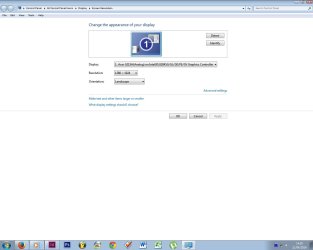
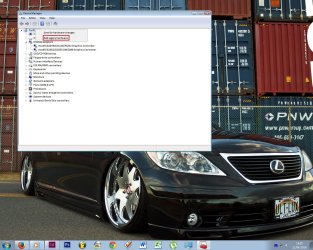
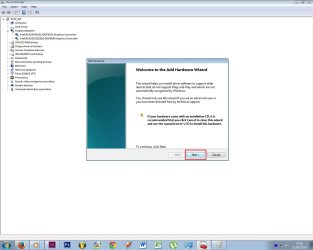
Now go to Device Manager and follow as in the attachments.
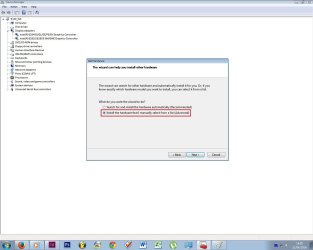
In the last picture, select the file as in the attachment, after this you'll need to restart the PC.
Good Luck, please do let me know how it went.
Thank You
All those who are having issues installing the original drivers of XP in Windows 7 for the desktop board D845GEBV2, here's the solution. I am using the original desktop board drivers provided with it. If you don't have the original ones download it here: Here
Install Windows 7 as normal, go to updates in control panel and install the related drivers Windows shows you, for me it was Audio & Monitor (Acer), either in both optional and recommended, restart the PC.
Now go to Device Manager and follow as in the attachments.
In the last picture, select the file as in the attachment, after this you'll need to restart the PC.
Good Luck, please do let me know how it went.
Thank You
Attachments

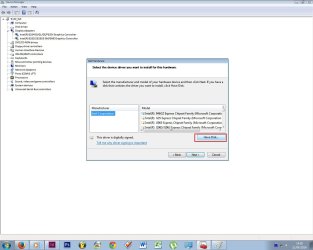
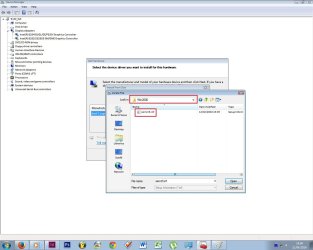
Last edited:
My Computer
- Computer type
- PC/Desktop
- Computer Manufacturer/Model Number
- Custom
- OS
- Windows 7 Ultimate x86
- CPU
- Intel 2.8 GHz
- Motherboard
- Intel D845GEBV2
- Memory
- 2GB
- Graphics Card(s)
- Onboard
- Hard Drives
- Toshiba 140GB & 40GB
- Antivirus
- MSE
- Browser
- ie 9