Solved Intel Graphics Control Panel Scaling Issue

addictorator

New member
Local time
3:56 AM
Messages
11
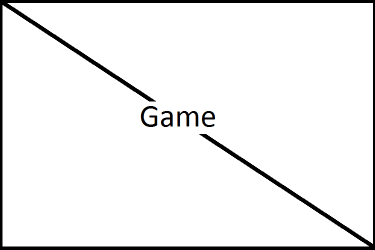
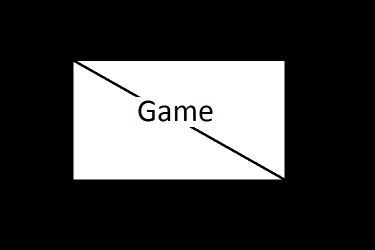
My fullscreen looks windowed and has the same resolution. Eg: I have 1366x768 monitor and the game is originally 640x480 window but can be played on fullscreen. It worked till now, but suddenly instead of stretching and scaling full screen, it became centered and maintained the same resolution. I've been trying to fix this for a few hours now, and found it was from Intel Graphics control panel which is suddenly set into centered. The only catch is, whenever I apply either maintain aspect ratio or scale fullscreen and close, whenever I open the Control panel since it didn't work and looked the same, it has been set back to centered! I've tried locating the program within system32 which is named GfxUi.exe and tried running it on system user, right clicking and running as Administrator and every other thing which came to mind but it ends with the same result. No result. It's not a game problem, tried whatever alt+enter, creating shortcut and going to properties and set it to run as maximized and everything else. The game either has windowed or fullscreen, nothing like scale or don't scale. I know it's from the Intel but I don't know how to fix it! Attachment shows before and after whatever-god-knows-happened to the control panel with a mind of it's own...Should I label it a rogue AI :shock:

I've tried to explain, and thanks for listening, any help would be much desperately appreciated.:D

Ps-Sorry for crappy paint work on attachment, not in the mood for photoshop extravaganza!:cry:

So help, please?:(
 

Attachments

  • Fullscreen Before.png
    Fullscreen Before.png
    2.6 KB · Views: 21
  • Fullscreen Now.png
    Fullscreen Now.png
    1.8 KB · Views: 17
Last edited:

My Computer

Computer Manufacturer/Model Number
Samsung R439
OS
Windows 7 Ultimate x32
CPU
Intel(R) Core(TM) i5 CPU M460 @ 2.53GHz
Monitor(s) Displays
Generic PnP Monitor
Screen Resolution
1366x768
Cooling
ACPI Fan
Keyboard
Standard PS/2 Keyboard
Mouse
Elan PS/2 Port Smart-Pad

My Computer

Computer type
PC/Desktop
Computer Manufacturer/Model Number
Custom Build
OS
Windows 7 Home Premium 64 bit
CPU
Intel Core i7-4790
Motherboard
GA-Z87X-D3H
Memory
G.SKILL 8GB (2 x 4GB) DDR3 F3-10666CL9D-8GBNT
Graphics Card(s)
AMD Radeon R7 250
Sound Card
Realtek ALC892
Monitor(s) Displays
Samsung UN32EH5000, Dell 1703FPT
Screen Resolution
1920 x 1080, 1280 x 1024
Hard Drives
WD5003AZEX
WD10EZEX
Samsung HD103SJ
Samsung 128 GB 840 PRO
PSU
SeaSonic M12II SS-500GM
Case
Fractal Design Define R4
Cooling
Zalman CNPS9900ALED
Keyboard
Logitech K800
Mouse
Logitech M705
Internet Speed
16 Mbps
Antivirus
Avast
Browser
Firefox
Other Info
Bose Companion 2 Multimedia Speakers
That one intel says he is using fullscreen, but my one says centered. I know that is the problem but I can't change it no matter how I try...The methods I used are in the first post. Shortly, I cant, SYSTEM account can't, Run as Administrator can't, and I am SURE it's not a game problem. And I checked that topic before postic a new topic, since I shouldn't ask for help while the solution is already there, but the problem was different and it said "Notice: The last post in this thread was 346 days ago. If your post is not directly related to this discussion please consider making a new thread."

Could it be a virus? Maybe a driver bug, I haven't updated my drivers...CAN a bug like that exist???But then why did it change to 'centered' for no reason in the first place?
 
Last edited:

My Computer

Computer Manufacturer/Model Number
Samsung R439
OS
Windows 7 Ultimate x32
CPU
Intel(R) Core(TM) i5 CPU M460 @ 2.53GHz
Monitor(s) Displays
Generic PnP Monitor
Screen Resolution
1366x768
Cooling
ACPI Fan
Keyboard
Standard PS/2 Keyboard
Mouse
Elan PS/2 Port Smart-Pad
THANK GOD!!! I didn't do anything and in a final desperate attempt I tried it again and now I can change it to scale fullscreen! But I have to check whether it works in the game or not. In a panic I deleted the game so I'm downloading it again, lucky I got my save files...So just bear with me for just a few hours guys, just gotta make sure before changing to solved!!!

SOLVED!!!
 
Last edited:

My Computer

Computer Manufacturer/Model Number
Samsung R439
OS
Windows 7 Ultimate x32
CPU
Intel(R) Core(TM) i5 CPU M460 @ 2.53GHz
Monitor(s) Displays
Generic PnP Monitor
Screen Resolution
1366x768
Cooling
ACPI Fan
Keyboard
Standard PS/2 Keyboard
Mouse
Elan PS/2 Port Smart-Pad
Back
Top