
Hi
I have windows 7 64bit running on my main desktop pc now. HDD's on the ich7 interface are running in AHCI mode.
I decided to install intel's ahci drivers and upon the first reboot there was around a 5 minutes pause of nothing on the windows 7 loading logo screen and then it finally booted, after logging in there was a very unresponsive desktop followed by a balloon popup telling me my drive is detected and to reboot. On the 2nd reboot the delay was back again at the loading logo but this time it was infinity and after 30 minutes I hit reset and booted using f8 last known good configuration, this gave me the 5 minute pause again but I was able to get to my desktop.
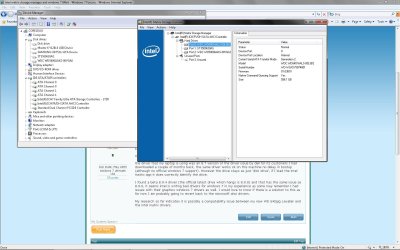
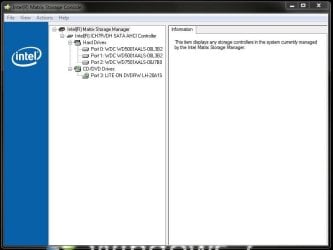
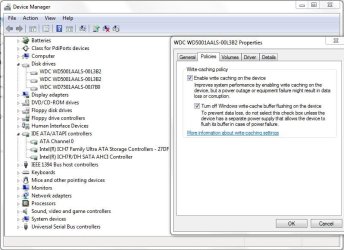
Looking at device manager showed that whilst using intel's drivers 2 of my 3 ich7 drives are detected properly but my boot drive simply shows as 'disk drive' rather than its actual name. I then uninstalled intel's ahci software and on reboot it was fast again using microsoft's ahci driver.
My laptop I did the exact same procedure, installed windows using ahci and its integrated ahci driver, then installed intel's ahci driver on top and that has no such problems booting.
I will update my specs so people have the info needed to help.
I have windows 7 64bit running on my main desktop pc now. HDD's on the ich7 interface are running in AHCI mode.
I decided to install intel's ahci drivers and upon the first reboot there was around a 5 minutes pause of nothing on the windows 7 loading logo screen and then it finally booted, after logging in there was a very unresponsive desktop followed by a balloon popup telling me my drive is detected and to reboot. On the 2nd reboot the delay was back again at the loading logo but this time it was infinity and after 30 minutes I hit reset and booted using f8 last known good configuration, this gave me the 5 minute pause again but I was able to get to my desktop.
Looking at device manager showed that whilst using intel's drivers 2 of my 3 ich7 drives are detected properly but my boot drive simply shows as 'disk drive' rather than its actual name. I then uninstalled intel's ahci software and on reboot it was fast again using microsoft's ahci driver.
My laptop I did the exact same procedure, installed windows using ahci and its integrated ahci driver, then installed intel's ahci driver on top and that has no such problems booting.
I will update my specs so people have the info needed to help.
My Computer
- Computer type
- PC/Desktop
- Computer Manufacturer/Model Number
- home built
- OS
- windows 8.1 Pro x64
- CPU
- intel i5 4670k @ 4.3ghz
- Motherboard
- asus z87-plus
- Memory
- 16 gig ram ddr3 @ 1600 corsair vengeance
- Graphics Card(s)
- evga 970 GTX 4 GIG FTW ACX 2.0
- Sound Card
- asus xonar D2X
- Monitor(s) Displays
- benq gw2765ht
- Screen Resolution
- 2560x1440
- Hard Drives
- Samsung 850 pro SSD 512gig - boot device wooosh
WD black cavalier 640gig WD6401AALS
Seagate 500gig ST3500630AS
WD 2TB Green WDC20EARS
2 x WD Red 3TB WD30EFRX
Samsung 750gig HD753LG - on asmedia controller
- PSU
- coolermaster silent pro 600watt modular
- Case
- fractal define R4
- Cooling
- artic freezer i30, 3 case fans
- Keyboard
- microsoft business ps2 keyboard
- Mouse
- microsoft optical black mouse
- Internet Speed
- 80/20 FTTC SkyBB
- Antivirus
- Nod32 AV v8, HitmanProAlert, SRP, System Hardening
- Browser
- Chrome x64
- Other Info
- Intel controller is in AHCI mode currently using IaSTOR 12.8.0.1016 drivers



 .
.
