Internal speakers not working but headphones are fine

switchkill

New member
Local time
6:32 PM
Messages
4
I have just done a fresh install from vista to Windows 7 7100. All drivers are installed and working fine but I dont seem to be getting any sound out of my internal laptop speakers.

I plugged in headphones and they work fine, i never had a problem in Vista.

I have install the latest Realtek 223 codecs and still no joy, I'm in the middle of trying some older versions but does anyone else have any ideas?

I'm running:
Windows 7 RC7100
Asus M50Sv
Realtek 223 codec

Not to sure on the accual hardware model.
Thanks.
 

My Computer My Computer

At a glance

windows 7
OS
windows 7
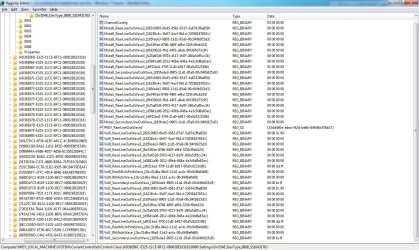
I don't really understand, how do i know what assingment the internal speakers are using? And what assignment is for that pin?
 

Attachments

  • capt.jpg
    capt.jpg
    250.7 KB · Views: 1,828

My Computer My Computer

At a glance

windows 7
OS
windows 7
I have tried 4 older versions of the Realtek drivers without any succues. I'm open to ideas.
 

My Computer My Computer

At a glance

windows 7
OS
windows 7
Did you manage to fix this? I have an m50sv and it seems to be working fine on mine...
You may have to reinstall Win 7 if it still isn't cooperating
 

My Computer My Computer

At a glance

Windows 7 RC 7100Intel Core 2 Duo T93004GBNvidia GeForce 9500M GS
Computer Manufacturer/Model Number
Asus M50SV
OS
Windows 7 RC 7100
CPU
Intel Core 2 Duo T9300
Memory
4GB
Graphics Card(s)
Nvidia GeForce 9500M GS
Hard Drives
1 x 250gb internal
1 x 250gb external
1 x 320gb external
RealTek Driver

If somebody comes across this, install the lastest version of the realtek drivers

Realtek

Works fine
 

My Computer My Computer

At a glance

Windows 7 Pro x64
Computer type
PC/Desktop
OS
Windows 7 Pro x64
If somebody comes across this, install the lastest version of the realtek drivers

Realtek

Works fine

Bit of an old thread though? Hopefully the OP had either fixed their problem, or bought a new laptop - the latter being more likely as laptops don't seem to last 6 years nowadays!
 

My Computer My Computer

At a glance

Windows 7 Professional, 64 bitIntel Core i7-4510U @ 2.00GHz16GB DDR3Intel HD 4400 (integrated)
Computer type
Laptop
Computer Manufacturer/Model Number
HP 15-ac153sa
OS
Windows 7 Professional, 64 bit
CPU
Intel Core i7-4510U @ 2.00GHz
Memory
16GB DDR3
Graphics Card(s)
Intel HD 4400 (integrated)
Monitor(s) Displays
Inbuilt 15.6 inch HD display
Screen Resolution
1366x768
Hard Drives
2TB HDD, partitioned as 1TB (Windows 7) and 1TB (Windows 10)
2TB external HDD (portable)
Cooling
1x built in laptop fan
Keyboard
HP Slimline Wired Keyboard
Mouse
HP Optical Wired Mouse
Internet Speed
Virgin Media 250Mbps
Antivirus
Microsoft Windows Defender
Browser
Chrome, Firefox
Other Info
Laptop is set up as dual boot with Windows 7 Professional and Windows 10 Home. Windows 7 preferred.
I came across this issue with a refurb Desktop PC DC5700 who had Windows XP and now migrated to Windows 7. It's old but still works fine and does the job. I saw this issue quite a lot online so I tought it might help at least one person =)
 

My Computer My Computer

At a glance

Windows 7 Pro x64
Computer type
PC/Desktop
OS
Windows 7 Pro x64
I came across this issue with a refurb Desktop PC DC5700 who had Windows XP and now migrated to Windows 7. It's old but still works fine and does the job. I saw this issue quite a lot online so I tought it might help at least one person =)
However you should still make a new thread because you might have a different system but with the same problem but it's still a different system.
 

My Computer My Computer

At a glance

Windows 7 Home Premiumi5-3570k16 GB DDR3 G Skill SniperGIGABYTE GeForce GTX 970 GV-N970WF3OC-4GD
Computer type
PC/Desktop
Computer Manufacturer/Model Number
Custom build
OS
Windows 7 Home Premium
CPU
i5-3570k
Motherboard
ASUS Sabertooth z77
Memory
16 GB DDR3 G Skill Sniper
Graphics Card(s)
GIGABYTE GeForce GTX 970 GV-N970WF3OC-4GD
Monitor(s) Displays
ASUS ROG PG278Q
Screen Resolution
2560x1440@60Hz/120Hz/144Hz
Hard Drives
56GB KINGSTON SVP200S37A60G
512GB Crucial MX100
1863GB Seagate ST2000DM001-1CH164
2795GB Seagate ST3000DM001-9YN166
PSU
Corsair GS800
Case
Storm Trooper Stryker White
Keyboard
Logitech G910 Orion Spark
Mouse
Logitech G502
Antivirus
MSE
Browser
Firefox/Chrome
Other Info
Logitech G633
Logitech Mouse Matt
Control Panel - Hardware and Sound - Sound - Manage Audio Devices ... should get you to a gui to manage output pins with your sound system. Works in win 7,8, and 10

Also sometimes your system will have picked a driver (ie HD Audio Device) and will refuse to accept another driver unless you download the driver and force the issue thru the install-driver-from-specific-folder option. So you may be using the right driver all along, and windows is not changing it thru its automagic process.
 

My Computer My Computer

At a glance

10 Pro 64
Computer type
PC/Desktop
OS
10 Pro 64
Back
Top