internet browser: problem

levi655

New member
Local time
11:49 AM
Messages
38
hi,
im having a little problem with internet browser IE Internet Exploreor

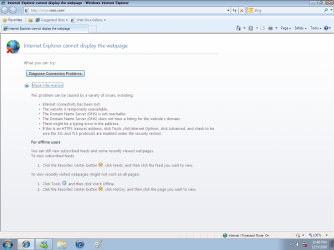
when i try to start up IE on desktop. it pops up but doesnt load just keeps saying waiting.. with a clock next to it on the bottom left cornor.

how do i fix this ive tried restarting my advanced setting in intenet options.

but when i start up in safemode IE works just fine? please help me.

on the bottom left it says (waiting for reply) then goes nowhere...
 
Last edited:

My Computer

Computer Manufacturer/Model Number
BIOSTAR Group/TA780G M2+
OS
Windows 7 ultimate 32 bit
CPU
AMD Athlon(TM) II X2 245 Processor
Motherboard
BIOSTAR Group
Memory
2047 MB
Graphics Card(s)
ATI Radeon HD 3800 Series (PCPartner)
Sound Card
High Definition Audio Device
Hard Drives
C D E
Try typing this in your IE browser (minus the quotes):

"http://74.86.171.210"

This should take you to this forum. If it does, you are having DNS problems.

Please let us know.

Also, go to a command prompt and type

ipconfig /all > sf.txt

** EDIT **

Oh, do all of the above in normal mode (NOT safe mode)
Attach sf.txt using to this forum post using the paperclip.
 

My Computer

Computer Manufacturer/Model Number
Dell and Custom
OS
Systems 1 and 2: Windows 7 Enterprise x64, Win 8 Developer
CPU
System 1: i7 [email protected], System 2: AMD FX-4100 Zambezi 3.6G
Motherboard
System 1:Dell 06NWYK System 2: ASUS M5A97 AM3+
Memory
System 1: 8GB System 2: 8GB
Graphics Card(s)
System 1: ATI FirePro V4800 System 2: Radeon HD 6850
Sound Card
System 1: onboard System 2: onboard
Monitor(s) Displays
System1: Viewsonic HDMI 24"
Screen Resolution
System 1: 1920x1080 System 2: 1920x1080
Hard Drives
System 1: Mirrored .5B drives System 2: Seagate Barracuda ST1000DM003 1TB 7200 RPM 64MB Cache SATA 6.0Gb/s
Case
System 1: Dell System 2: Cooler Master
Internet Speed
10 MBPS
Try the IE (without add-ons). You find it in All Programs > Accessories > System Tools. If that works OK, you have to screen your Add-ons.
 

My Computer

Computer Manufacturer/Model Number
HP, Dell, Gateway, Toshiba - 4 laptops and 2 desktops
OS
Vista, Windows7, Mint Mate, Zorin, Windows 8
CPU
from 1.6GHz Duo to i7
Monitor(s) Displays
2x HP w2207
Hard Drives
5x HDD, 7x SSD, 12x Externals
Keyboard
with trackball - no mices
Mouse
Trackball mice
Internet Speed
DSL 6000
RE: Lemur
 

Attachments

  • SFtxted.txt
    SFtxted.txt
    2.7 KB · Views: 14
  • commandned.png
    commandned.png
    47.9 KB · Views: 25

My Computer

Computer Manufacturer/Model Number
BIOSTAR Group/TA780G M2+
OS
Windows 7 ultimate 32 bit
CPU
AMD Athlon(TM) II X2 245 Processor
Motherboard
BIOSTAR Group
Memory
2047 MB
Graphics Card(s)
ATI Radeon HD 3800 Series (PCPartner)
Sound Card
High Definition Audio Device
Hard Drives
C D E
Try the IE (without add-ons). You find it in All Programs > Accessories > System Tools. If that works OK, you have to screen your Add-ons.
when i do that. it still dont work, thanks tho.
 

My Computer

Computer Manufacturer/Model Number
BIOSTAR Group/TA780G M2+
OS
Windows 7 ultimate 32 bit
CPU
AMD Athlon(TM) II X2 245 Processor
Motherboard
BIOSTAR Group
Memory
2047 MB
Graphics Card(s)
ATI Radeon HD 3800 Series (PCPartner)
Sound Card
High Definition Audio Device
Hard Drives
C D E
Two things...

I don't think you tried putting the ip address I specified in your browser. Please do and let me know if that works. It should pull up this website. Report back on that.

Second, go to your command prompt. Type

ping 68.87.85.102

I am able to ping your DNS from here, but I want to see if you can ping it from your pc. It resolves names into ip addresses.
 

My Computer

Computer Manufacturer/Model Number
Dell and Custom
OS
Systems 1 and 2: Windows 7 Enterprise x64, Win 8 Developer
CPU
System 1: i7 [email protected], System 2: AMD FX-4100 Zambezi 3.6G
Motherboard
System 1:Dell 06NWYK System 2: ASUS M5A97 AM3+
Memory
System 1: 8GB System 2: 8GB
Graphics Card(s)
System 1: ATI FirePro V4800 System 2: Radeon HD 6850
Sound Card
System 1: onboard System 2: onboard
Monitor(s) Displays
System1: Viewsonic HDMI 24"
Screen Resolution
System 1: 1920x1080 System 2: 1920x1080
Hard Drives
System 1: Mirrored .5B drives System 2: Seagate Barracuda ST1000DM003 1TB 7200 RPM 64MB Cache SATA 6.0Gb/s
Case
System 1: Dell System 2: Cooler Master
Internet Speed
10 MBPS
i type the ip into address bar. still the same thing happens just keeps loading: site found, waiting for reply

then when it does fianlly load the loading bar this happens: paperclip

when i did ip into command was a success. now what? thanks..
 

Attachments

  • dnsasn.png
    dnsasn.png
    92.6 KB · Views: 17
Last edited:

My Computer

Computer Manufacturer/Model Number
BIOSTAR Group/TA780G M2+
OS
Windows 7 ultimate 32 bit
CPU
AMD Athlon(TM) II X2 245 Processor
Motherboard
BIOSTAR Group
Memory
2047 MB
Graphics Card(s)
ATI Radeon HD 3800 Series (PCPartner)
Sound Card
High Definition Audio Device
Hard Drives
C D E
When did this problem first occur? Try rolling back to a date prior to the problem.
 

My Computer

Computer Manufacturer/Model Number
Dell and Custom
OS
Systems 1 and 2: Windows 7 Enterprise x64, Win 8 Developer
CPU
System 1: i7 [email protected], System 2: AMD FX-4100 Zambezi 3.6G
Motherboard
System 1:Dell 06NWYK System 2: ASUS M5A97 AM3+
Memory
System 1: 8GB System 2: 8GB
Graphics Card(s)
System 1: ATI FirePro V4800 System 2: Radeon HD 6850
Sound Card
System 1: onboard System 2: onboard
Monitor(s) Displays
System1: Viewsonic HDMI 24"
Screen Resolution
System 1: 1920x1080 System 2: 1920x1080
Hard Drives
System 1: Mirrored .5B drives System 2: Seagate Barracuda ST1000DM003 1TB 7200 RPM 64MB Cache SATA 6.0Gb/s
Case
System 1: Dell System 2: Cooler Master
Internet Speed
10 MBPS
ive tried rolling back but same problem. everything works in safe mode.. its weird

also i got

error: 0x80070426
source: engine
context: elevated
 

My Computer

Computer Manufacturer/Model Number
BIOSTAR Group/TA780G M2+
OS
Windows 7 ultimate 32 bit
CPU
AMD Athlon(TM) II X2 245 Processor
Motherboard
BIOSTAR Group
Memory
2047 MB
Graphics Card(s)
ATI Radeon HD 3800 Series (PCPartner)
Sound Card
High Definition Audio Device
Hard Drives
C D E

My Computer

Computer type
PC/Desktop
Computer Manufacturer/Model Number
OQO 2+
OS
Windows 8 Pro w/MC 32-bit
CPU
Intel Atom 1.86 GHz
Motherboard
OQO 2+
Memory
2 GB
Graphics Card(s)
Intel GMA 500
Sound Card
IDT
Monitor(s) Displays
LCD
Screen Resolution
800 x 480 (portable) 1280 x 1024 (docked)
Hard Drives
64 GB SSD
PSU
9 Ah Battery (portable) or OQO Brick (docked)
Case
Shirt Pocket Sized
Cooling
Tiny Fan
Keyboard
Slide out (portable) DiNovo Edge (docked)
Mouse
Eraser head (portable) Logitech Bluetooth (docked)
Internet Speed
WWAN or 802.11G (portable) T1 (docked)
Browser
IE 10
Other Info
DVD-RW OQO Docking Station
When did this problem first occur? Try rolling back to a date prior to the problem.

i think is when i was messing with setting or something im not sure.
is this how the ICS should be?:paperclip
 

Attachments

  • Untitled000222.png
    Untitled000222.png
    13.4 KB · Views: 5

My Computer

Computer Manufacturer/Model Number
BIOSTAR Group/TA780G M2+
OS
Windows 7 ultimate 32 bit
CPU
AMD Athlon(TM) II X2 245 Processor
Motherboard
BIOSTAR Group
Memory
2047 MB
Graphics Card(s)
ATI Radeon HD 3800 Series (PCPartner)
Sound Card
High Definition Audio Device
Hard Drives
C D E
That will do it. What settings did you change (and why did you change them)?
 

My Computer

Computer Manufacturer/Model Number
Dell and Custom
OS
Systems 1 and 2: Windows 7 Enterprise x64, Win 8 Developer
CPU
System 1: i7 [email protected], System 2: AMD FX-4100 Zambezi 3.6G
Motherboard
System 1:Dell 06NWYK System 2: ASUS M5A97 AM3+
Memory
System 1: 8GB System 2: 8GB
Graphics Card(s)
System 1: ATI FirePro V4800 System 2: Radeon HD 6850
Sound Card
System 1: onboard System 2: onboard
Monitor(s) Displays
System1: Viewsonic HDMI 24"
Screen Resolution
System 1: 1920x1080 System 2: 1920x1080
Hard Drives
System 1: Mirrored .5B drives System 2: Seagate Barracuda ST1000DM003 1TB 7200 RPM 64MB Cache SATA 6.0Gb/s
Case
System 1: Dell System 2: Cooler Master
Internet Speed
10 MBPS
by accident.. not sure what i was doing.
how do i correct this?. do i need to use (this Account) instead of (local system computer)?? and if so. what do i put in (this account)
 

My Computer

Computer Manufacturer/Model Number
BIOSTAR Group/TA780G M2+
OS
Windows 7 ultimate 32 bit
CPU
AMD Athlon(TM) II X2 245 Processor
Motherboard
BIOSTAR Group
Memory
2047 MB
Graphics Card(s)
ATI Radeon HD 3800 Series (PCPartner)
Sound Card
High Definition Audio Device
Hard Drives
C D E
Same Problem

don`t feel bad i got the same problem,

it will load your homepage stay there, when you type in a new address it remains on the same page stuck at lets say 50% loading and won`t go any further....

I have windows 7 home premium 64bit and have not been able to solve this problem either, i phoned the computer manufacturer and they told me it was a problem with explorer 8 for windows 7 to try google chrome or firefox (any third party browser) but all i can get to work is google chrome a really crappy explorer if you ask me and firefox will do the exact same thing my explorer 8 is doing, now i tried everything use posted previous and i got the same thing, nothing.....

Now, my local computer shop tells me that it is a registry problem or missing software, i have tried reseting my browser, explorer fix kit from microsoft and my backup but nothing seems to work, now i have had this problem for approx.. 2 months and would like to solve this problem, any other suggestions....................thnx for reading
 

My Computer

Computer Manufacturer/Model Number
Emachines E440-1394
OS
Windows 7 Home Premium 64bit
CPU
V120 AMD Processor
Memory
2 GB DDR3
Graphics Card(s)
ATI Mobility Radeon HD4250
Hard Drives
250 GB HDD
Other Info
Laptop

My Computer

Computer type
PC/Desktop
Computer Manufacturer/Model Number
OQO 2+
OS
Windows 8 Pro w/MC 32-bit
CPU
Intel Atom 1.86 GHz
Motherboard
OQO 2+
Memory
2 GB
Graphics Card(s)
Intel GMA 500
Sound Card
IDT
Monitor(s) Displays
LCD
Screen Resolution
800 x 480 (portable) 1280 x 1024 (docked)
Hard Drives
64 GB SSD
PSU
9 Ah Battery (portable) or OQO Brick (docked)
Case
Shirt Pocket Sized
Cooling
Tiny Fan
Keyboard
Slide out (portable) DiNovo Edge (docked)
Mouse
Eraser head (portable) Logitech Bluetooth (docked)
Internet Speed
WWAN or 802.11G (portable) T1 (docked)
Browser
IE 10
Other Info
DVD-RW OQO Docking Station
didn`t work but thank you for trying
 

My Computer

Computer Manufacturer/Model Number
Emachines E440-1394
OS
Windows 7 Home Premium 64bit
CPU
V120 AMD Processor
Memory
2 GB DDR3
Graphics Card(s)
ATI Mobility Radeon HD4250
Hard Drives
250 GB HDD
Other Info
Laptop
i am using google chrome as we speak, but it`s really slow, firefox does the same thing as my IE, ad i dont think its my connection cause i have tried 4 other places (4 other connections) and still the same thing, i am doing a registry scan and got alot of missing files and i am thinking thats the cause so i will keep use posted and will tell use when it is fixed so this could possibly help others.
 

My Computer

Computer Manufacturer/Model Number
Emachines E440-1394
OS
Windows 7 Home Premium 64bit
CPU
V120 AMD Processor
Memory
2 GB DDR3
Graphics Card(s)
ATI Mobility Radeon HD4250
Hard Drives
250 GB HDD
Other Info
Laptop
I am having a similar problem. It happened to me after i did some Windows Updates (I wish i had seen which ones). Firefox works great but IE takes about 90 seconds to load every page.

I don't want to do a system restore.

I will try it from Safe Mode tonight and trying it without Add-Ons.
 

My Computer

Computer Manufacturer/Model Number
HP DV1125NR and SONY VPCL111FX
OS
Windows 7 Ultimate 64-Bit
Memory
6GB
I am having a similar problem. It happened to me after i did some Windows Updates (I wish i had seen which ones). Firefox works great but IE takes about 90 seconds to load every page...
The OP was getting an Activation code error message (error: 0x80070426). But it sounds like your problem is just with IE8 since FF works. So if the only problem is IE8, you can try a reset, which is easy to do: Tools/Internet Options/Advanced/Reset.
 

My Computer

Computer type
PC/Desktop
Computer Manufacturer/Model Number
OQO 2+
OS
Windows 8 Pro w/MC 32-bit
CPU
Intel Atom 1.86 GHz
Motherboard
OQO 2+
Memory
2 GB
Graphics Card(s)
Intel GMA 500
Sound Card
IDT
Monitor(s) Displays
LCD
Screen Resolution
800 x 480 (portable) 1280 x 1024 (docked)
Hard Drives
64 GB SSD
PSU
9 Ah Battery (portable) or OQO Brick (docked)
Case
Shirt Pocket Sized
Cooling
Tiny Fan
Keyboard
Slide out (portable) DiNovo Edge (docked)
Mouse
Eraser head (portable) Logitech Bluetooth (docked)
Internet Speed
WWAN or 802.11G (portable) T1 (docked)
Browser
IE 10
Other Info
DVD-RW OQO Docking Station
Back
Top