Internet Explorer 8 Italics Problem!

ishmael9100

T4K3ND0WN
Power User
Local time
1:48 PM
Messages
141
Location
UK, London
Hey everyone! I have a massive problem with IE8. For no sudden reason the font has been changed to italics. I have searched this problem and it turns out that I'm not the only person who has this problem. I cound't find any cures so I resorted to Sevenforums. Everything is in italics. Look at the attachments to see what I'm talking about. Does anyone know a cure? I've tried resetting IE, ive tried changing the fonts and other stuff with no luck. Any cures? Thanks in advance!
 

Attachments
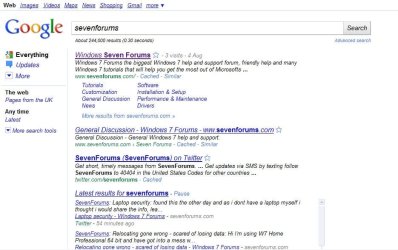
  • Captureintallics.JPG
    Captureintallics.JPG
    79.1 KB · Views: 120
  • Capturesjsjs.JPG
    Capturesjsjs.JPG
    11.1 KB · Views: 19

My Computer

Computer Manufacturer/Model Number
Dell Inspiron 1545
OS
Windows 7 Ultimate x64
CPU
Celeron(R) Dual-Core CPU T3500 @ 2.10GHz
Motherboard
Dell Motherboard Model 0G848F
Memory
4.00GB
Graphics Card(s)
Mobile Intel® 4 Series Express Chipset Family (4500MHD)
Sound Card
IDT Hight Definition Audio
Monitor(s) Displays
Generic PnP Monitor
Screen Resolution
1366 x 768
Hard Drives
WDCW WD1600BEVT-75ZCT2 150GB ATA Device
Keyboard
Standard PS/2 Keyboard
Mouse
Wireless Optical Mouse
Internet Speed
48.0Mpbs

My Computer

Computer Manufacturer/Model Number
LAPTOP. HP Pavilion dv7-4010TX .
OS
Win 7 Ultimate 64-bit. SP1.
CPU
Intel i7 -720QM.[1.6GHz Turbo Boost 2.8GHz. 6MB Cache.]
Memory
8 DDR 3 RAM. 1066MHZ
Graphics Card(s)
ATI 1024 MB. DDR3. Radeon HD5650
Monitor(s) Displays
17.3" High Definition Brightview LCD. LED Backlit.
Screen Resolution
1600 x 900.
Hard Drives
640GB
Case
Laptop / notebook.
Mouse
Logitech Anywhere mouse. MX.
Internet Speed
ADSL [ but too slow ]
Have you noticed any other windows using italics besides web pages?

Here's another tutorial about Windows Fonts in general: http://www.sevenforums.com/tutorials/1175-fonts-change.html . Towards the bottom of the page they say you can change "all default fonts" in Windows but it's not clear if it includes web pages. I would have thought that resetting IE8 would have reset the accessibility option to "ignore font styles" which it seems one would have to do to make the default web pages use the Windows Default fonts which had been changed to inclue italics:

OPTION THREE
Change All Default Fonts

At the bottom of the page there is a download available to restore the default font setup. Shouldn't hurt to try that:

3. To Restore the Default Fonts
NOTE: This will undo all changes that you made using either step 1 or step 2 above, and restore the original default fonts used by Windows 7.
 

My Computer

Computer type
PC/Desktop
Computer Manufacturer/Model Number
OQO 2+
OS
Windows 8 Pro w/MC 32-bit
CPU
Intel Atom 1.86 GHz
Motherboard
OQO 2+
Memory
2 GB
Graphics Card(s)
Intel GMA 500
Sound Card
IDT
Monitor(s) Displays
LCD
Screen Resolution
800 x 480 (portable) 1280 x 1024 (docked)
Hard Drives
64 GB SSD
PSU
9 Ah Battery (portable) or OQO Brick (docked)
Case
Shirt Pocket Sized
Cooling
Tiny Fan
Keyboard
Slide out (portable) DiNovo Edge (docked)
Mouse
Eraser head (portable) Logitech Bluetooth (docked)
Internet Speed
WWAN or 802.11G (portable) T1 (docked)
Browser
IE 10
Other Info
DVD-RW OQO Docking Station
ishmael9100,

Just in case you haven't seen this Tutorial .......
Check it out to see if it helps you.......note Step 5.

http://www.sevenforums.com/tutorials/79508-internet-explorer-change-fonts-used-webpages.html

Have you noticed any other windows using italics besides web pages?

Here's another tutorial about Windows Fonts in general: http://www.sevenforums.com/tutorials/1175-fonts-change.html . Towards the bottom of the page they say you can change "all default fonts" in Windows but it's not clear if it includes web pages. I would have thought that resetting IE8 would have reset the accessibility option to "ignore font styles" which it seems one would have to do to make the default web pages use the Windows Default fonts which had been changed to inclue italics:

OPTION THREE
Change All Default Fonts

At the bottom of the page there is a download available to restore the default font setup. Shouldn't hurt to try that:

3. To Restore the Default Fonts
NOTE: This will undo all changes that you made using either step 1 or step 2 above, and restore the original default fonts used by Windows 7.


Thanks for the reply guys, fortunately in the time of waiting for someone to reply, I have done a little searching and have sorted out the problem. But I did notice that when Windows was in italics, all other programs were aswell, like Steam. I used a Registery Fix for the problem and everything is fine now. But, this has opened up another problem. Steam is not showing anything at all! Its not showing anything. View the attachments to see what Im talking about. I have tried reinstalling Steam and have had no luck. This happened after I applied the Reg Fix. Any suggestions?
 

Attachments

  • steam FAIL.JPG
    steam FAIL.JPG
    17.2 KB · Views: 13

My Computer

Computer Manufacturer/Model Number
Dell Inspiron 1545
OS
Windows 7 Ultimate x64
CPU
Celeron(R) Dual-Core CPU T3500 @ 2.10GHz
Motherboard
Dell Motherboard Model 0G848F
Memory
4.00GB
Graphics Card(s)
Mobile Intel® 4 Series Express Chipset Family (4500MHD)
Sound Card
IDT Hight Definition Audio
Monitor(s) Displays
Generic PnP Monitor
Screen Resolution
1366 x 768
Hard Drives
WDCW WD1600BEVT-75ZCT2 150GB ATA Device
Keyboard
Standard PS/2 Keyboard
Mouse
Wireless Optical Mouse
Internet Speed
48.0Mpbs
You have to know what your doing when messing with the registry and even then you can hose your comp, so now if you have a restore point prior now is the time to use it or a backup would be in order.
 

My Computer

Computer Manufacturer/Model Number
Dell XPS 730
OS
Windows 7 Home Premium 64 bit
CPU
Intel Core 2 quad Extreme Q9770 @ 3.2 GHz
Memory
4x2 GB Muskin 1600 MHz ram
Graphics Card(s)
NVidia GTX 250
Sound Card
Soundblaster X-Fi Fatality Champion
Monitor(s) Displays
2 Dell 2007WFP Ultrascans
Screen Resolution
3360 x 1050
Hard Drives
WD Black 1TB sata, 2-WD Black 500 sata, 2-Seagate 500 Go external
PSU
1000 Watt
Cooling
air
Keyboard
MS Natrual Keyboard Pro
Mouse
Logitech Wireless Trackball
Internet Speed
DSL Elite
You have to know what your doing when messing with the registry and even then you can hose your comp, so now if you have a restore point prior now is the time to use it or a backup would be in order.

I've found a fix for it anyway so everything is back to normal, and nice picture :D

Thanks all for your help!
 

My Computer

Computer Manufacturer/Model Number
Dell Inspiron 1545
OS
Windows 7 Ultimate x64
CPU
Celeron(R) Dual-Core CPU T3500 @ 2.10GHz
Motherboard
Dell Motherboard Model 0G848F
Memory
4.00GB
Graphics Card(s)
Mobile Intel® 4 Series Express Chipset Family (4500MHD)
Sound Card
IDT Hight Definition Audio
Monitor(s) Displays
Generic PnP Monitor
Screen Resolution
1366 x 768
Hard Drives
WDCW WD1600BEVT-75ZCT2 150GB ATA Device
Keyboard
Standard PS/2 Keyboard
Mouse
Wireless Optical Mouse
Internet Speed
48.0Mpbs
You have to know what your doing when messing with the registry and even then you can hose your comp, so now if you have a restore point prior now is the time to use it or a backup would be in order.

I've found a fix for it anyway so everything is back to normal, and nice picture :D

Thanks all for your help!

Thank you for letting us know.
We will close this thread.
Good luck & enjoy Win 7.
 

My Computer

Computer Manufacturer/Model Number
LAPTOP. HP Pavilion dv7-4010TX .
OS
Win 7 Ultimate 64-bit. SP1.
CPU
Intel i7 -720QM.[1.6GHz Turbo Boost 2.8GHz. 6MB Cache.]
Memory
8 DDR 3 RAM. 1066MHZ
Graphics Card(s)
ATI 1024 MB. DDR3. Radeon HD5650
Monitor(s) Displays
17.3" High Definition Brightview LCD. LED Backlit.
Screen Resolution
1600 x 900.
Hard Drives
640GB
Case
Laptop / notebook.
Mouse
Logitech Anywhere mouse. MX.
Internet Speed
ADSL [ but too slow ]
You have to know what your doing when messing with the registry and even then you can hose your comp, so now if you have a restore point prior now is the time to use it or a backup would be in order.

I've found a fix for it anyway so everything is back to normal, and nice picture :D

Thanks all for your help!

Thank you for letting us know.
We will close this thread.
Good luck & enjoy Win 7.

I always enjoy Windows 7, that's one thing I cant stop doing! And JHM, WOW! You really are popular on this site, Ive seen some of your other posts and they are amazing!
 

My Computer

Computer Manufacturer/Model Number
Dell Inspiron 1545
OS
Windows 7 Ultimate x64
CPU
Celeron(R) Dual-Core CPU T3500 @ 2.10GHz
Motherboard
Dell Motherboard Model 0G848F
Memory
4.00GB
Graphics Card(s)
Mobile Intel® 4 Series Express Chipset Family (4500MHD)
Sound Card
IDT Hight Definition Audio
Monitor(s) Displays
Generic PnP Monitor
Screen Resolution
1366 x 768
Hard Drives
WDCW WD1600BEVT-75ZCT2 150GB ATA Device
Keyboard
Standard PS/2 Keyboard
Mouse
Wireless Optical Mouse
Internet Speed
48.0Mpbs
Blush....... You are too kind.

This is an excellent Forum. The Admins do a terrific job. Every one is friendly.
Should you have some spare time you might also care to help others.
 

My Computer

Computer Manufacturer/Model Number
LAPTOP. HP Pavilion dv7-4010TX .
OS
Win 7 Ultimate 64-bit. SP1.
CPU
Intel i7 -720QM.[1.6GHz Turbo Boost 2.8GHz. 6MB Cache.]
Memory
8 DDR 3 RAM. 1066MHZ
Graphics Card(s)
ATI 1024 MB. DDR3. Radeon HD5650
Monitor(s) Displays
17.3" High Definition Brightview LCD. LED Backlit.
Screen Resolution
1600 x 900.
Hard Drives
640GB
Case
Laptop / notebook.
Mouse
Logitech Anywhere mouse. MX.
Internet Speed
ADSL [ but too slow ]
You have to know what your doing when messing with the registry and even then you can hose your comp, so now if you have a restore point prior now is the time to use it or a backup would be in order.

I've found a fix for it anyway so everything is back to normal, and nice picture :D

Thanks all for your help!
Can you please post the instructions? I just opened up my new PC yesterday, transferred all my settings from my old PC to new and I got italics in IE8 only. FireFox is fine. I have checked every font setting between the two PCs and everything seems the same. My old PC is fine but the new one isn't. Just like you, in IE8, normal text is italics. Bold text is fine. Also, I do not want to set the Ignore Font Styles in the Accessiblity section as its not set in my old PC and when I do set that, the pages do not look the same.

Please post what you did to resolve your issue.

I run the Windows Classic Theme on my ID but my wife's id that runs Aero is also broken. She had never logged on to the new PC and when she logged on the first time, the fonts were italics.

Thank You
 

My Computer

Computer Manufacturer/Model Number
HP p6610f
OS
Windows 7 Ultimate x64
CPU
Athlon II 635 Quad Core
Memory
4 GB
Graphics Card(s)
ATI Radeon 4200
Monitor(s) Displays
Dell 2409
Actually, I get the italics in FireFox too but its quite a bit less in FF than in IE. The MSN home page in IE is all italics but is not in FF. Only when I click on a link and go to an article in FF it turns to italics.

What gives?
 

My Computer

Computer Manufacturer/Model Number
HP p6610f
OS
Windows 7 Ultimate x64
CPU
Athlon II 635 Quad Core
Memory
4 GB
Graphics Card(s)
ATI Radeon 4200
Monitor(s) Displays
Dell 2409

My Computer

Computer type
PC/Desktop
Computer Manufacturer/Model Number
OQO 2+
OS
Windows 8 Pro w/MC 32-bit
CPU
Intel Atom 1.86 GHz
Motherboard
OQO 2+
Memory
2 GB
Graphics Card(s)
Intel GMA 500
Sound Card
IDT
Monitor(s) Displays
LCD
Screen Resolution
800 x 480 (portable) 1280 x 1024 (docked)
Hard Drives
64 GB SSD
PSU
9 Ah Battery (portable) or OQO Brick (docked)
Case
Shirt Pocket Sized
Cooling
Tiny Fan
Keyboard
Slide out (portable) DiNovo Edge (docked)
Mouse
Eraser head (portable) Logitech Bluetooth (docked)
Internet Speed
WWAN or 802.11G (portable) T1 (docked)
Browser
IE 10
Other Info
DVD-RW OQO Docking Station
Back
Top