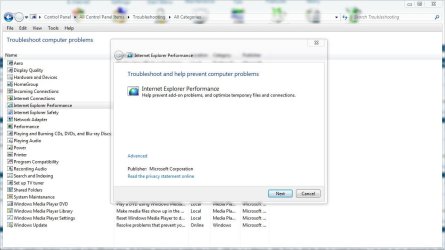
Internet Explorer Problem

schwine

New member
Local time
6:44 PM
Messages
16
Windows 7 (64 bit version)
Internet Explorer 8 (32 bit version)
Adobe Flash Player

Internet Explorer 8 (32 bit) often crashes on Windows 7 (64 bit).
However, there is no support for the Adobe Flash Player for the 64 bit version of Internet Explorer.

So while the 64 bit version of Internet Explorer may be more stable on the 64 bit version of Windows 7, videos cannot be watched on IE 64 bit.

Is there a fix for this problem besides using another browser?

Thanks in advance.
 

My Computer

OS
Windows 7
Windows 7 (64 bit version)
Internet Explorer 8 (32 bit version)
Adobe Flash Player

Internet Explorer 8 (32 bit) often crashes on Windows 7 (64 bit).
However, there is no support for the Adobe Flash Player for the 64 bit version of Internet Explorer.

So while the 64 bit version of Internet Explorer may be more stable on the 64 bit version of Windows 7, videos cannot be watched on IE 64 bit.

Is there a fix for this problem besides using another browser?

Thanks in advance.

"often crashes" can you be more specific? Perhaps upload the crash dump files to us please?
 

My Computer

Computer type
Laptop
Computer Manufacturer/Model Number
Apple
OS
El Capitan / Windows 10
CPU
i7-4980HQ
Memory
16GB
Graphics Card(s)
Iris 5200
I checked the Internet Explorer section of the Event Viewer and found no logs.
But the error message that occurs when IE8 crashes reads: "Internet Explorer has stopped working."
This error message has happened several times.
 

My Computer

OS
Windows 7
Have you tried uninstalling it then re-install it?
 

My Computer

Computer Manufacturer/Model Number
HP M9077c
OS
Windows 7 Home Premium 64bit
CPU
Intel(R)Core(TM)2 quad [email protected] 2.39GHz
Motherboard
ASUSeK
Memory
6GB DDR2 6400
Graphics Card(s)
GeForce 8500/512MB
Sound Card
Realtek High Def Audio
Monitor(s) Displays
HP w2408 LCD 24" widescreen
Screen Resolution
1920x1200
Cooling
6 pack of Bud
Keyboard
MS wireless Inteli
Mouse
MS wireless Inteli

My Computer

Computer type
PC/Desktop
Computer Manufacturer/Model Number
self build
OS
Windows 7 Ultimate 64 bit
CPU
Intel Core i7 4770K overclocked to 4.7GHz Quad Core Haswell
Motherboard
Asus Z87 Pro (Socket 1150) ATX Motherboard
Memory
16GB Team Group Vulcan Gold 2133MHz
Graphics Card(s)
ATI Radeon HD 7880 Series Display adapter
Monitor(s) Displays
NEC LCD2690WUXi2
Screen Resolution
26" 1920 x 1200
Hard Drives
Samsung 500GB SSD 840 EVO SATA 6Gb/s
Samsung 250GB SSD 840 EVO SATA 6Gb/s
PSU
Corsair AX760 Platinum
Case
Cooler Master HAF X Gaming Tower
Cooling
XSPC RayStorm 750 RS360 Water cooling
Mouse
Razer Death Adder left handed
Internet Speed
126Mb download 11.5Mb up
Antivirus
Avast free
Browser
Opera
Other Info
Main Browser is Opera
Favorite software Adobe Lightroom & Photoshop
best plugins Nik software
Firewall : Private firewall 7

Attachments

  • ie.JPG
    ie.JPG
    82.9 KB · Views: 19

My Computer

Computer type
PC/Desktop
Computer Manufacturer/Model Number
Self Built
OS
Win 10 Pro x64
CPU
Intel I5-2500K @3.3GHz
Motherboard
Asrock P67 Extreme4
Memory
16GB G.Skill Ripjaws X (4x4GB)
Graphics Card(s)
EVGA GeForce 750 Ti SC 2GB
Sound Card
ASUS Xonar DG 5.1 Channels 24-bit 96KHz PCI Interface Sound
Monitor(s) Displays
auria eq2367
Screen Resolution
1920 x 1080
Hard Drives
250GB Samsung 850 EVO SSD
1TB WD Blue
1TB Hitachi
PSU
SeaSonic X 650W 80 Plus Gold
Case
Corsair Obsidian 750D
Cooling
Corsair H60, Three 140mm case fans
Keyboard
Logitech Wireless Keyboard K520
Mouse
Logitech Wireless Mouse M310
Internet Speed
Wave Broadband ~ 100 dn 5 up
Antivirus
Windows Defender, Malwarebytes Premium
Browser
Edge, IE11, Chrome
Other Info
Laptop specs: HP g7-1365dx /
CPU: AMD A6-3420M APU with Radeon(tm) HD Graphics /
RAM: Crucial 8Gb (2x4Gb) /
SSD: Crucial M4-CT128M4SSD2 ATA Device/ FW 000F /
GFX: AMD Radeon HD 6520G /
OS: Windows 10 Pro x64
I checked the Internet Explorer section of the Event Viewer and found no logs.
But the error message that occurs when IE8 crashes reads: "Internet Explorer has stopped working."
This error message has happened several times.

It should then offer to send information about the crash to Microsoft. At the bottom of that dialog there should be a link to view what's going to be sent. Click that and post the results here. We have the same tools Microsoft does (for the most part) for decoding the root cause of your crash and I can guarantee you we're a lot faster! ;)
 

My Computer

Computer type
Laptop
Computer Manufacturer/Model Number
Apple
OS
El Capitan / Windows 10
CPU
i7-4980HQ
Memory
16GB
Graphics Card(s)
Iris 5200
Re: At the bottom of that dialog there should be a link
I didn't find a link after re-setting IE8, but I'm working on another idea.

In the Start menu under All Programs there are two links for IE8 (when you first install Windows 7), one for 32 bit and one for 64 bit. I've moved the link for 32 bit to another location, and this separation may solve the problem. I haven't had any error messages just yet since doing this, so I'll monitor IE8 to see if that does anything. Having reset IE8 can't hurt either.

If these measures haven't solved the problem, I'll post again, otherwise consider this thread question solved.
 

My Computer

OS
Windows 7
Re: At the bottom of that dialog there should be a link
I didn't find a link after re-setting IE8, but I'm working on another idea.

In the Start menu under All Programs there are two links for IE8 (when you first install Windows 7), one for 32 bit and one for 64 bit. I've moved the link for 32 bit to another location, and this separation may solve the problem. I haven't had any error messages just yet since doing this, so I'll monitor IE8 to see if that does anything. Having reset IE8 can't hurt either.

If these measures haven't solved the problem, I'll post again, otherwise consider this thread question solved.

You've simply eliminated a 32-bit Internet Explorer add-on that was causing the crash by using the 64-bit version. Note that you will not be able to use Flash with that.
 

My Computer

Computer type
Laptop
Computer Manufacturer/Model Number
Apple
OS
El Capitan / Windows 10
CPU
i7-4980HQ
Memory
16GB
Graphics Card(s)
Iris 5200
Back
Top