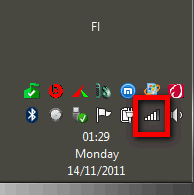
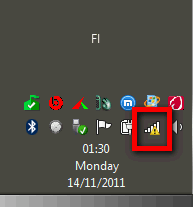
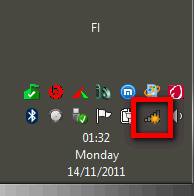
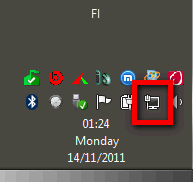
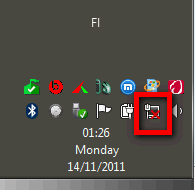
I restarted and just noticed that the internet icon in the system tray has changed. Before it used to be bars.. and now it's changed. Any ideas what might have caused this or how I can revert back to the old one?
My Computer
Computer type
Laptop
Computer Manufacturer/Model Number
Dell Inspiron
OS
Microsoft Windows 7 Home Premium 32-bit 7600 Multiprocessor Free
To start, that is a network connection icon, not internet icon.
Here's an explanation of different network icons:
Connected to router / modem using WiFi only, connection to router / modem & Internet OK, OR connected using both WiFi and LAN, both connections to router / modem & Internet OK
.
.
Connected to router / modem using WiFi only, connection to router / modem OK, no Internet connection, OR connected using both WiFi and LAN, both connections to router / modem OK, one of two connections not connected to Internet
.
.
Wifi only, connections available but no connection selected
.
.
LAN only, connection to router / modem OK, Internet OK
.
.
LAN only, no connection or cable disconnected
.
Your screenshot shows you are connected to router / modem with LAN only, WiFi being disabled or not connected. To get the signal strenght meter as network icon, you need to enable and connect WiFi.
Kari
My Computer
Computer type
Laptop
Computer Manufacturer/Model Number
HP ENVY 17-1150eg
OS
Windows 10 Pro x64 EN-GB
CPU
1.6 GHz Intel Core i7-720QM Processor
Memory
6 GB
Graphics Card(s)
ATI Mobility Radeon HD 5850 Graphics
Sound Card
Beats sound system with integrated subwoofer
Monitor(s) Displays
17" laptop display, 22" LED and 32" Full HD TV through HDMI
Screen Resolution
1600*900 (1), 1920*1080 (2&3)
Hard Drives
Internal: 2 x 500 GB SATA Hard Disk Drive 7200 rpm
External: 2TB for backups, 3TB USB3 network drive for media
Cooling
As Envy runs a bit warm, I have it on a Cooler Master pad