Enceem
New member
Hoping someone can shed some light on a lost internet connection please.
System is Acer 5336 win7 64 -bit with ie9 browser.
Browser has been acting slow to open web pages and displays 'cannot open web page' quite frequently.
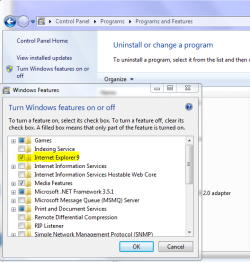
Decided to uninstall ie9 via Progs & Features etc and assumed ie would default to ie8 as suggested by some websites.
Wrong! Or in this case anyway...I have lost all internet connection.
So this is what I've tried so far:
System Restore
Reset Router (Netgear DG834GT)
Rebooted Router & factory reset
Checked all cables & filters - all ok
Opened Network sharing center - disabled & enabled LAN & Wireless network connection.
Ran CMD - netsh in tip reset c:\resetlog.txt to reset TCP/IP
Ran CMD to Ping 192.168.1.1 - DESTINATION NET UNREACHABLE message!
Ran Network Diagnostic Tool - THE CONNECTION BETWEEN ACCESS POINT,ROUTER OR MODEM AND INTERNET IS BROKEN message.
So the network gateway,DG834GT Router, is I'm assuming accessible but Windows can't receive traffic from Internet!?!
Finally,ran Network Adaptor Troubleshooter which informed me:
The Wireless connection doesn't have a valid IP configuration.
So, I'm wondering if it's as simple as IE having been 'Lost' from my system or a missing Router path.
Any ideas will be very welcome.
Thanks.
System is Acer 5336 win7 64 -bit with ie9 browser.
Browser has been acting slow to open web pages and displays 'cannot open web page' quite frequently.
Decided to uninstall ie9 via Progs & Features etc and assumed ie would default to ie8 as suggested by some websites.
Wrong! Or in this case anyway...I have lost all internet connection.
So this is what I've tried so far:
System Restore
Reset Router (Netgear DG834GT)
Rebooted Router & factory reset
Checked all cables & filters - all ok
Opened Network sharing center - disabled & enabled LAN & Wireless network connection.
Ran CMD - netsh in tip reset c:\resetlog.txt to reset TCP/IP
Ran CMD to Ping 192.168.1.1 - DESTINATION NET UNREACHABLE message!
Ran Network Diagnostic Tool - THE CONNECTION BETWEEN ACCESS POINT,ROUTER OR MODEM AND INTERNET IS BROKEN message.
So the network gateway,DG834GT Router, is I'm assuming accessible but Windows can't receive traffic from Internet!?!
Finally,ran Network Adaptor Troubleshooter which informed me:
The Wireless connection doesn't have a valid IP configuration.
So, I'm wondering if it's as simple as IE having been 'Lost' from my system or a missing Router path.
Any ideas will be very welcome.
Thanks.
My Computer
- Computer Manufacturer/Model Number
- acer aspire 5336
- OS
- Windows 7 Home Premium x64bit
- CPU
- celeron(r) dual core t3500 @ 2.1 ghz
- Memory
- 4Gb
- Hard Drives
- 500 Gb