- Local time
- 1:47 PM
- Messages
- 129
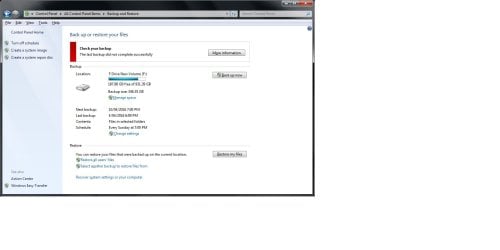
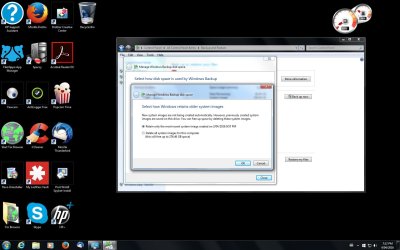
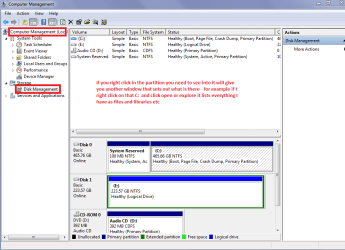
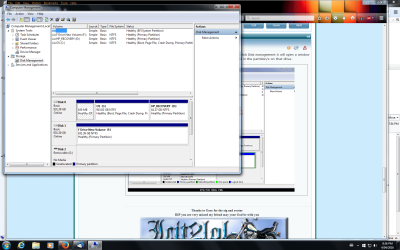
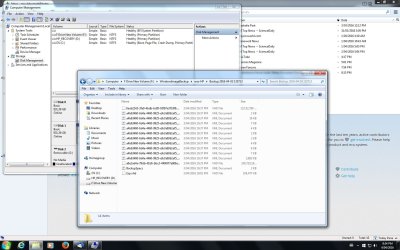
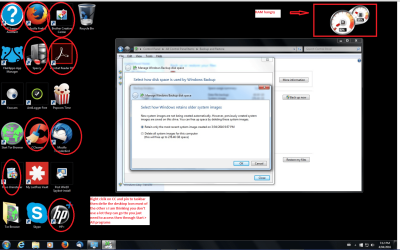
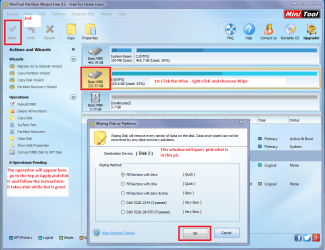
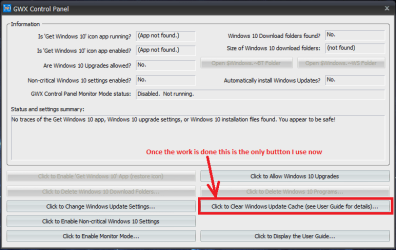
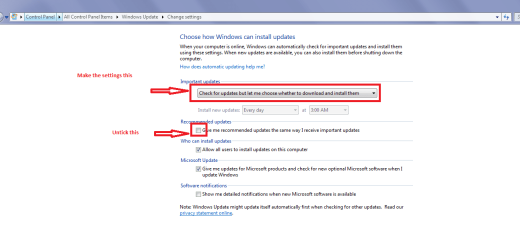
I have win 7 home premium 64 bit 8GB Ram desktop with 2 x 1TB HDDs. I had downloaded Win 10 then gone back to Win 7 and got an error message (0x80041321) when I tried to do a backup to my D drive? I checked on this site and found a repair download that fixed 63 problems and left 32,that couldnt be fixed. So ran sfc/scannow but it didnt find anything? So I tried backup again and got (Invalid Window Handle)? So thats where Im at right now! Any ideas how I can fix it? I should mention that I changed the name of my computer after a complete reinstall a few months ago and had trouble moving my files across with the old name on them. P.S I just tried to backup my system settings and recovery partition but that failed as well?
My Computer
At a glance
Win 7 64 bit home premiumA85508GBHD7450
- Computer type
- PC/Desktop
- Computer Manufacturer/Model Number
- HP P6-2203a
- OS
- Win 7 64 bit home premium
- CPU
- A8550
- Motherboard
- Gigabyte
- Memory
- 8GB
- Graphics Card(s)
- HD7450
- Sound Card
- intergrated and Muse USB external DAC
- Monitor(s) Displays
- LG 22 inch Flatron W2242P
- Screen Resolution
- 1960 x 1020
- Hard Drives
- C: Drive,1TB Hitachi. Backup Drive: 1TB Western Digital.
- Mouse
- Targus remote.
- Internet Speed
- Optical fibre.12mb download and 1mb upload
- Antivirus
- Microsoft Essentials.
- Browser
- Firefox 58.0.2
- Other Info
- Speccy,CCcleaner,Ultra-Defragmenter,Filehippo,ThunderBird.