Hello.
I was turning my internet on, in some day and suddenly noticed an error table on my screen. I have Lithuanian Windows, but I found the error picture on the internet, it was:
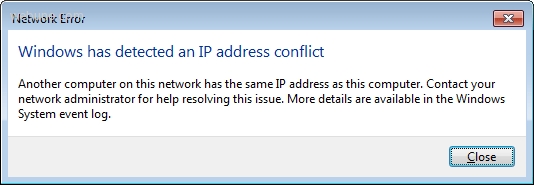
This happens every few times I try to launch the internet.
Today I tried to change my internet settings. I went to properties of it and changed the properties of "Internet Protocol Version 4 (TCP/IPv4)". The settings was set to get IP automatically.

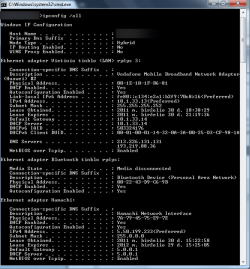
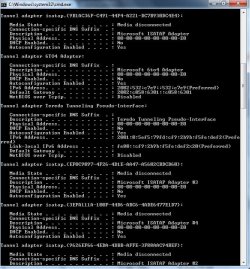
So, I checked "Use the following IP adress automatically" and "Use the following DNS server adresses" and filled in the fields according to results of command "Ipconfig /all" in Command Prompt. Clicked "OK" and got this table:

I clicked "Yes" and then I tried to reconnect to the internet. I couldn't do this. I was able to turn on the internet, but I wasn't able to surf thourgh sites, etc. The icon in the right, down corner was like this:

So, I configured everything back and internet was working normal again.
How do I set my custom IP adress to use?
Thanks for advance for answering.
Gregaras
I was turning my internet on, in some day and suddenly noticed an error table on my screen. I have Lithuanian Windows, but I found the error picture on the internet, it was:
This happens every few times I try to launch the internet.
Today I tried to change my internet settings. I went to properties of it and changed the properties of "Internet Protocol Version 4 (TCP/IPv4)". The settings was set to get IP automatically.
So, I checked "Use the following IP adress automatically" and "Use the following DNS server adresses" and filled in the fields according to results of command "Ipconfig /all" in Command Prompt. Clicked "OK" and got this table:
I clicked "Yes" and then I tried to reconnect to the internet. I couldn't do this. I was able to turn on the internet, but I wasn't able to surf thourgh sites, etc. The icon in the right, down corner was like this:
So, I configured everything back and internet was working normal again.
How do I set my custom IP adress to use?
Thanks for advance for answering.
Gregaras
My Computer
At a glance
Windows 7 Pro 32-bit
- OS
- Windows 7 Pro 32-bit