is anyone found the right codecs for all types???

wuid

New member
Local time
1:20 PM
Messages
17
using win7 64bit
i've installed shark007 + x64 componenets after that tryied cccp and also tried k-lite, but none of them played all my video files (mp4,mkv ther most)
with bsplayer vlc ,media player....
very frustrated , i thinking i am doing something wrong...
please help...
 

My Computer My Computer

OS
windows 7 64bit
CPU
e6750
Motherboard
gigabyte p35-d3sl
Memory
4X1GB raptor
Graphics Card(s)
ati 4830
Sound Card
onboard
Monitor(s) Displays
lg 19",aoc 17", sharp lcd 32"
Screen Resolution
1280 wide
Hard Drives
640WD MY BOOK
250WD
120 HITACHI
PSU
450 EZCOOL
Case
GIGABYTE TRITON
Cooling
MUGEN 2
Keyboard
STANDRD + MX5000 LOGITECH
Mouse
STANDRD + MX1000 LOGITECH
codecs

using win7 64bit
i've installed shark007 + x64 componenets after that tryied cccp and also tried k-lite, but none of them played all my video files (mp4,mkv ther most)
with bsplayer vlc ,media player....
very frustrated , i thinking i am doing something wrong...
please help...


Hi and welcome to sevenforums

let me understand you are trying to play media files mkv,mp4, and all the players vlc, wmp, bsplayer dont work. when you launch vlc what happens?

the first thing I would if I were you is to un-install all the codecs so you are back to the original state. then decide on whoch player yo want to use. I would use either vlc or media player classic (home cinema version) or vlc. Let me know what you would like to do and I will walk you through it. I am subscribed to this thread so anytime something is posted here I will get an email and jump back in.

Ken
 

My Computer My Computer

Computer Manufacturer/Model Number
HP Pavillion dv-7 1005 Tx
OS
Win 8 Release candidate 8400
CPU
[email protected]
Memory
4 gigs
Graphics Card(s)
Nvidia 9600M
Sound Card
HD built-in
Monitor(s) Displays
17" Wxga
Screen Resolution
1440x900
Cooling
none
Internet Speed
45Mb down 5Mb up
now i in start state with no codecs installed, don't have preferd player but used to bsplayer, i installed vlc.

what should i do now ?


***thank you very much for the quick reply
 

My Computer My Computer

OS
windows 7 64bit
CPU
e6750
Motherboard
gigabyte p35-d3sl
Memory
4X1GB raptor
Graphics Card(s)
ati 4830
Sound Card
onboard
Monitor(s) Displays
lg 19",aoc 17", sharp lcd 32"
Screen Resolution
1280 wide
Hard Drives
640WD MY BOOK
250WD
120 HITACHI
PSU
450 EZCOOL
Case
GIGABYTE TRITON
Cooling
MUGEN 2
Keyboard
STANDRD + MX5000 LOGITECH
Mouse
STANDRD + MX1000 LOGITECH
codec etc

now i in start state with no codecs installed, don't have preferd player but used to bsplayer, i installed vlc.

what should i do now ?


***thank you very much for the quick reply

Ok try to play the usual kind of medie file with vlc. If it fails what does it say? if it plays does it stutter, display properly, etc?

Let me know\
Ken
 

My Computer My Computer

Computer Manufacturer/Model Number
HP Pavillion dv-7 1005 Tx
OS
Win 8 Release candidate 8400
CPU
[email protected]
Memory
4 gigs
Graphics Card(s)
Nvidia 9600M
Sound Card
HD built-in
Monitor(s) Displays
17" Wxga
Screen Resolution
1440x900
Cooling
none
Internet Speed
45Mb down 5Mb up
without installing any codec???
 

My Computer My Computer

OS
windows 7 64bit
CPU
e6750
Motherboard
gigabyte p35-d3sl
Memory
4X1GB raptor
Graphics Card(s)
ati 4830
Sound Card
onboard
Monitor(s) Displays
lg 19",aoc 17", sharp lcd 32"
Screen Resolution
1280 wide
Hard Drives
640WD MY BOOK
250WD
120 HITACHI
PSU
450 EZCOOL
Case
GIGABYTE TRITON
Cooling
MUGEN 2
Keyboard
STANDRD + MX5000 LOGITECH
Mouse
STANDRD + MX1000 LOGITECH
codec trouble

without installing any codec???


Yeah try it we will find out what if anything you need. Vlc plays a lot of different formats natively.

Ken
 

My Computer My Computer

Computer Manufacturer/Model Number
HP Pavillion dv-7 1005 Tx
OS
Win 8 Release candidate 8400
CPU
[email protected]
Memory
4 gigs
Graphics Card(s)
Nvidia 9600M
Sound Card
HD built-in
Monitor(s) Displays
17" Wxga
Screen Resolution
1440x900
Cooling
none
Internet Speed
45Mb down 5Mb up
o.k so
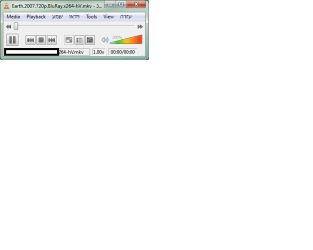
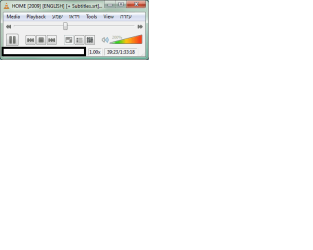
most of the mkv would not playing in vlc just 3 of 11 movies. xvid works.
mp4 - time is runing but no picture or sound, in media player there is no video but i can hear the sound.
 

Attachments

  • vlc mkv.png
    vlc mkv.png
    8.9 KB · Views: 18
  • vlc mp4.png
    vlc mp4.png
    9.1 KB · Views: 13

My Computer My Computer

OS
windows 7 64bit
CPU
e6750
Motherboard
gigabyte p35-d3sl
Memory
4X1GB raptor
Graphics Card(s)
ati 4830
Sound Card
onboard
Monitor(s) Displays
lg 19",aoc 17", sharp lcd 32"
Screen Resolution
1280 wide
Hard Drives
640WD MY BOOK
250WD
120 HITACHI
PSU
450 EZCOOL
Case
GIGABYTE TRITON
Cooling
MUGEN 2
Keyboard
STANDRD + MX5000 LOGITECH
Mouse
STANDRD + MX1000 LOGITECH
codecs

o.k so
most of the mkv would not playing in vlc just 3 of 11 movies. xvid works.
mp4 - time is runing but no picture or sound, in media player there is no video but i can hear the sound.

Here is the mkv homepage for downloading the codec for the player of your choice. I use both vlc and media player classic (homecinema veresion) download the codec for the player of your coice and retry the movies let me know and we can do the next step..
http://www.matroska.org/downloads/windows.html

Ken
 

My Computer My Computer

Computer Manufacturer/Model Number
HP Pavillion dv-7 1005 Tx
OS
Win 8 Release candidate 8400
CPU
[email protected]
Memory
4 gigs
Graphics Card(s)
Nvidia 9600M
Sound Card
HD built-in
Monitor(s) Displays
17" Wxga
Screen Resolution
1440x900
Cooling
none
Internet Speed
45Mb down 5Mb up
installed CCCP (Combined Community Codec pack and Matroska Splitter
still nothing...
 

My Computer My Computer

OS
windows 7 64bit
CPU
e6750
Motherboard
gigabyte p35-d3sl
Memory
4X1GB raptor
Graphics Card(s)
ati 4830
Sound Card
onboard
Monitor(s) Displays
lg 19",aoc 17", sharp lcd 32"
Screen Resolution
1280 wide
Hard Drives
640WD MY BOOK
250WD
120 HITACHI
PSU
450 EZCOOL
Case
GIGABYTE TRITON
Cooling
MUGEN 2
Keyboard
STANDRD + MX5000 LOGITECH
Mouse
STANDRD + MX1000 LOGITECH
codec grief

installed CCCP (Combined Community Codec pack and Matroska Splitter
still nothing...

hey ok im trying to walk you through it a step at a time. you download codecs. but codecs need to run in a player. the CCCP pack and splitter dont run in VLC, classic media player (homecinema), etc. I wanted you to pick a player of your choice so we could get the codecs for that player. the reason i had you un-install all the other codecs is cuase sometimes they conflict with each other.

What player are you going to use? why dont you un-install CCCP, and splitter. then when you have decided on player we can get the appropriate codecs for that player.

Ken
 

My Computer My Computer

Computer Manufacturer/Model Number
HP Pavillion dv-7 1005 Tx
OS
Win 8 Release candidate 8400
CPU
[email protected]
Memory
4 gigs
Graphics Card(s)
Nvidia 9600M
Sound Card
HD built-in
Monitor(s) Displays
17" Wxga
Screen Resolution
1440x900
Cooling
none
Internet Speed
45Mb down 5Mb up
mmm o.k
uninstalled vlc , cccp , matroska splitter
reset
installed vlc
 

My Computer My Computer

OS
windows 7 64bit
CPU
e6750
Motherboard
gigabyte p35-d3sl
Memory
4X1GB raptor
Graphics Card(s)
ati 4830
Sound Card
onboard
Monitor(s) Displays
lg 19",aoc 17", sharp lcd 32"
Screen Resolution
1280 wide
Hard Drives
640WD MY BOOK
250WD
120 HITACHI
PSU
450 EZCOOL
Case
GIGABYTE TRITON
Cooling
MUGEN 2
Keyboard
STANDRD + MX5000 LOGITECH
Mouse
STANDRD + MX1000 LOGITECH
VLC uses internal codecs for MKV. If you are using W7 then you don't need any codecs for mp4 or mkv playback. You'll just need a splitter like Haali (This is the W7 version, both x32 and x64).

As mentioned uninstall everything (including BSPlayer as it downloads codecs in the background). Install a splitter for MediaShow players and then use the Preferred DirectShow Filters Tool for Windows 7 to reset what codec is used.
 

My Computer My Computer

Computer Manufacturer/Model Number
My HTPC
OS
6x W2K8 R2 (x64), 6x W7 7600 (x64), 2x Gentoo (x64), 1x Ubuntu 9.04 (x64), 1x pfSense (FreeBSD)
CPU
Core2 Duo E8400 3.0Ghz
Motherboard
ASUS P5E-VM
Memory
Corsair DDR-800 4GB RAM
Graphics Card(s)
EVGA NVidia GeForce GT240
Screen Resolution
1080p
Hard Drives
OCZ Vertex 60GB (C:\D: System\Apps)
WD 1TB x1 (G: Temp\Recorded TV)
WD 2TB x8 (On Server)
PSU
Corsair HX520w
Case
Antec Fusion Max
Cooling
Passive Thermalright HR-1 CPU Heatsink w/ Nexus Fan
vlc

mmm o.k
uninstalled vlc , cccp , matroska splitter
reset
installed vlc


you got the vlc from the mKV site (ver 1.0)? vlc has native mkv support. if your media files fail on vlc we need to investigate if they are true mkv files.

Ken
 

My Computer My Computer

Computer Manufacturer/Model Number
HP Pavillion dv-7 1005 Tx
OS
Win 8 Release candidate 8400
CPU
[email protected]
Memory
4 gigs
Graphics Card(s)
Nvidia 9600M
Sound Card
HD built-in
Monitor(s) Displays
17" Wxga
Screen Resolution
1440x900
Cooling
none
Internet Speed
45Mb down 5Mb up
but i already have vlc
 

My Computer My Computer

OS
windows 7 64bit
CPU
e6750
Motherboard
gigabyte p35-d3sl
Memory
4X1GB raptor
Graphics Card(s)
ati 4830
Sound Card
onboard
Monitor(s) Displays
lg 19",aoc 17", sharp lcd 32"
Screen Resolution
1280 wide
Hard Drives
640WD MY BOOK
250WD
120 HITACHI
PSU
450 EZCOOL
Case
GIGABYTE TRITON
Cooling
MUGEN 2
Keyboard
STANDRD + MX5000 LOGITECH
Mouse
STANDRD + MX1000 LOGITECH
but i already have vlc

The problem is that when you install a codec pack you never really know what they are doing or changing. Ken is trying to get you "reset". If you uninstall everything including VLC and then reinstall v1 as he suggests and still have problems with VLC then the problem could very well be the file not the player.
 

My Computer My Computer

Computer Manufacturer/Model Number
My HTPC
OS
6x W2K8 R2 (x64), 6x W7 7600 (x64), 2x Gentoo (x64), 1x Ubuntu 9.04 (x64), 1x pfSense (FreeBSD)
CPU
Core2 Duo E8400 3.0Ghz
Motherboard
ASUS P5E-VM
Memory
Corsair DDR-800 4GB RAM
Graphics Card(s)
EVGA NVidia GeForce GT240
Screen Resolution
1080p
Hard Drives
OCZ Vertex 60GB (C:\D: System\Apps)
WD 1TB x1 (G: Temp\Recorded TV)
WD 2TB x8 (On Server)
PSU
Corsair HX520w
Case
Antec Fusion Max
Cooling
Passive Thermalright HR-1 CPU Heatsink w/ Nexus Fan
o.k i am uninstalling everything... and will install only vlc...
 

My Computer My Computer

OS
windows 7 64bit
CPU
e6750
Motherboard
gigabyte p35-d3sl
Memory
4X1GB raptor
Graphics Card(s)
ati 4830
Sound Card
onboard
Monitor(s) Displays
lg 19",aoc 17", sharp lcd 32"
Screen Resolution
1280 wide
Hard Drives
640WD MY BOOK
250WD
120 HITACHI
PSU
450 EZCOOL
Case
GIGABYTE TRITON
Cooling
MUGEN 2
Keyboard
STANDRD + MX5000 LOGITECH
Mouse
STANDRD + MX1000 LOGITECH
with only vlc still some of the video files cannot played...
 

My Computer My Computer

OS
windows 7 64bit
CPU
e6750
Motherboard
gigabyte p35-d3sl
Memory
4X1GB raptor
Graphics Card(s)
ati 4830
Sound Card
onboard
Monitor(s) Displays
lg 19",aoc 17", sharp lcd 32"
Screen Resolution
1280 wide
Hard Drives
640WD MY BOOK
250WD
120 HITACHI
PSU
450 EZCOOL
Case
GIGABYTE TRITON
Cooling
MUGEN 2
Keyboard
STANDRD + MX5000 LOGITECH
Mouse
STANDRD + MX1000 LOGITECH

My Computer My Computer

Computer Manufacturer/Model Number
HP Pavillion dv-7 1005 Tx
OS
Win 8 Release candidate 8400
CPU
[email protected]
Memory
4 gigs
Graphics Card(s)
Nvidia 9600M
Sound Card
HD built-in
Monitor(s) Displays
17" Wxga
Screen Resolution
1440x900
Cooling
none
Internet Speed
45Mb down 5Mb up
seems like there may be some remnants of files left after the removal of the variuos players and codecs. He can try removing everything again, then running a cleaner like CCleaner to make sure any orphaned files are removed. An option is to use a third party uninstaller like revo uninstaller (it is free), but it is a very robust application that makes sure to remove anything associated with an app when performing an uninstallation. You can get it from here http://files.getdropbox.com/u/976813/revosetup.exe
here is the official revo site: http://www.revouninstaller.com/
For ccleaner get it here
www.filehippo.com you will see it in the list. Once you have done all this, follow Mikinho's advice.
Recap:
Install Revo
Remove whatever you need to
Install and run CCleaner
follow Mikinho's advice
 

My Computer My Computer

Computer Manufacturer/Model Number
Gigabyte
OS
Windows 7 Ultimate
CPU
Intel Core(TM)2 Quad- Q9550, 2.83GHz
Motherboard
G31M-ES2L
Memory
4GB
Graphics Card(s)
ATI Radeon HD4600
Sound Card
On Board:
Monitor(s) Displays
Acer AL2223W, Acer AL1916
Screen Resolution
1680 x 1050, 1280 x 1024
Hard Drives
160GB
350GB
250GB
250GB
PSU
600W
Case
Cooler Master
Keyboard
Microsoft Laser 6000
Mouse
Logitech Optical Trackman
Internet Speed
1.5MB
Other Info
I am also running a quasar gamatron flux capacitor with twin pulse tronic phasers......jk, I have no such stuff.
Just as a side note, MKV is a container, so VLC can natively open MKV's it doesn't necessarily mean it can decode the audio and video. Although VLC supports almost every Video and Audio format meaning it shouldn't be an issue. The fact that MKV is just a container is the reason it is such a bummer Microsoft didn't implement it into Windows 7 natively. Probably some copyright issue crap...
 

My Computer My Computer

Computer Manufacturer/Model Number
fakeasdf (c)
OS
Win 7 Pro x64 x 3, Win 7 Pro x86, Ubuntu 9.04
CPU
2 x C2D [email protected] Ghz, C2D [email protected] ghz, P4 @ 3.0 ghz,
Motherboard
GIGABYTE GA-EP35-DS3P LGA 775 Intel P35 ATX Dynamic Energy S
Memory
2x8 GB Corsair, 4GB Kingston, 2GB GSkill
Graphics Card(s)
ATI Radeon 4670 1 GB DDR3, 2600 Pro, 2400 Pro, Intel 965
Sound Card
I don't care... Connected using Optical on Media Center
Monitor(s) Displays
Panasonic Viera 50" Plasma, 2x 19"
Screen Resolution
1080P, 1280x1024's
Hard Drives
4 Terabytes
Case
Antec P182 Gun Metal Black
Internet Speed
20 Mbit U/D
Back
Top