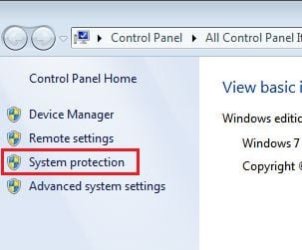
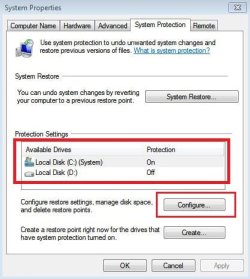
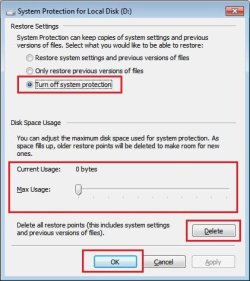
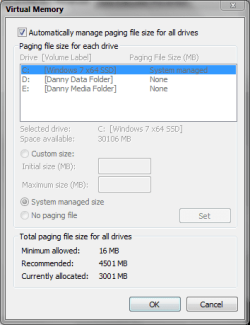
How do you see how much space (18%) the System Volume Information folder is using?
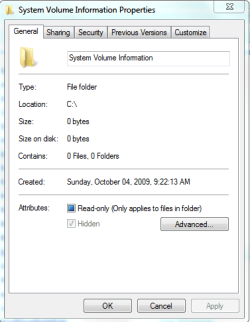
I looked in Windows Explorer properties, and Windirstat and both show 0.
I was logged in with
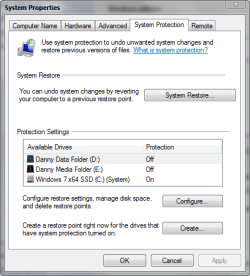
MY Administrator account for my screen prints, and this OS partition is using space for restore points.
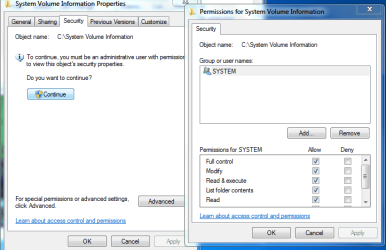
I don't want to mess with permissions for this folder, but I only see the
SYSTEM user listed...
Is that normal...? (no system issues for me)
I had problems with "ghost/unexplained" used space a LONG time ago, and basically what I did to recover the space:
- Copy (backup) all data I wanted to keep to another partition/hard drive/media.
- Format the partition with the space issue
- Copy data back to the partition
Yes, this approach does require space available on some other HD/partition/storage media.
I always believed my issue was caused (by me) using "common data partitions" on a Multi-Boot/Multi-User PC
Maybe I was just lucky fixing my problem...
Experts here may say "Don't do that"...
What I have learned and recommend is always have backups, so a recovery is possible...


 drive, or only for the drive it's stored on?


 rb: > Right click "Computer" and click "Properties"