This is a good thread! Im going to get 1 more HDD and do the backup real soon.
Since I am using Ultimate, I shall make full use of the backup program given in this Win 7. As I have not use this before, can I set schedule date to backup daily or I got to do it manually?
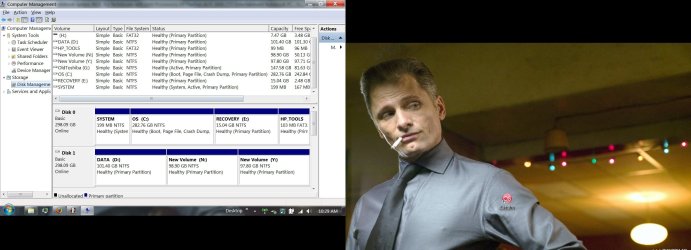
Beside that, I deleted my drive (100mb for boot up and recovery, right) during installation of Win 7. Is there a way I can reinstate the protection back without going through the reinstallation of OS again?
It is not advisable to have the OS to be in that 100mb drive after expanding, right?
Since I am using Ultimate, I shall make full use of the backup program given in this Win 7. As I have not use this before, can I set schedule date to backup daily or I got to do it manually?
Beside that, I deleted my drive (100mb for boot up and recovery, right) during installation of Win 7. Is there a way I can reinstate the protection back without going through the reinstallation of OS again?
It is not advisable to have the OS to be in that 100mb drive after expanding, right?
My Computer
At a glance
Window 7 Ultimate 64 bit RetailIntel Core 2 Quad Q6600 @ 2400MHz4 x 1Gb CorsairXFX 8800GT AlphaDog Edition Overclock
- OS
- Window 7 Ultimate 64 bit Retail
- CPU
- Intel Core 2 Quad Q6600 @ 2400MHz
- Motherboard
- DFI LanParty DK35
- Memory
- 4 x 1Gb Corsair
- Graphics Card(s)
- XFX 8800GT AlphaDog Edition Overclock
- Sound Card
- M-Audio Delta 66
- Monitor(s) Displays
- Dell 24" Ultrasharp
- Hard Drives
- 1x 250Gb, 2x 500Gb, 1x 1TB
- PSU
- Antec 600w
- Case
- Cooler Master
- Cooling
- Thermal Right 120 Extreme
- Keyboard
- Logitech Wave Pro
- Mouse
- Logitech Wave Pro
- Internet Speed
- 10mbps