Not sure about my title.
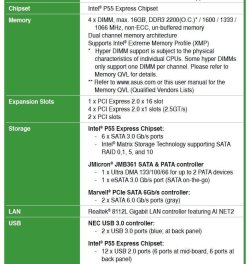
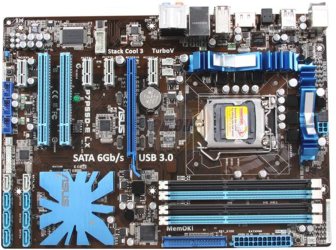
Recently I replaced my older normal hard drive for an SSD (Samsung EVO840). Because I could not place it directly on my motherboard I is hooked via a PCIe card.
2 things came about:
-1- On my Windows taskbar bottom right corner I have it listed as a drive I can actually remove/eject
and
-2- While my original drive holding my OS on the C:drive was listed (I think) in Computer Management-->
Disk Management as 'Disk 0' my SSD is 'Disk 2'
Are these things OK?
Is it normal for my SSD to be ejectable and if not what should I do about it?
and
Is it OK for the SSD to be listed as 'Disk 2' instead of '0' and if not what (and how) should I do about it?
Thank you
Recently I replaced my older normal hard drive for an SSD (Samsung EVO840). Because I could not place it directly on my motherboard I is hooked via a PCIe card.
2 things came about:
-1- On my Windows taskbar bottom right corner I have it listed as a drive I can actually remove/eject
and
-2- While my original drive holding my OS on the C:drive was listed (I think) in Computer Management-->
Disk Management as 'Disk 0' my SSD is 'Disk 2'
Are these things OK?
Is it normal for my SSD to be ejectable and if not what should I do about it?
and
Is it OK for the SSD to be listed as 'Disk 2' instead of '0' and if not what (and how) should I do about it?
Thank you
My Computer
At a glance
Windows 7 Home Premium 64Intel Core i5 760 @ 2800MHz12288MBAMD Radeon HD 7800 Series
- Computer type
- PC/Desktop
- Computer Manufacturer/Model Number
- OEM Designed by me :-)
- OS
- Windows 7 Home Premium 64
- CPU
- Intel Core i5 760 @ 2800MHz
- Motherboard
- Asus P7P55D-E LX
- Memory
- 12288MB
- Graphics Card(s)
- AMD Radeon HD 7800 Series
- Sound Card
- ASUS Xonar DG
- Monitor(s) Displays
- ViewSonic VX2453 Series, HDMI 1080p Full HD
- Screen Resolution
- 1920X1080
- Hard Drives
- Samsung SSD 840 EVO 250GB& two others
- PSU
- Tagan BZ Series, TG800-BZ 800W
- Keyboard
- Logitech MK250
- Mouse
- Logitech M310
- Internet Speed
- toppest, mostest :-) <-- bad, but fun English
- Browser
- Firefox, Crrome, IE


 not that I have much at this point.