"Isn’t the new Windows 7 user interface just a coat of paint slapped over the Vista UI?
Short answer: no. The build I have to work with is very Vista-like, missing the new Start menu, desktop, and taskbar enhancements. The demos I’ve seen here at PDC use more recent builds where those features are available. Those features will reach users in the form of a beta “early next year.”
In the past 48 hours, I’ve had a chance to get a closer look at those new UI features. One thing becomes obvious after only a few minutes of playing with the new interface: The Windows 7 design team has paid an enormous amount of attention to small details and have focused on workflows and end-to-end experiences, not just on dialog boxes and feature sets. The result feels comfortingly familiar to any Windows user, although the overall experience is often significantly different when you break down its small details.
One example that illustrates the point is the difference between Backup programs in Windows Vista and Windows 7. The Windows 7 version, shown below, includes a key feature missing from its Vista predecessor – the ability to include or exclude a folder from a backup set. But that’s not all: the entire workflow of the backup process has been streamlined dramatically. It takes 10-15 clicks to perform an image backup in Windows Vista; on a Windows 7 notebook I tested, the operating system offered to perform a backup when I plugged in an external hard drive. The entire process took three clicks and less than 10 minutes. The customization screen shown here added only two clicks to the entire process.
Windows 7 backup utility
Is it faster? Really?
Measuring performance is tough enough with released code. For something billed as a “pre-beta” release and offered primarily for developers, it’s inappropriate and frankly foolish to even attempt granular measurements of speeds and startup times. My subjective impression is that this OS feels quick and impressively responsive, but I’m not prepared to break out the stopwatch until I have a more polished build.
In fact, when I sat down with Windows boss Steven Sinofsky for a one-on-one chat on Monday, he noted that much of the work Microsoft has done with Windows 7 involves interaction with hardware OEMs, helping them see how decisions they make – tuning the BIOS, choosing drivers, and pre-installing software – impact overall performance.
Sinofsky noted that the system I’m currently traveling with – a Sony Vaio TZ2000 with Windows Vista Business – will start up the PDC build of Windows 7 in 15 seconds. I’ll be installing the Windows 7 bits on this machine to see that level of performance for myself.
Isn’t this just a blatant ripoff of OS X/KDE/etc.?
Tracing the ancestry of UI innovations is tricky. There are, after all, only so many ways to interact with pixels on a screen to make things happen. And it’s foolish not to pay attention to what competitors past and present have done. As I pointed out in my first look, the new taskbar clearly borrows some concepts from the OS X dock, but it retains the Windows DNA and adds some smart behaviors that one-up Apple, most notably Jump Lists and live, clickable previews.
Ironically, the company with the most right to complain about UI ripoffs is Microsoft itself. In a presentation at PDC yesterday, Microsoft Senior Program Manager Chaitanya Sareen traced the lineage of those big taskbar buttons back to Windows 1.01, which was released in 1985. Desktop gadgets? Those were a key part of IE4’s Active Desktop in 1997.
What’s in it for corporate customers?
If you’re an IT pro who’s chosen to stick with XP and eschew Vista, many of the enterprise-focused benefits of Windows 7 are features you could have gotten with a Vista deployment, most notably improvements in group policy and image-based deployment. But there’s plenty of good stuff in Windows 7 as well, as my ZDNet colleague Mary Jo Foley outlined earlier today.
Microsoft hasn’t spent a lot of its Windows 7 demo time on corporate features. But the most noteworthy addition I’ve seen so far is native support for virtual hard drive (VHD) images. Using Windows 7, you’ll be able to mount a VHD as a local drive and, more importantly, boot from that virtual image. The most obvious application is rolling out a standard corporate image to remote workers, such as those in a call center, who don’t require local data storage and are capable of working in a strictly managed, locked-down configuration.
Is the Shut Down button fixed?
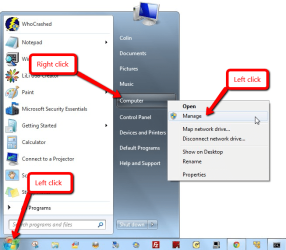
Yes. It’s not in the PDC builds, but the new Start menu that will be available in the beta release next year has replaced the confusing Vista power-button icon with an easy-to-customize alternative, shown here."
:-
http://blogs.zdnet.com/Bott/?p=579
Short answer: no. The build I have to work with is very Vista-like, missing the new Start menu, desktop, and taskbar enhancements. The demos I’ve seen here at PDC use more recent builds where those features are available. Those features will reach users in the form of a beta “early next year.”
In the past 48 hours, I’ve had a chance to get a closer look at those new UI features. One thing becomes obvious after only a few minutes of playing with the new interface: The Windows 7 design team has paid an enormous amount of attention to small details and have focused on workflows and end-to-end experiences, not just on dialog boxes and feature sets. The result feels comfortingly familiar to any Windows user, although the overall experience is often significantly different when you break down its small details.
One example that illustrates the point is the difference between Backup programs in Windows Vista and Windows 7. The Windows 7 version, shown below, includes a key feature missing from its Vista predecessor – the ability to include or exclude a folder from a backup set. But that’s not all: the entire workflow of the backup process has been streamlined dramatically. It takes 10-15 clicks to perform an image backup in Windows Vista; on a Windows 7 notebook I tested, the operating system offered to perform a backup when I plugged in an external hard drive. The entire process took three clicks and less than 10 minutes. The customization screen shown here added only two clicks to the entire process.
Windows 7 backup utility
Is it faster? Really?
Measuring performance is tough enough with released code. For something billed as a “pre-beta” release and offered primarily for developers, it’s inappropriate and frankly foolish to even attempt granular measurements of speeds and startup times. My subjective impression is that this OS feels quick and impressively responsive, but I’m not prepared to break out the stopwatch until I have a more polished build.
In fact, when I sat down with Windows boss Steven Sinofsky for a one-on-one chat on Monday, he noted that much of the work Microsoft has done with Windows 7 involves interaction with hardware OEMs, helping them see how decisions they make – tuning the BIOS, choosing drivers, and pre-installing software – impact overall performance.
Sinofsky noted that the system I’m currently traveling with – a Sony Vaio TZ2000 with Windows Vista Business – will start up the PDC build of Windows 7 in 15 seconds. I’ll be installing the Windows 7 bits on this machine to see that level of performance for myself.
Isn’t this just a blatant ripoff of OS X/KDE/etc.?
Tracing the ancestry of UI innovations is tricky. There are, after all, only so many ways to interact with pixels on a screen to make things happen. And it’s foolish not to pay attention to what competitors past and present have done. As I pointed out in my first look, the new taskbar clearly borrows some concepts from the OS X dock, but it retains the Windows DNA and adds some smart behaviors that one-up Apple, most notably Jump Lists and live, clickable previews.
Ironically, the company with the most right to complain about UI ripoffs is Microsoft itself. In a presentation at PDC yesterday, Microsoft Senior Program Manager Chaitanya Sareen traced the lineage of those big taskbar buttons back to Windows 1.01, which was released in 1985. Desktop gadgets? Those were a key part of IE4’s Active Desktop in 1997.
What’s in it for corporate customers?
If you’re an IT pro who’s chosen to stick with XP and eschew Vista, many of the enterprise-focused benefits of Windows 7 are features you could have gotten with a Vista deployment, most notably improvements in group policy and image-based deployment. But there’s plenty of good stuff in Windows 7 as well, as my ZDNet colleague Mary Jo Foley outlined earlier today.
Microsoft hasn’t spent a lot of its Windows 7 demo time on corporate features. But the most noteworthy addition I’ve seen so far is native support for virtual hard drive (VHD) images. Using Windows 7, you’ll be able to mount a VHD as a local drive and, more importantly, boot from that virtual image. The most obvious application is rolling out a standard corporate image to remote workers, such as those in a call center, who don’t require local data storage and are capable of working in a strictly managed, locked-down configuration.
Is the Shut Down button fixed?
Yes. It’s not in the PDC builds, but the new Start menu that will be available in the beta release next year has replaced the confusing Vista power-button icon with an easy-to-customize alternative, shown here."
:-
http://blogs.zdnet.com/Bott/?p=579
My Computer
At a glance
Vista X32. Windows 7 32bitIntel Quad Core 66004096 MB Xtreme-Dark 800mhzZotac Amp Edition 8800GT - 512MB DDR3, O/C 70...
- Computer Manufacturer/Model Number
- Self Built
- OS
- Vista X32. Windows 7 32bit
- CPU
- Intel Quad Core 6600
- Motherboard
- Asus P5B
- Memory
- 4096 MB Xtreme-Dark 800mhz
- Graphics Card(s)
- Zotac Amp Edition 8800GT - 512MB DDR3, O/C 700mhz
- Monitor(s) Displays
- Samsung 206BW
- Screen Resolution
- 1680 X 1024
- Hard Drives
- 4 X Samsung 500GB 7200rpm Serial ATA-II HDD w. 16MB Cache .
- PSU
- 550 w
- Case
- Thermaltake
- Cooling
- 3 x octua NF-S12-1200 - 120mm 1200RPM Sound Optimised Fans
- Keyboard
- Microsoft
- Mouse
- Targus
- Internet Speed
- 1500kbs