Solved Issue changing system icons

alex809

New member
Member
Local time
3:25 PM
Messages
55
Hello, I have been trying to install a theme for a while. I can get it installed but the system icons are not changing. It's starting to bug me.

The first one i tried after i manually changed the system files and rebooted i had to do a system restore cause it claimed shell32.dll didn't exist. So i dont want to do that manually again cause itll just happen again.

I have this theme.
Dark Agility - Visual Style :: by DjabyTown on deviantART

I tried running
UniversalThemePatcher-x64 on my 64 bit system and it was successful

I even used the "File ownership" registry thing to take ownership of the dll's so i could rename them and then put the modded ones in and it worked fine until i rebooted my system then it told me shell32.dll didn't exist and i had to do a system restore.

I did that then tried manually changing system files the first time and screwed up. So then i tried

theme.
Dark Agility - Visual Style :: by DjabyTown on deviantART

I tried running
UniversalThemePatcher-x64 on my 64 bit system and it was successful

and installed with
http://www.sevenforums.com/themes-styles/76420-theme-installer-windows-7-kishan-bagaria.html

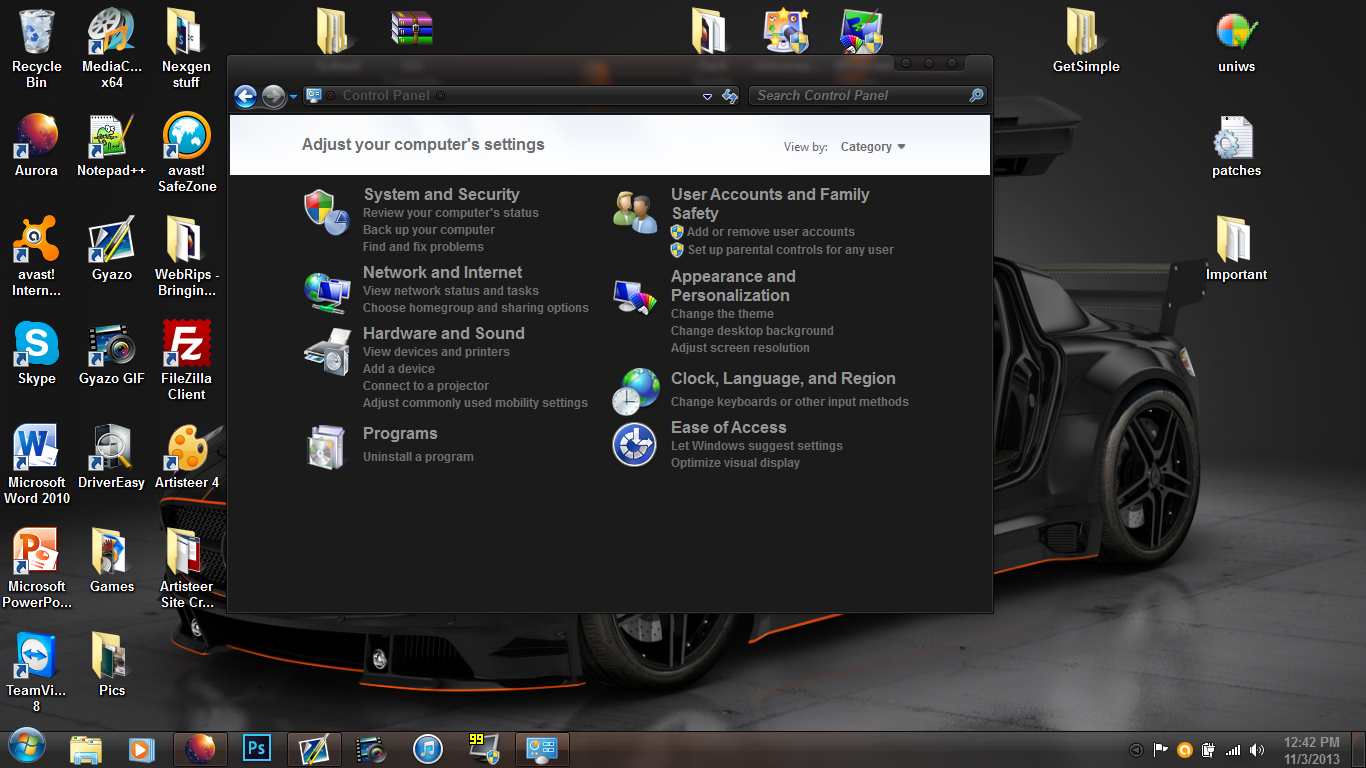
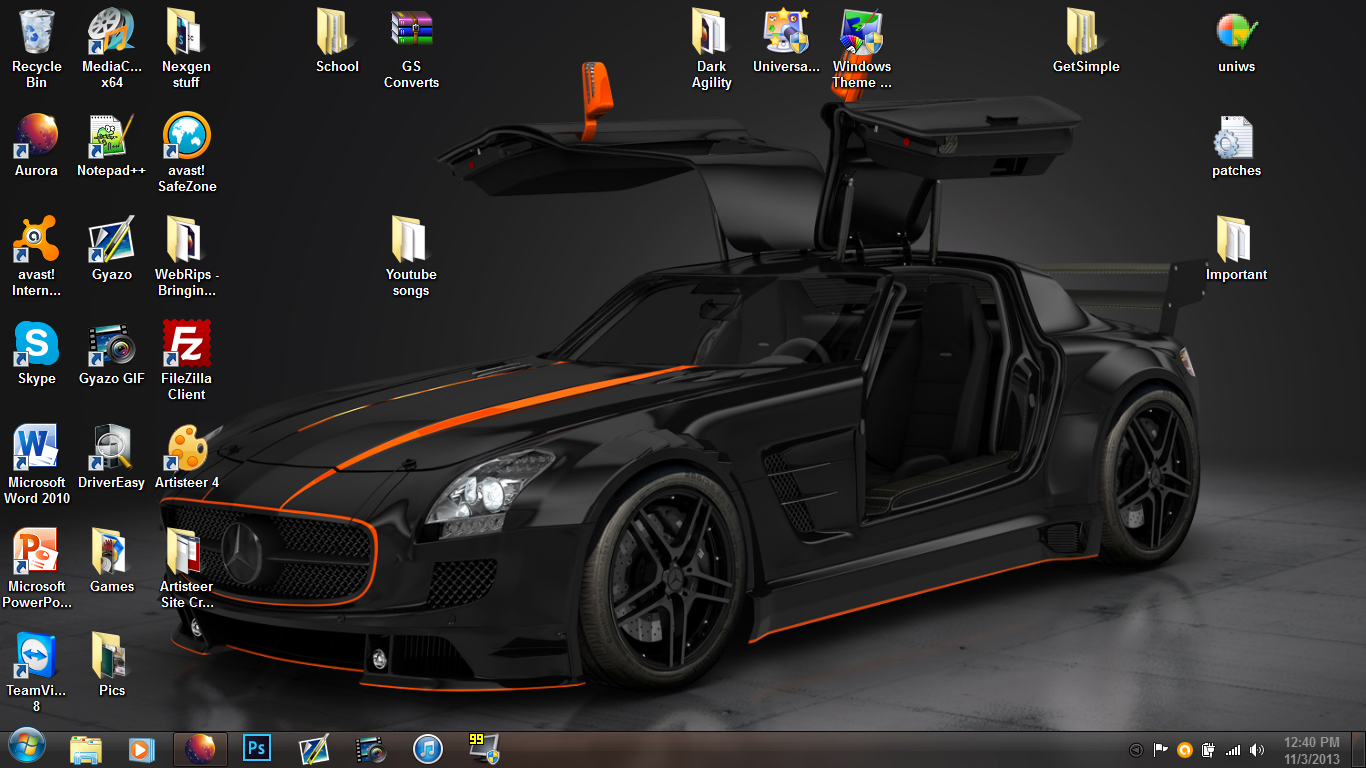
but it doesn't look like it changed my system icons whatsoever.
d2efa61482b9f8b5ae2d524b78cc937c.png


b8b3f4a60f427d4f1fa22cd3182e727c.png


61c654ed27090347437f2dc5be47ec15.png


Clearly the images are not there and they should be. The images are changed through the .dll files and the installer was supposed to install them but it doesn't look like it did.

So how am i supposed to get the images to work? I want the images to go with the theme cause it looks better that way but i can't figure out how to get them to work.

any and all help is greatly appreciated
thanks
 

My Computer

Computer type
PC/Desktop
Computer Manufacturer/Model Number
Dell
OS
Windows 7 Ultimate 64 bit
CPU
Intel Celeron CPU N2830
Memory
4GB DDR3 Single Chanel
Graphics Card(s)
Intel HD Graphics
Screen Resolution
1366 x 768
Keyboard
CMSTORM Devastator Keyboard / built in keyboard
Mouse
CMSTORM Devastator Mouse / built in mouse
Antivirus
Avast! Internet Security (Free edition)
Browser
Firefox

My Computer

Computer type
PC/Desktop
OS
Windows 10 Home x64
CPU
INTEL Core i5-750 Quad-Core 3.37GHz
Motherboard
ASUS P7P55D
Memory
HyperX Fury Black Series 8GB (2 x 4GB) 1866Mhz
Graphics Card(s)
EVGA GeForce GTX 750 Superclocked 1GB 128-Bit GDDR5
Monitor(s) Displays
LG 32MA68HY 32" IPS
Screen Resolution
1920 x 1080
Hard Drives
Samsung 840 Evo 120GB, SEAGATE 500GB Barracuda® 7200.12, SATA 3 Gb/s, 7200 RPM, 16MB cache
PSU
ANTEC TruePower New TP-550, 80 PLUS, 550W
Case
ANTEC Three Hundred Illusion
Cooling
COOLER MASTER Hyper 212 Plus, 4 x 120mm 1 x 140mm Noctua's
Internet Speed
85 + Mbps
Antivirus
Avast
Browser
Vivaldi
The system file replacer did not work. It said it did but then i restarted my system like it said it needed to for changes to take effect and nothing happened. Nothing was changed.

EDIT:
but i was able to change a few icons by simply opening the Theme installer and inputting the DLL's and it worked that time but the control panel icons haven't changed and the start orb hasnt changed. I don't care too much about the control panel icons but i would like the start orb icon to be the start orb icon from the theme so it actually looks good.

Thanks
 

My Computer

Computer type
PC/Desktop
Computer Manufacturer/Model Number
Dell
OS
Windows 7 Ultimate 64 bit
CPU
Intel Celeron CPU N2830
Memory
4GB DDR3 Single Chanel
Graphics Card(s)
Intel HD Graphics
Screen Resolution
1366 x 768
Keyboard
CMSTORM Devastator Keyboard / built in keyboard
Mouse
CMSTORM Devastator Mouse / built in mouse
Antivirus
Avast! Internet Security (Free edition)
Browser
Firefox
That theme does not come with all the icons as shown by the theme maker.

As for the system files all the ones in the x64(64-bit) folder go in C:\Windows\System32

And the ones in the x86(32-bit) folder go in C:\Windows\SysWOW64

Jerry
 

My Computer

Computer type
Laptop
Computer Manufacturer/Model Number
Sager NP9170
OS
Win 7 Pro x64 / Win 10 Pro
CPU
Intel(R) Core(TM) i7-3630QM CPU @ 2.40GHz
Motherboard
CLEVO P170EM
Memory
12 GB
Graphics Card(s)
(1) Intel(R) HD Graphics 4000 (2) NVIDIA GeForce GTX 675M
Sound Card
(1) Realtek High Definition Audio (2) Intel(R) Display Aud
Monitor(s) Displays
17.3
Screen Resolution
1920x1080
Hard Drives
(1) Samsung 860 EVO 500GB(OS) (1) Samsung 860 EVO 500GB(Data)
Keyboard
Backlite
Antivirus
MSE, Malwarebytes Pro
Browser
Firefox
Other Info
DESKTOP: Custom-built.
OS: Win 10 Pro x64.
CASE: Rosewill R5.
CPU: Intel I5 4670K CPU @ 3.40GHz.
CPU COOLER: Cool Master Hyper 212 EVO.
MOTHERBOARD: Asus Z87-A.
MEMORY: Kingston HyperX 2x4 GB.
GPU: Nvidia Geforce 650 TI.
PSU: Corsair TX750.
DRIVES: (1) Samsung 840 120 GB SSD (2) Western Digital blue 500 GB 7200 RPM.
Yes i am aware that the system files go into those correct folders, I am using the 64 bit system files and a 64 bit OS but the Start orb isn't working and there was supposed to be a file that changed that.

"-Explorer.exe [changes the start button]
-explorerframe.dll [changes the back/forward button]
-shell32.dll [changes images of control panel]
-timedate.cpl [changes clock diaglogue]"

i have used these files but the Explorer hasn't changed the icons of the explorer.exe file and it has not changed the start button orb either.
 

My Computer

Computer type
PC/Desktop
Computer Manufacturer/Model Number
Dell
OS
Windows 7 Ultimate 64 bit
CPU
Intel Celeron CPU N2830
Memory
4GB DDR3 Single Chanel
Graphics Card(s)
Intel HD Graphics
Screen Resolution
1366 x 768
Keyboard
CMSTORM Devastator Keyboard / built in keyboard
Mouse
CMSTORM Devastator Mouse / built in mouse
Antivirus
Avast! Internet Security (Free edition)
Browser
Firefox
I know what going on, the theme came with 2 explorer.exe 1 for 64, 1 for 32, but you need to change the 1 in just C:\Windows.

Here is 1 I made with those start buttons, it's in the zip folder at the bottom of this post.

Jerry
 

Attachments

My Computer

Computer type
Laptop
Computer Manufacturer/Model Number
Sager NP9170
OS
Win 7 Pro x64 / Win 10 Pro
CPU
Intel(R) Core(TM) i7-3630QM CPU @ 2.40GHz
Motherboard
CLEVO P170EM
Memory
12 GB
Graphics Card(s)
(1) Intel(R) HD Graphics 4000 (2) NVIDIA GeForce GTX 675M
Sound Card
(1) Realtek High Definition Audio (2) Intel(R) Display Aud
Monitor(s) Displays
17.3
Screen Resolution
1920x1080
Hard Drives
(1) Samsung 860 EVO 500GB(OS) (1) Samsung 860 EVO 500GB(Data)
Keyboard
Backlite
Antivirus
MSE, Malwarebytes Pro
Browser
Firefox
Other Info
DESKTOP: Custom-built.
OS: Win 10 Pro x64.
CASE: Rosewill R5.
CPU: Intel I5 4670K CPU @ 3.40GHz.
CPU COOLER: Cool Master Hyper 212 EVO.
MOTHERBOARD: Asus Z87-A.
MEMORY: Kingston HyperX 2x4 GB.
GPU: Nvidia Geforce 650 TI.
PSU: Corsair TX750.
DRIVES: (1) Samsung 840 120 GB SSD (2) Western Digital blue 500 GB 7200 RPM.
I know what going on, the theme came with 2 explorer.exe 1 for 64, 1 for 32, but you need to change the 1 in just C:\Windows.

Here is 1 I made with those start buttons, it's in the zip folder at the bottom of this post.

Jerry

Thank you very much :D
It worked :)
 

My Computer

Computer type
PC/Desktop
Computer Manufacturer/Model Number
Dell
OS
Windows 7 Ultimate 64 bit
CPU
Intel Celeron CPU N2830
Memory
4GB DDR3 Single Chanel
Graphics Card(s)
Intel HD Graphics
Screen Resolution
1366 x 768
Keyboard
CMSTORM Devastator Keyboard / built in keyboard
Mouse
CMSTORM Devastator Mouse / built in mouse
Antivirus
Avast! Internet Security (Free edition)
Browser
Firefox
You're Welcome
 

My Computer

Computer type
Laptop
Computer Manufacturer/Model Number
Sager NP9170
OS
Win 7 Pro x64 / Win 10 Pro
CPU
Intel(R) Core(TM) i7-3630QM CPU @ 2.40GHz
Motherboard
CLEVO P170EM
Memory
12 GB
Graphics Card(s)
(1) Intel(R) HD Graphics 4000 (2) NVIDIA GeForce GTX 675M
Sound Card
(1) Realtek High Definition Audio (2) Intel(R) Display Aud
Monitor(s) Displays
17.3
Screen Resolution
1920x1080
Hard Drives
(1) Samsung 860 EVO 500GB(OS) (1) Samsung 860 EVO 500GB(Data)
Keyboard
Backlite
Antivirus
MSE, Malwarebytes Pro
Browser
Firefox
Other Info
DESKTOP: Custom-built.
OS: Win 10 Pro x64.
CASE: Rosewill R5.
CPU: Intel I5 4670K CPU @ 3.40GHz.
CPU COOLER: Cool Master Hyper 212 EVO.
MOTHERBOARD: Asus Z87-A.
MEMORY: Kingston HyperX 2x4 GB.
GPU: Nvidia Geforce 650 TI.
PSU: Corsair TX750.
DRIVES: (1) Samsung 840 120 GB SSD (2) Western Digital blue 500 GB 7200 RPM.
Back
Top