

pinkbellbird
New member
- Local time
- 8:07 PM
- Messages
- 3
hey all, hoping anyone might have some info or help for me, at this point im at a loss....
I have tried multiple times installing/uninstalling both these softwares, not at the same time.
but both refuse to complete the install correctly.
my pc: HP Touchsmart 610a running W7 64bit
Google Drive 'appears' to be somewhat installed, the folder shows in my favorites library & an icon is in my system tray. But when I go into the library folder its all outdated. The Tray Icon is 'shaded', when i click it it says 'you are not signed in', giving me options for signing in, help, about, quit. It refuses to sign me in, the window opens, an index file pops up to open then this text opens, then nothing more happens, ive tried both saving this text & just clicking close. after that the loading window just stays stagnant, regardless or leaving it for some time to see if it will complete. this happens over & over. just no luck
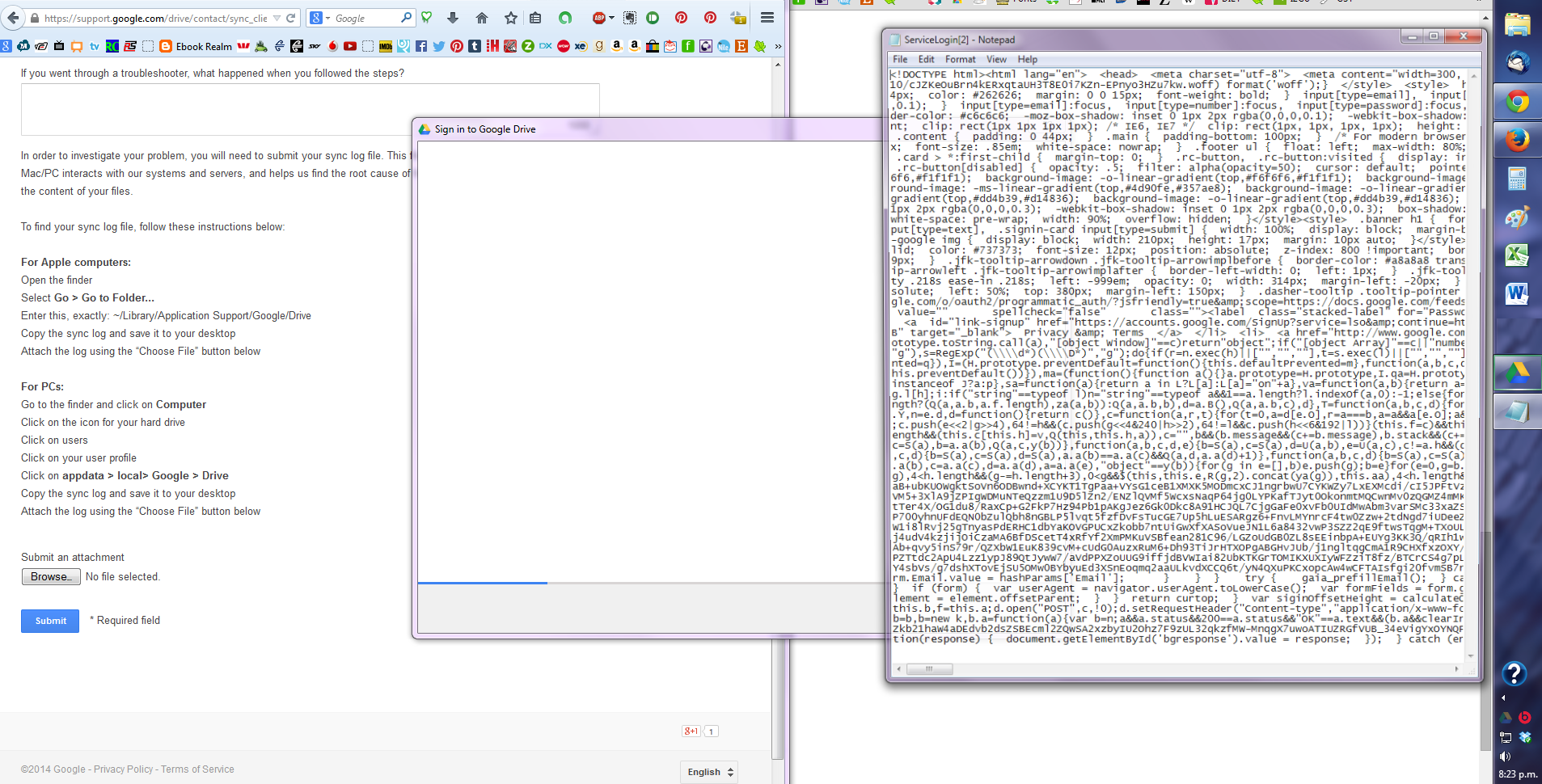
on to Microsoft OneDrive....
install is again partly done but cant complete it to sign in again. I get the message 'there was a problem connecting to OneDrive, check your Internet Connection, and then try again'
next a a window pops up prompting me to open or save a file named oauth20_desktop.srf from login.live.com.
whether I open or save it, makes no difference, if i open it, my pc says it doesnt support that format. if I save it, nothing more happens.
OneDrive shows in my favorites library but not as a correctly set up file, it doesnt show in the tray.

ive been through trouble shooting on both websites for these softwares with no luck.
I tried a registry error check tool from microsoft, its results simply said that the software im trying to install might be the problem & to uninstall it, not helpful at all.
The fact that both these services are doing much the same thing, leads me to think theres something up with my PC, but what exactly - IDK!
Some time ago I did have Google Drive installed on this pc, but i installed it, wasnt using it then. I have both these softwares installed & running perfectly on my 2014 notebook, Acer R7 running W8.1.
any suggestions, ideas? please share!
I have tried multiple times installing/uninstalling both these softwares, not at the same time.
but both refuse to complete the install correctly.
my pc: HP Touchsmart 610a running W7 64bit
Google Drive 'appears' to be somewhat installed, the folder shows in my favorites library & an icon is in my system tray. But when I go into the library folder its all outdated. The Tray Icon is 'shaded', when i click it it says 'you are not signed in', giving me options for signing in, help, about, quit. It refuses to sign me in, the window opens, an index file pops up to open then this text opens, then nothing more happens, ive tried both saving this text & just clicking close. after that the loading window just stays stagnant, regardless or leaving it for some time to see if it will complete. this happens over & over. just no luck
on to Microsoft OneDrive....
install is again partly done but cant complete it to sign in again. I get the message 'there was a problem connecting to OneDrive, check your Internet Connection, and then try again'
next a a window pops up prompting me to open or save a file named oauth20_desktop.srf from login.live.com.
whether I open or save it, makes no difference, if i open it, my pc says it doesnt support that format. if I save it, nothing more happens.
OneDrive shows in my favorites library but not as a correctly set up file, it doesnt show in the tray.
ive been through trouble shooting on both websites for these softwares with no luck.
I tried a registry error check tool from microsoft, its results simply said that the software im trying to install might be the problem & to uninstall it, not helpful at all.
The fact that both these services are doing much the same thing, leads me to think theres something up with my PC, but what exactly - IDK!
Some time ago I did have Google Drive installed on this pc, but i installed it, wasnt using it then. I have both these softwares installed & running perfectly on my 2014 notebook, Acer R7 running W8.1.
any suggestions, ideas? please share!
My Computer
At a glance
windows 7 Ultimate 64Biti5-25006GBAMD Radeon HD6550A + Integrated Intel HD DX10.1
- Computer type
- PC/Desktop
- Computer Manufacturer/Model Number
- HP Touchsmart HP610-1220a
- OS
- windows 7 Ultimate 64Bit
- CPU
- i5-2500
- Motherboard
- WJ1 (Inglewood)
- Memory
- 6GB
- Graphics Card(s)
- AMD Radeon HD6550A + Integrated Intel HD DX10.1
- Hard Drives
- 1.5TB Sata - 3.0Gb/sec,


