AussiePhil
New member
- Local time
- 6:06 AM
- Messages
- 2
G'day all
[Mods - if this is in the wrong place, pl swap it around]
1st post to this site - so here goes ...
I have a bog-standard Toshy Laptop L640 running Win-7 with its many & varied auto updates and w- 500Gb HDD, partitioned into 6 drives of about 75Gb each
I am a photographer and use various drives for various purposes
About 4-6 months ago I started to have "problems" in exchanging photos from the SD card [placed in the Toshy internal SD card slot] to my D:\ drive\Photos
My SOP for many years has been to mount the SD card into the SD slot, Select All images, then Cut 'n Paste into a target folder on D:\ drive
4-6 months ago I started to get issues - sometimes I could not Cut 'n Paste - only Copy then Paste. Now I find that I can only get Copy & Paste and I cannot delete images from the SD card either
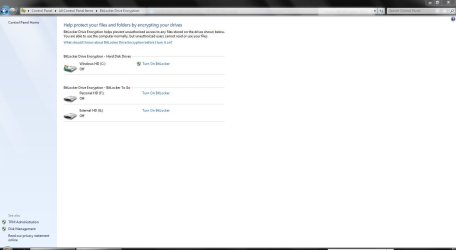
In My-Computer, Right-Clicking on the SD card Properties, then going into "ReadyBoost" [whatever that is], I see a msg stating that "the drive is mounted read-only" ... locked by Bit Locker [whatever the hell that it]
Q- does anyone know why it has started to plague me with this behaviour? and
Q- does anyone know how I can zap the bloody thing so that my SD card will operate as it had done for years
Thanks in advance ...
Regards, Phil
[Mods - if this is in the wrong place, pl swap it around]
1st post to this site - so here goes ...
I have a bog-standard Toshy Laptop L640 running Win-7 with its many & varied auto updates and w- 500Gb HDD, partitioned into 6 drives of about 75Gb each
I am a photographer and use various drives for various purposes
About 4-6 months ago I started to have "problems" in exchanging photos from the SD card [placed in the Toshy internal SD card slot] to my D:\ drive\Photos
My SOP for many years has been to mount the SD card into the SD slot, Select All images, then Cut 'n Paste into a target folder on D:\ drive
4-6 months ago I started to get issues - sometimes I could not Cut 'n Paste - only Copy then Paste. Now I find that I can only get Copy & Paste and I cannot delete images from the SD card either
In My-Computer, Right-Clicking on the SD card Properties, then going into "ReadyBoost" [whatever that is], I see a msg stating that "the drive is mounted read-only" ... locked by Bit Locker [whatever the hell that it]
Q- does anyone know why it has started to plague me with this behaviour? and
Q- does anyone know how I can zap the bloody thing so that my SD card will operate as it had done for years
Thanks in advance ...
Regards, Phil
My Computer
At a glance
Win-7, bog standard???
- Computer Manufacturer/Model Number
- Toshiba Laptop, L640
- OS
- Win-7, bog standard
- CPU
- ?
- Motherboard
- ?
- Memory
- ?
- Graphics Card(s)
- ?
- Sound Card
- ?
- Monitor(s) Displays
- ?
- Hard Drives
- 500Gb
- PSU
- ?
- Case
- ?
- Cooling
- ?