Issues with Devices and Printers

Zidane24

New member
Guru
Gold Member
VIP
Local time
8:04 AM
Messages
5,807
Location
North Carolina, United States of America
Dear Win7Forums,

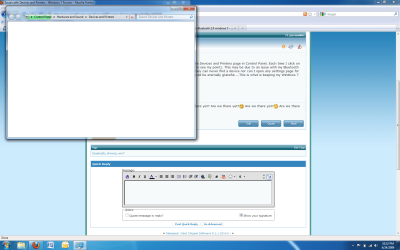
I am having an issue with accessing the Devices and Printers page in Control Panel. Each time I click on it-it never loads (look at the screenie to see my point). This may be due to an issue with my Bluetooth drivers. They install successfully but they can never find a device nor can I open any settings page for the Bluetooth. If anyone can help I would be eternally grateful....This is what is keeping my Windows 7 experience from being perfect.
 

Attachments

  • The Problem.png
    The Problem.png
    80.3 KB · Views: 63

My Computer

Computer Manufacturer/Model Number
Compal JFT02 (Custom Build Laptop)
OS
Windows 7 Home Premium x64 - Mac OS X 10.6.4 x64
CPU
Intel Core 2 Duo T9300 2.5 GHz
Motherboard
JFT02
Memory
4GB Kingston DDR2-800
Graphics Card(s)
NVIDIA Geforce 8600M GT (512MB Model)
Sound Card
Realtek HD Audio
Monitor(s) Displays
WUXGA Standard Laptop Display
Screen Resolution
1680*1050
Hard Drives
Toshiba 320GB 5400RPM Laptop HD
PSU
Standard Laptop Power Supply
Case
Standard Laptop Case
Cooling
Standard Laptop Cooling
Keyboard
Standard Laptop 105 Key-Keyboard
Mouse
Synaptics Touchpad
Internet Speed
Verizion Online DSL 3360/864 kbs (dl/up)
I should have read beforehand but it seems that CCleaner (which I use regulary) does something to Devices and Printers which kills the page (probably will have to reinstall now....grr.....) but it doesn't fix the Bluetooth issues....any thoughts?
 

My Computer

Computer Manufacturer/Model Number
Compal JFT02 (Custom Build Laptop)
OS
Windows 7 Home Premium x64 - Mac OS X 10.6.4 x64
CPU
Intel Core 2 Duo T9300 2.5 GHz
Motherboard
JFT02
Memory
4GB Kingston DDR2-800
Graphics Card(s)
NVIDIA Geforce 8600M GT (512MB Model)
Sound Card
Realtek HD Audio
Monitor(s) Displays
WUXGA Standard Laptop Display
Screen Resolution
1680*1050
Hard Drives
Toshiba 320GB 5400RPM Laptop HD
PSU
Standard Laptop Power Supply
Case
Standard Laptop Case
Cooling
Standard Laptop Cooling
Keyboard
Standard Laptop 105 Key-Keyboard
Mouse
Synaptics Touchpad
Internet Speed
Verizion Online DSL 3360/864 kbs (dl/up)
After reinstalling Windows 7 7232 x64-SoLoR edition (which I had before) and DID NOT RUN CCLEANER....The issues all went away Bluetooth runs fine and Devices and Printers loads Device Stage just fine.


Just to re-clarify,

CCLEANER is a great program but should not be ran on any build of Windows 7 due to lack of compatibility issues as it tends to remove important system files... So to save someone some grief (like me) follow this advice!


Mods please close this thread or marked as solved due to no more issues present

 

My Computer

Computer Manufacturer/Model Number
Compal JFT02 (Custom Build Laptop)
OS
Windows 7 Home Premium x64 - Mac OS X 10.6.4 x64
CPU
Intel Core 2 Duo T9300 2.5 GHz
Motherboard
JFT02
Memory
4GB Kingston DDR2-800
Graphics Card(s)
NVIDIA Geforce 8600M GT (512MB Model)
Sound Card
Realtek HD Audio
Monitor(s) Displays
WUXGA Standard Laptop Display
Screen Resolution
1680*1050
Hard Drives
Toshiba 320GB 5400RPM Laptop HD
PSU
Standard Laptop Power Supply
Case
Standard Laptop Case
Cooling
Standard Laptop Cooling
Keyboard
Standard Laptop 105 Key-Keyboard
Mouse
Synaptics Touchpad
Internet Speed
Verizion Online DSL 3360/864 kbs (dl/up)
Back
Top