
Items do not show as deleted until I manually refresh

Matt08642

New member
Local time
3:46 PM
Messages
9
Location
London, Ontario, Canada
When I delete an item from a folder, it still shows up in the folder until I manually refresh it with F5

Example:

Item in folder:
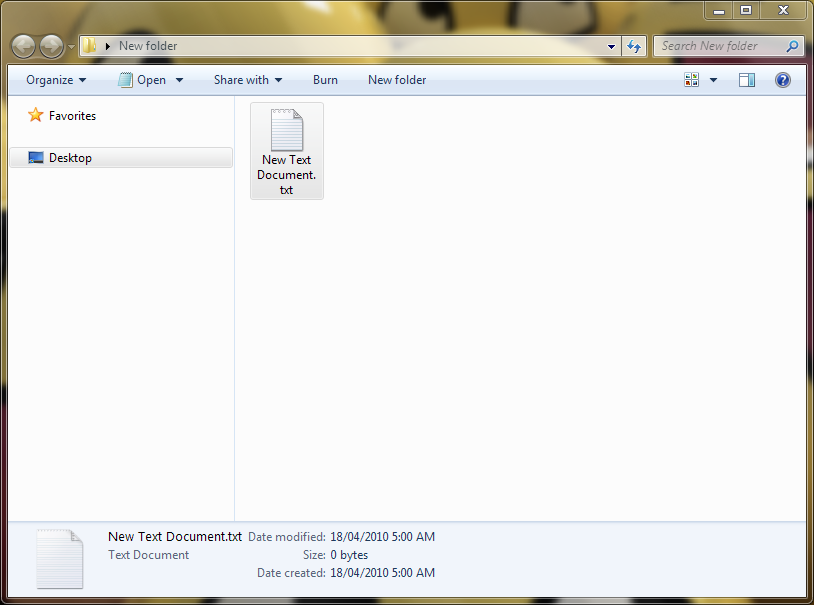
r76Zs.png


Deleting item:

zbs3u.png


The folder after the item has been deleted, until I press F5 to refresh the folder:

r76Zs.png


Can anybody help me with this problem? It's getting to be quite annoying when trying to organize things.
 

My Computer

OS
Windows 7 Home Premium x64
CPU
AMD Athlon 64 X2 6000+
Motherboard
Asus M2N32 SLI Deluxe Wireless Edition
Memory
4GB Kingston DDR2 800
Graphics Card(s)
EVGA GeForce 8600GT
Sound Card
Chaintech AV-710
Screen Resolution
1280*1024
Hard Drives
WD Caviar Black 1TB (WD1001FALS)
Maxtor 200GB SATA 1.5
PSU
Antec Truepower Quattro 850
Internet Speed
10/1
Well, there doesn't seem to be a hotfix for this problem yet.

Here's the support article: Desktop items disappear after renaming them on Windows 7
..the first social.technet page: http://social.technet.microsoft.com.../thread/8afb8b65-900c-4f42-b1df-3c2394417b6e/
..the second social.technet page: http://social.technet.microsoft.com/Forums/en/w7itproui/thread/09fd46ff-65f1-4fa7-ae2d-9f3b2644fad6

Here's a possible solution:

Deckard @ social.technet.microsoft.com said:
1) I backed up the registry.

2) Searched for occurrences of the word refresh and found this key: HKEY_CLASSES_ROOT\CLSID\{BDEADE7F-C265-11D0-BCED-00A0C90AB50F}\Instance
which contains three subkeys. One of them, curiously enough, is DontRefresh and it has a value of 1 (turned ON)

3) I then changed the value to 0 (turned OFF) and hit F5 to refresh and save the now changed registry.

In other words...

Backup your registry.
Open regedit (start > regedit > enter)
Search for "DontRefresh"
Modify DWORD Value to 0

   Tip
The apparent causes for this are:
Having UAC Turned OFF
Having the folder/files in question being shared on a network.
 

My Computer

Computer Manufacturer/Model Number
Apple Macbook Pro (April 2009)
OS
W7 Ult. x64 | OS X
CPU
Intel Mobile Core 2 Duo 2.93Ghz [T9800 Penryn]
Motherboard
NVIDIA nForce 730i Rev. B1 [Mac-F2268EC8 (U2E1)]
Memory
4096MB Samsung DDR3 Dual Channel [PC3-8500F 1066Mhz]
Graphics Card(s)
NVIDIA GeForce 9600M GT 512MB [G96M Rev. C1]
Sound Card
SB X-Fi Surround 5.1 USB | Onboard Realtek (Disabled)
Monitor(s) Displays
Acer x223wbd 22" | Apple Anti-Glare 17" (Disabled)
Screen Resolution
{Current} 1440x900 {Acer} 1680x1050 {Apple} 1920x1200
Hard Drives
{Internal}
Seagate Momentus 320GB 2.5" 7200RPM [ST9320421AS]

{Externals}
LaCie 320GB USB 2.0 HDD [301284UR]
LaCie 750GB USB 2.0 FW400 eSATA HDD [301314U]
LaCie 1TB USB 2.0 HDD [301304UR]
PSU
Magsafe
Case
Aluminum/Unibody (MBP52)
Cooling
2 x 6000 RPM Fans
Keyboard
Logitech G-15v2 [PN 920-000379]
Mouse
Logitech G-9 [PN 910-000338]
Internet Speed
12Mbps/2.5Mbps w/ 24Mbps Speed Boost [Comcast]
Other Info
Logitech X-540 Speakers [PN 970223-0122]
Sennheiser PC-151 Headset
Well, there doesn't seem to be a hotfix for this problem yet.

Here's the support article: Desktop items disappear after renaming them on Windows 7
..the first social.technet page: Windows Explorer doesn't refresh when moving/deleting
..the second social.technet page: Windows Explorer doesn't refresh when moving/deleting - Part 2

Here's a possible solution:

Deckard @ social.technet.microsoft.com said:
1) I backed up the registry.

2) Searched for occurrences of the word refresh and found this key: HKEY_CLASSES_ROOT\CLSID\{BDEADE7F-C265-11D0-BCED-00A0C90AB50F}\Instance
which contains three subkeys. One of them, curiously enough, is DontRefresh and it has a value of 1 (turned ON)

3) I then changed the value to 0 (turned OFF) and hit F5 to refresh and save the now changed registry.

In other words...

Backup your registry.
Open regedit (start > regedit > enter)
Search for "DontRefresh"
Modify DWORD Value to 0

   Tip
The apparent causes for this are:
Having UAC Turned OFF
Having the folder/files in question being shared on a network.

None of my folders are shared on a network, but I DO have UAC turned down (but not off)

I will try turning UAC back to the default level and see if it fixes it. :D

EDIT: Turning UAC back to the default setting seems to have fixed it! Thanks!

EDIT 2: Never mind, it's still happening :(
 
Last edited:

My Computer

OS
Windows 7 Home Premium x64
CPU
AMD Athlon 64 X2 6000+
Motherboard
Asus M2N32 SLI Deluxe Wireless Edition
Memory
4GB Kingston DDR2 800
Graphics Card(s)
EVGA GeForce 8600GT
Sound Card
Chaintech AV-710
Screen Resolution
1280*1024
Hard Drives
WD Caviar Black 1TB (WD1001FALS)
Maxtor 200GB SATA 1.5
PSU
Antec Truepower Quattro 850
Internet Speed
10/1
Back
Top