Keystrokes to switch to specific windows/programs?

paulkaye

New member
Local time
10:19 PM
Messages
4
I'm wondering if there's a way to use the keyboard to switch to a specific window, rather than alt-tabbing through all the open windows. For example, I often want to switch back to my browser or my email client. I have keystrokes to OPEN these programs, but if I use that same keystroke again, Windows opens a second instance, rather that switching to the existing instance.
Any ideas?
 

My Computer

OS
Windows 7 Home Premium 64bit
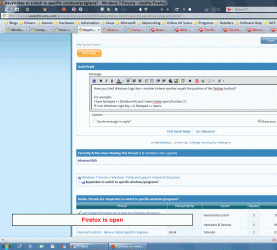
Have you tried Windows Logo Key + number (where number equals the position of the Taskbar button)?

For example:

  1. I have Notepad ++ (Taskbar Position #4) and I have Firefox open (Taskbar Position 7).
  2. If I use "Windows Logo Key + 4", Notepad ++ opens.
  3. If I then use "Windows Logo Key + 7", the Firefox window is brought to the top.
  4. If I then use "Windows Logo Key + 4", Notepad ++ is brought to the top.

Click on picture for an animated gif
Windows Logo Key.gif
 
Last edited:

My Computer

Computer type
PC/Desktop
Computer Manufacturer/Model Number
n/a
OS
W7 Ultimate SP1, LM19.2 MATE, W10 Home 1703, W10 Pro 1703 VM, #All 64 bit
CPU
AMD Phenom II x6 1100T, 3.3 GHz
Motherboard
ASUS M4A88T-M/USB3 (AM3)
Memory
12GB DDR3 1333 G-Skill (4GB x 2), G-Skill (2GB x 2)
Graphics Card(s)
NVIDIA GeForce GTX 660
Sound Card
Realtek?
Monitor(s) Displays
Samsung S23B350
Screen Resolution
1920x1080
Hard Drives
WD Green 2TB (SATA), WD Green 3TB (SATA), WD Blue 4TB (SATA), WD Blue 6TB (SATA)
PSU
Cooler Master
Case
Antec GX300 Tower
Cooling
3x Antec TRICOOL 120mm Fans
Mouse
Wired Optical
Internet Speed
DSL
Antivirus
Avast
Browser
Pale Moon (64 bit)
Other Info
2018-12-27 Upgraded HDDs
2015-12-10 Upgraded case, graphics card, storage
2015-08-15 Upgraded motherboard & RAM
2015-07-15 Upgraded LM17.1 to LM17.2
Thank you for getting back to me. Can you believe I didn't even know about those keystrokes?!
That's very much like what I'm looking for, and it already helps a lot. However, the open programs are not necessarily always in the same order in the taskbar (and the reason that I wanted this solution, is that I often have so much open in my taskbar, that it 'scrolls', so I can't even see the program I want to switch to). Is there a way to 'fix' a program as number 1, another as number 2, etc.?
 

My Computer

OS
Windows 7 Home Premium 64bit
It was introduced in Windows 7

That method only works using numbers 1,2,3,4,5,6,7,8,9,0.
More than 10 windows and you're out of luck.

The number applies to the current position on the Taskbar.

It's trickier than that though. :(
If you have 2 Word windows open, only the first one "counts"(i.e all of the Word windows are accessed by the same Task bar number).
If I had Word windows in positions 7 and 8, "Windows Logo Key +7" grants me access to both of them (8 has no effect).
If I then opened another program (e.g. VLC) it would be accessed by "Windows Logo Key +8" (even though you would apparently have nine buttons on your Taskbar).

Here is a post I wrote listing Windows Logo shortcuts.
http://www.sevenforums.com/856297-post1839.html

You want a given combination to always open the same program?
The best thing that I can think of at the moment is to pin the programs to the Taskbar.
They should always use the same combination.

For example in my picture (above):

  • WLK+1 always opens "Computer Management".
  • WLK+2 always opens "Control Panel".
  • WLK+3 always opens "Windows Explorer".
  • WLK+4 always opens "Notepad ++".
  • WLK+5 always opens "Firefox Selection batch file".
You can drag the pinned Taskbar items and place them in any order you like.

 
Last edited:

My Computer

Computer type
PC/Desktop
Computer Manufacturer/Model Number
n/a
OS
W7 Ultimate SP1, LM19.2 MATE, W10 Home 1703, W10 Pro 1703 VM, #All 64 bit
CPU
AMD Phenom II x6 1100T, 3.3 GHz
Motherboard
ASUS M4A88T-M/USB3 (AM3)
Memory
12GB DDR3 1333 G-Skill (4GB x 2), G-Skill (2GB x 2)
Graphics Card(s)
NVIDIA GeForce GTX 660
Sound Card
Realtek?
Monitor(s) Displays
Samsung S23B350
Screen Resolution
1920x1080
Hard Drives
WD Green 2TB (SATA), WD Green 3TB (SATA), WD Blue 4TB (SATA), WD Blue 6TB (SATA)
PSU
Cooler Master
Case
Antec GX300 Tower
Cooling
3x Antec TRICOOL 120mm Fans
Mouse
Wired Optical
Internet Speed
DSL
Antivirus
Avast
Browser
Pale Moon (64 bit)
Other Info
2018-12-27 Upgraded HDDs
2015-12-10 Upgraded case, graphics card, storage
2015-08-15 Upgraded motherboard & RAM
2015-07-15 Upgraded LM17.1 to LM17.2
Hmm. Ok. I still think this has been really helpful, though. The key applications that I keep wanting to jump to are my browser, my email client, and my project-management software. These (should) only have one instance each. They're also open almost all the time. So I guess I'll get into the habit keeping them in positions 1, 2 and 3, and can therefore use win+1, win+2, and win+3 to access them.
Thank you again for taking the time to help me!
Paul
 

My Computer

OS
Windows 7 Home Premium 64bit
If you pin those programs in positions 1, 2 and 3 they should stay that way.

You can pin a running program to the Taskbar by:

  • Right clicking on its Taskbar button
  • Selecting "Pin this program to taskbar".
Pin VLC.png
 

My Computer

Computer type
PC/Desktop
Computer Manufacturer/Model Number
n/a
OS
W7 Ultimate SP1, LM19.2 MATE, W10 Home 1703, W10 Pro 1703 VM, #All 64 bit
CPU
AMD Phenom II x6 1100T, 3.3 GHz
Motherboard
ASUS M4A88T-M/USB3 (AM3)
Memory
12GB DDR3 1333 G-Skill (4GB x 2), G-Skill (2GB x 2)
Graphics Card(s)
NVIDIA GeForce GTX 660
Sound Card
Realtek?
Monitor(s) Displays
Samsung S23B350
Screen Resolution
1920x1080
Hard Drives
WD Green 2TB (SATA), WD Green 3TB (SATA), WD Blue 4TB (SATA), WD Blue 6TB (SATA)
PSU
Cooler Master
Case
Antec GX300 Tower
Cooling
3x Antec TRICOOL 120mm Fans
Mouse
Wired Optical
Internet Speed
DSL
Antivirus
Avast
Browser
Pale Moon (64 bit)
Other Info
2018-12-27 Upgraded HDDs
2015-12-10 Upgraded case, graphics card, storage
2015-08-15 Upgraded motherboard & RAM
2015-07-15 Upgraded LM17.1 to LM17.2
I love using the Windows key + Tab, very cool thing.
 

My Computer

Computer Manufacturer/Model Number
Home build
OS
Windows 7 Pro x64
CPU
AMD FX 4100 4 Core 3.6GHz AM3+
Motherboard
ASROCK 970 Extreme3
Memory
16GB G.Skill RipjawsX
Graphics Card(s)
Radeon 6850
Sound Card
ASUS Xonar D1
Monitor(s) Displays
ASUS 23" LCD
Hard Drives
SSD 120GB
WD 750GB Black series
WD 640GB Black series
PSU
700W
Case
Antec 100
Cooling
Hyper 212 Plus
Internet Speed
50MB
My favourites are the "window snapping" shortcuts. :)
 

My Computer

Computer type
PC/Desktop
Computer Manufacturer/Model Number
n/a
OS
W7 Ultimate SP1, LM19.2 MATE, W10 Home 1703, W10 Pro 1703 VM, #All 64 bit
CPU
AMD Phenom II x6 1100T, 3.3 GHz
Motherboard
ASUS M4A88T-M/USB3 (AM3)
Memory
12GB DDR3 1333 G-Skill (4GB x 2), G-Skill (2GB x 2)
Graphics Card(s)
NVIDIA GeForce GTX 660
Sound Card
Realtek?
Monitor(s) Displays
Samsung S23B350
Screen Resolution
1920x1080
Hard Drives
WD Green 2TB (SATA), WD Green 3TB (SATA), WD Blue 4TB (SATA), WD Blue 6TB (SATA)
PSU
Cooler Master
Case
Antec GX300 Tower
Cooling
3x Antec TRICOOL 120mm Fans
Mouse
Wired Optical
Internet Speed
DSL
Antivirus
Avast
Browser
Pale Moon (64 bit)
Other Info
2018-12-27 Upgraded HDDs
2015-12-10 Upgraded case, graphics card, storage
2015-08-15 Upgraded motherboard & RAM
2015-07-15 Upgraded LM17.1 to LM17.2
Back
Top