KillDisk + windows 7

Correct. Simply follow this tutorial from Microsoft:

Installing and reinstalling Windows 7

Ok, but what about my recovery partion that i have? It seems like i still have it but it doesnt let me access it anymore for some reason, when i press f11, it just brings me to bootmgr missing.. Should i just delete it, and make a new one once i reinstall windows? and where do i format windows?
 

My Computer

OS
windows 7 home prem. 64
Good quality DVD's and CD's are 5 for $2 on the wall rack near Photo dept at Walgreens.
 
lol, that made me laugh a bit when you told me the exact location, but yeah im just gonna grab some blank cd's this weekend and try to do a test.
 

My Computer

OS
windows 7 home prem. 64
So, where do i format windows 7? I'm still bit shooked at that, i havent tried putting the disc yet til im assured of everything thats going to happen.
 

My Computer

OS
windows 7 home prem. 64
Walgreens is a 24/7 pit stop here. But no HD's.

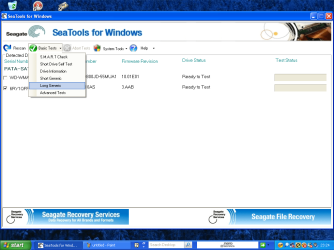
I would burn the Seagate SeaTools CD to run the Full Scan of HD first as it may need repair or worse.

Then follow these illustrated steps: Clean Install Windows 7

If you don't need to save any partitions, read the yellow box under Step 8 on how to delete partitions and create new, format. Or you can just delete them and click Next and installer will create one large install partition (and a small boot partition) and format it for you.
 
You will need a good HD Drive first.

Ok, but what about my recovery partion that i have? It seems like i still have it but it doesnt let me access it anymore for some reason, when i press f11, it just brings me to bootmgr missing.. Should i just delete it, and make a new one once i reinstall windows? and where do i format windows?


   Information
We always assume you have made your Recovery Disks using the OEM manufacturer's Recovery Media Creator app the first day you had your new PC.​

& made the Startup Repair CD.
startup repair disc-create


Did you make the OEM manufacturer's Recovery Disks?
 

My Computer

OS
ME/XP/Vista/Win7
You will need a good HD Drive first.

Ok, but what about my recovery partion that i have? It seems like i still have it but it doesnt let me access it anymore for some reason, when i press f11, it just brings me to bootmgr missing.. Should i just delete it, and make a new one once i reinstall windows? and where do i format windows?


   Information
We always assume you have made your Recovery Disks using the OEM manufacturer's Recovery Media Creator app the first day you had your new PC.​

& made the Startup Repair CD.
startup repair disc-create


Did you make the OEM manufacturer's Recovery Disks?


nop ;[
 

My Computer

OS
windows 7 home prem. 64
Back
Top