
Hi
I'm using WIndows7 on a old Acer TM4000 and it runs perfetcly, faster than XP, as secure as Vista and so good looking. I'm still astonished while using it.
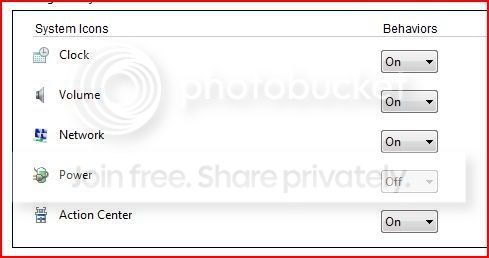
HOwever I was looking for some help.. I can't make appear the battery icon (even when I'm on battery system think to be on A/C) even forcing it: it is greyed out (see attached image)
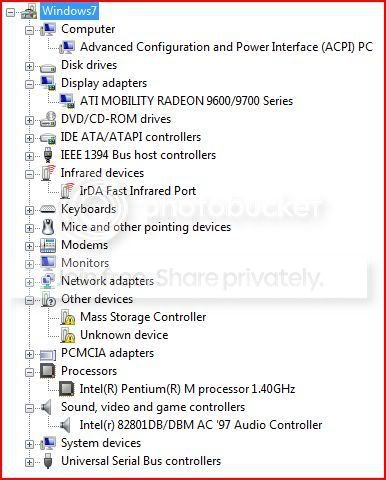
Moreover in hardware I have 2 devices not recognized. One should be the 56k Modem onboard, the other one ( mass storage ) I'm thinking it might me the hard disk controller ? A generic driver had been installed ?
Any help is appreciated.
THanks !
b-bye
I'm using WIndows7 on a old Acer TM4000 and it runs perfetcly, faster than XP, as secure as Vista and so good looking. I'm still astonished while using it.
HOwever I was looking for some help.. I can't make appear the battery icon (even when I'm on battery system think to be on A/C) even forcing it: it is greyed out (see attached image)
Moreover in hardware I have 2 devices not recognized. One should be the 56k Modem onboard, the other one ( mass storage ) I'm thinking it might me the hard disk controller ? A generic driver had been installed ?
Any help is appreciated.
THanks !
b-bye
My Computer
- OS
- WIndows 7
